Table of Contents
If you’ve ever sat down to build a pitch deck and thought, “Why does this always take way longer than it should?”—yeah, I get it. I tested Slideteam (their Free Online AI Presentation Maker) specifically to see how far an AI tool can take you without turning your slides into generic-looking fluff.
Overall? It’s one of those tools that feels designed for speed. You start with a template, feed it content, and it helps you shape slides quickly. For busy founders, marketers, and anyone who needs something presentable today (not “someday”), that matters.
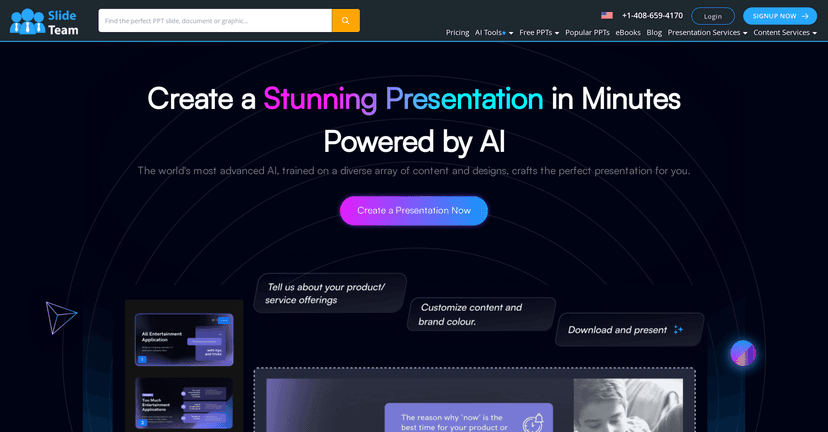
Slideteam Review
Slideteam is an AI presentation tool that’s aimed at getting you from “rough idea” to “slides you can actually show.” In my experience, the biggest win is how quickly it gets you started—especially if you don’t want to spend hours hunting for fonts, aligning text boxes, or rebuilding the same layout from scratch.
What surprised me (in a good way) is that it doesn’t just spit out text. It nudges you toward a cleaner slide structure—headlines, supporting bullets, and sections that feel organized. If you’re making a pitch deck, that structure matters because investors tend to skim. You want clarity, not chaos.
Now, to be fair: AI tools can still miss your intent. If your content is messy or unclear, your slides will reflect that. Garbage in, garbage out—same rule as always. But if you give it decent input, Slideteam can produce something that looks polished fast.
Key Features
- AI-driven presentation generation — you provide topic/content, and it helps turn that into slide-ready material.
- User-friendly interface — the flow is straightforward, so you’re not stuck learning a complicated design system.
- Customizable templates — templates are meant for different presentation types (like pitch decks), which helps you avoid starting from a blank page.
- Design assistance — it offers suggestions that improve readability and slide structure (things like spacing and layout decisions).
- Works for beginners and experienced users — beginners get speed; experienced users can still refine the output.
Pros and Cons
Pros
- Speed is the real superpower. I was able to go from outline to a presentable slide deck way faster than I usually can in a manual workflow.
- Looks professional without much effort. The layouts feel “designed,” not like random text pasted onto a background.
- Free access is genuinely useful. If you want to test the idea before committing to anything, you can.
- Great for pitching to investors. The pitch-deck style structure (problem → solution → traction/story) is a natural fit for how these templates tend to be set up.
Cons
- Customization can feel limited. If you’re the type who wants total control over every element (exact fonts, pixel-perfect spacing, custom layouts), you might hit a wall and need a more manual tool.
- AI can take the wheel. If you prefer building everything from scratch or you have a strict brand layout, you may spend time correcting what the AI chooses.
- Output quality depends on your input. If your content is thin, vague, or unstructured, the slides won’t magically become clearer.
Pricing Plans
Slideteam’s Free Online AI Presentation Maker is available at no cost, so you can create presentations without paying upfront. For people who just need a deck for a meeting, a class, or a quick investor update, that’s a big deal.
If you’re evaluating whether it’s worth sticking with, here’s what I’d check: generate a deck using your real content, then see how much editing you need to make it match your style. If you’re constantly fighting the layout, you’ll feel that—fast.
Wrap up
For what it is, Slideteam feels like a practical tool—not a “someday it’ll be amazing” demo. It’s best when you want speed, a clean structure, and slides that look good without spending half your day formatting. Just don’t expect it to replace your judgment or your brand standards. If you’re okay doing a little tweaking after the AI drafts things, you’ll probably be happy with the results.


