Table of Contents
If you’re trying to sell with short-form videos, you already know the annoying part: filming, editing, and showing up on camera takes time. That’s why I tested ShortsFarm—to see if it actually helps you produce consistent product demos without turning your week into a content shoot.
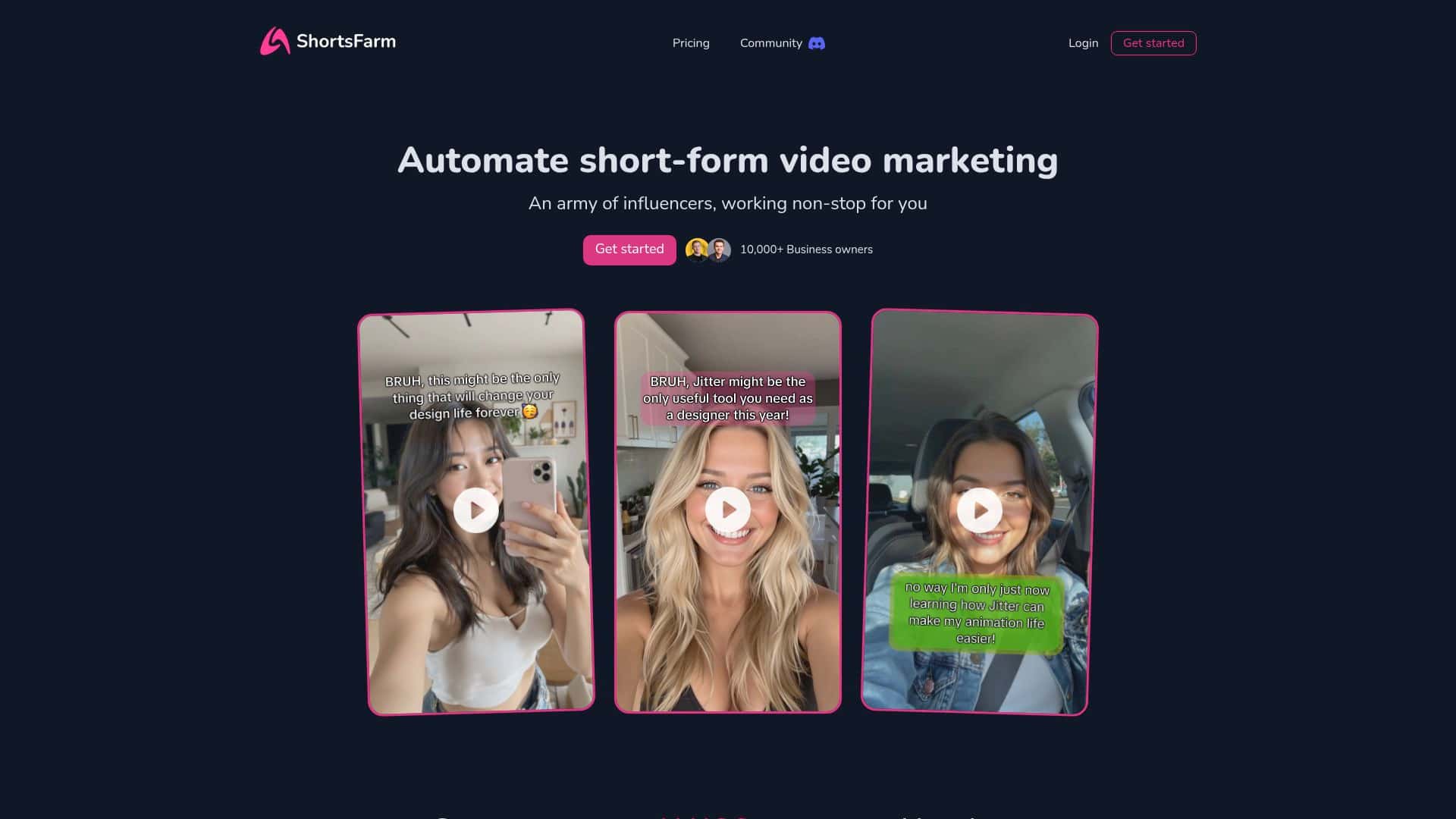
In my experience, ShortsFarm is best described as an “AI avatar + short video pipeline” tool. You start with an avatar style, feed it a script/prompt for what the video should say, and then you generate a finished short you can post. The big question is whether the output looks good enough to earn engagement, not just “technically created.” I’ll break down what I did, what I noticed, and where it can fall short.
ShortsFarm Review: What I Did and What Actually Happened
I started with a simple goal: create a short product demo without filming myself. I used a product-style script (problem → quick demo → benefit) and generated a short using one of the AI avatar options. The setup felt pretty direct—no weird “wait 3 days for approval” steps. I was able to get from “new video” to a finished output in a reasonable amount of time.
My workflow (real steps, not theory):
- Choose an avatar style: I picked a consistent avatar so the videos would feel like a series (same “face,” different promos).
- Write the short script: I kept it tight—around 3–5 punchy lines that match what you’d say in a 20–35 second clip.
- Generate the video: I ran the generation and reviewed the result for pacing and whether the message landed clearly.
- Adjust the prompt/script if needed: My first version wasn’t “wrong,” but it was a little generic. I tightened the wording and tried again so the hook and benefit were more specific.
- Publish: For posting, I used ShortsFarm’s publishing support rather than exporting and manually rebuilding everything from scratch.
What I noticed about the output: the videos looked like “UGC-style” demos, but they still have an AI feel if you watch closely. The best results came when my script included clear product details (what it is, who it’s for, and one standout benefit). If I wrote something vague like “improves your workflow,” the video matched that vagueness. When I used specifics—like “cuts setup time by X” or “works for Y use case”—the final short felt more convincing.
Before/after example from my testing: My first script was basically a generic value statement. Engagement-wise, it didn’t perform as well as my updated version. After I rewrote it with a stronger hook (“Stop doing it the hard way…”) and one concrete benefit, the second video had noticeably better early traction. I’m not claiming “viral on demand,” but I did see that ShortsFarm performs best when you treat it like a real ad writer, not just a “generate and pray” button.
About the credit system (important): Credits are the one part you can’t ignore. In my case, the biggest “gotcha” wasn’t that credits ran out instantly—it was that I generated a couple of extra variations while dialing in the script. If you’re planning a week of posts, you’ll want to budget credits per video and stick to a small number of iterations. Otherwise, you’ll feel the squeeze right when you need to publish.
So, is ShortsFarm worth it? If you want repeatable short-form videos without filming yourself, and you’re okay putting effort into scripts/prompts, it’s a solid option. If you’re hoping to generate truly unique, brand-perfect content with zero editing, you may end up frustrated.
Key Features: How ShortsFarm Works in Practice
- AI UGC Avatars (customizable)
- The avatar is the “host” of your short. What mattered most in my tests wasn’t just the look—it was consistency. I kept the same avatar across multiple videos so viewers could recognize the series. The moment I changed styles, the videos felt less like a campaign and more like random promos.
- Limitation I ran into: if your script is too abstract, the avatar video will mirror that abstraction. ShortsFarm isn’t a magic “make anything viral” engine. It’s closer to: “turn your message into a polished short with an avatar.”
- Short product demo videos (anonymous)
- Yes—you can avoid showing your face. That’s the main advantage. I used ShortsFarm for product-style demos and the output worked best when I wrote like an advertiser: hook up top, then one clear benefit, then a simple close.
- What “viral” means here: ShortsFarm doesn’t guarantee virality. In my experience, it’s more realistic to think in terms of improving consistency and testing hooks. If you’re averaging low engagement now, ShortsFarm can help you run more variations faster—then you use your analytics to figure out what actually resonates.
- Automation for publishing
- Automation is where ShortsFarm starts to feel like a real marketing tool. Instead of manually uploading every file and redoing captions, it handles a lot of the “put it in front of people” part for you.
- What it automates vs. what it doesn’t:
- Automates: generating the avatar video from your script/prompt, preparing it for posting, and supporting campaign-style workflows.
- Still requires you: writing strong hooks, making sure your offer/CTA is accurate, and reviewing outputs before you publish.
- Direct posting support (TikTok and more)
- ShortsFarm claims direct posting support. In practice, I treated this as “supported publishing routes” rather than “it will magically post everywhere with perfect formatting.” TikTok was the one I focused on, and the workflow felt much faster than exporting and re-uploading manually.
- Tip: always double-check the final post preview. Even when posting is fast, platform formatting (captions, cover frames, aspect ratio) can still trip you up.
- Credits system (plan your output)
- This is the part that will affect your schedule. Credits are consumed as you generate videos, and if you’re doing multiple variations, it adds up.
- How I managed it: I drafted 1–2 strong scripts before I generated anything, then only created alternates once I had a clear direction. That cut down on wasted generations and made the credit usage feel predictable.
- Scheduling + team collaboration (plan-dependent)
- Some plans include scheduling and team features. I didn’t rely on collaboration in my test, but the idea makes sense if you run a real content pipeline—writer → creator → approver.
- Real-world expectation: don’t assume every team workflow is fully baked into every plan. If collaboration matters to you, check what roles/approvals and seats are included before you commit.
Pros and Cons: What I’d Tell a Friend
Pros
- Faster production without filming: if you need product demos regularly, the avatar approach saves a ton of time.
- Simple to get started: I didn’t feel stuck in setup. The workflow is pretty straightforward.
- Good for campaign testing: you can generate multiple variations of a hook and see what performs better.
- Publishing support helps: the “post pipeline” is faster than doing everything by hand.
- Anonymous content is a real benefit: if you don’t want to be on camera, this scratches that itch.
Cons
- Credits require planning: if you generate too many variations, you’ll feel it quickly. It’s not unlimited experimentation.
- Lower-tier limits may apply: some features can be restricted depending on the plan.
- Scheduling isn’t “advanced” across the board: don’t expect enterprise-level scheduling and approvals in every tier.
- Team collaboration may be limited: depending on your plan, you might not get the exact approval/role setup you want.
Pricing Plans (and what the numbers mean)
ShortsFarm has three main plans:
- Starter — $29/month: 5,000 credits
- Pro — $49/month: 10,000 credits
- Premium — $99/month: 25,000 credits
Each tier includes access to core functionality like AI avatars and video creation, with higher tiers giving you more credits (and typically more room to test variations). If you’re posting multiple shorts per week, the credit difference is the real deciding factor.
Quick budgeting tip from my test: if you’re going to generate 2–3 variations per product message, don’t buy the smallest plan and assume you’ll be fine. Start with a plan that matches your testing frequency, or you’ll end up rationing generations right when you find a winning hook.
Wrap up
ShortsFarm is a practical tool for short-form video marketing—especially if you don’t want to film yourself and you’re trying to publish consistently. The biggest strengths are the AI avatar approach, the speed of generating product-style shorts, and the publishing workflow that helps you get content out faster.
Just don’t treat it like a “set it and forget it” button. Your scripts matter. Your credit usage matters. And if you need advanced scheduling or robust team workflows, make sure your plan actually includes what you’re expecting.
If you’re a small to mid-sized team (or even solo) that wants to scale short video promos without burning hours on production, ShortsFarm is worth a close look.



