Table of Contents
If you’re trying to improve your website’s SEO but you don’t want to spend your nights and weekends buried in spreadsheets, I totally get it. SEO can be a never-ending checklist: internal links, meta tags, image tweaks, audits… it adds up fast.
That’s why I wanted to take a closer look at SEOJuice. In my experience, the best SEO tools don’t just “recommend” things—they actually help you implement them with less effort. So in this SEOJuice review, I’m going to break down what it does, what I liked, and where you might still want to stay hands-on.
SEOJuice Review: What It Actually Does (and Who It’s For)
SEOJuice is built around automated on-page SEO. Instead of you manually hunting down pages to tweak, it aims to handle the “busy work” that usually eats your time—things like internal linking suggestions and on-page adjustments.
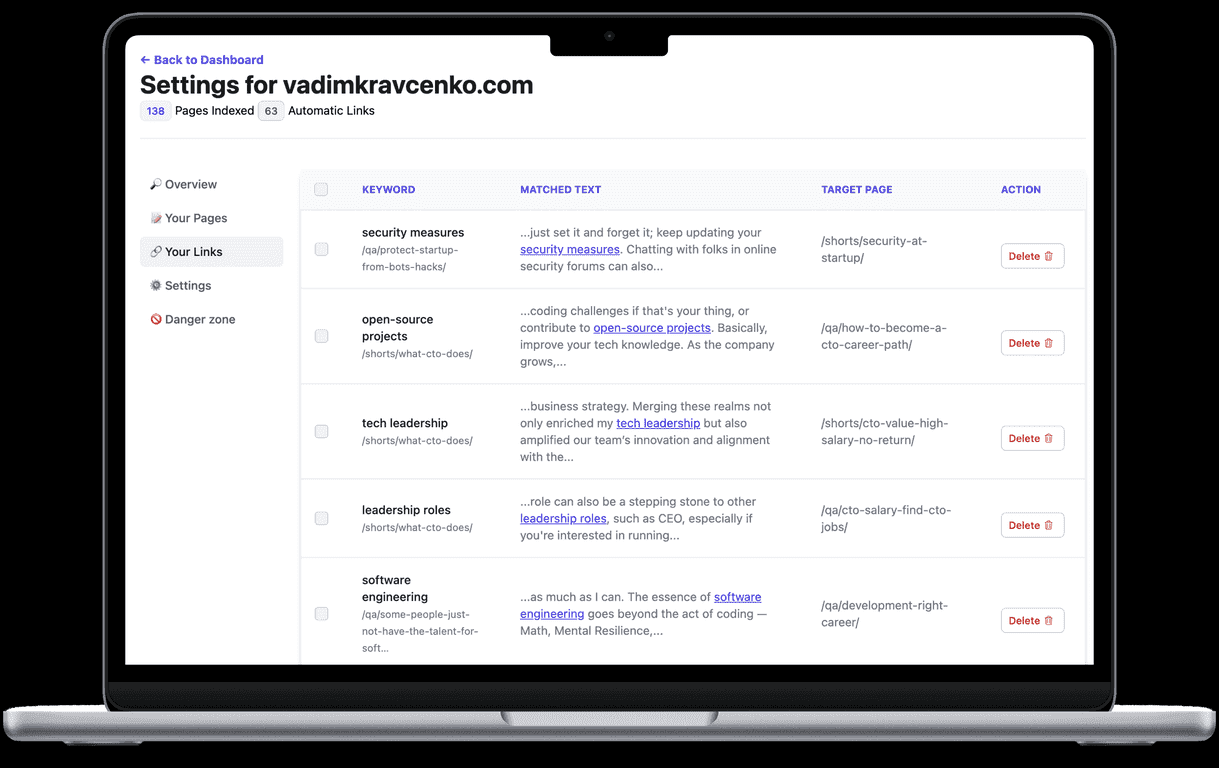
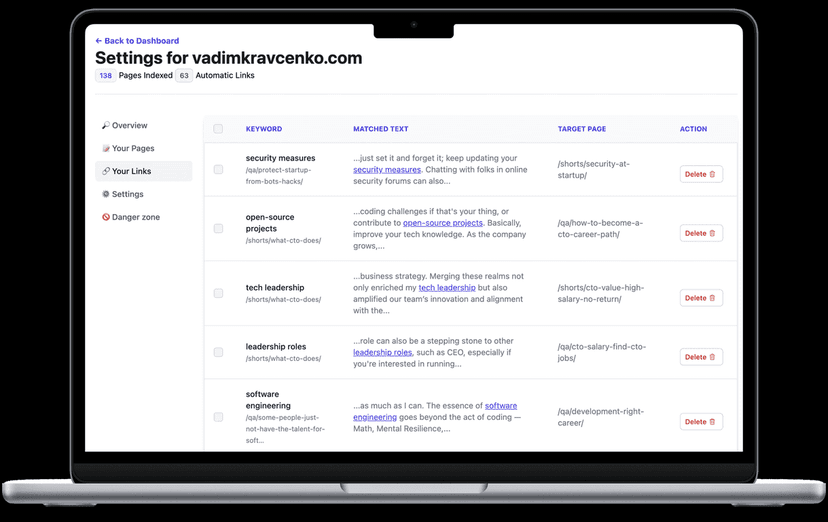
Here’s what stood out to me right away: the internal linking part. If you’ve ever tried to add contextual links across a blog with 50+ posts, you know how tedious it is. SEOJuice’s automated internal links generate recommendations that match your content, so you’re not starting from scratch every time. Do you still want to sanity-check the links? Yes—always. But it’s a lot easier when the tool does the first pass.
On-page optimizations are the other big piece. In practice, this is where tools can feel either “magic” or just vague. With SEOJuice, the focus is on things like meta tags and image-related elements—basically the stuff that affects how pages get interpreted by search engines and how they look when shared. I also like that it considers accessibility. Accessibility isn’t just a legal checkbox; it’s good UX. If your site is already structured well, those improvements usually help users too, not only bots.
Then there are the monthly audits. I’m a fan of audits that come with clear next steps. If a report just says “fix SEO issues” and leaves you guessing, it’s not that useful. SEOJuice’s audits highlight problems early so you’re not scrambling later—especially on sites where new content keeps getting published.
One more angle: it’s also positioned as a whitelabel option for agencies. If you manage multiple client sites, being able to brand reports and present it as your own service matters. That’s not a feature everyone needs, but for agencies it’s a real time-saver.
Key Features I’d Pay Attention To
- Automated Internal Links – AI-powered suggestions for linking content contextually. In plain English: it helps you connect related pages without manually hunting for opportunities.
- On-Page Optimizations – Automates adjustments of meta tags, images, and other on-page elements. This is the “set it up once, keep improving” part.
- Accessibility Tools – Ensures content meets ADA/WCAG compliance. I like that it’s not treated as an afterthought.
- Monthly SEO Audits – Offers regular checks and actionable insights for improvement. The cadence matters because SEO issues don’t wait.
- Whitelabel Option – Agencies can brand the service to enhance their offerings. Useful if you’re reporting to clients every month.
- Compatible with Any CMS – Works well with WordPress, Shopify, and more. If you’ve got a non-standard setup, this is worth confirming before you commit.
Pros and Cons (My Honest Take)
Pros
- Saves hundreds of hours of repetitive SEO tasks. If you’re currently doing internal linking and on-page tweaks manually, this is where the time savings really show.
- Affordable pricing compared to traditional consulting fees. You’re basically paying for automation instead of paying someone to do the same checks over and over.
- Easy integration with just a simple code snippet. In my experience, quick setup is the difference between “tool I use” and “tool I abandoned.”
- Ongoing support and enhancements. SEO changes constantly, so it helps when the platform keeps improving.
- Tracks and improves website performance metrics in real-time. You can spot what’s working instead of guessing.
Cons
- Requires initial understanding for effective setup and implementation. You can’t completely ignore SEO fundamentals—at least not at first.
- Some users will want hands-on control over their strategies. Automated internal links are helpful, but you’ll still want to review for relevance and placement.
- Automated results can vary based on website complexity. A small site with clean structure tends to benefit faster than a messy, multi-author site with thin pages.
Pricing Plans: What You’ll Actually Pay
SEOJuice uses a subscription model priced approximately at €0.002 per page optimized. That’s the kind of structure that can work well if you’re optimizing consistently, but it’s still smart to think about your page count and how frequently you’ll want updates.
It also offers a 7-day free trial. Honestly, I recommend using the trial to test the two things that matter most: (1) internal linking suggestions and (2) on-page changes on a few priority pages. Don’t just click around—watch what it does to your actual content and how it presents the recommendations.
Wrap up
SEOJuice is one of those tools that aims to reduce the time you spend on routine SEO tasks, especially internal linking and on-page tweaks. If you’re a small business owner, a busy marketer, or an agency managing multiple sites, it can be a practical way to keep improving without living in your CMS all day.
That said, it’s not a “set it and forget it forever” solution. I still think you should review the recommended changes—at least until you trust the output for your niche. If you want to see what automation feels like for SEO, it’s worth testing with the free trial. You might end up using it as a regular part of your monthly workflow.
Promote SEOJuice