
Table of Contents
If you’re trying to decide between Scrivener and Ulysses, you’re not alone. I wrestled with the same question when I was planning a long project—part outlining, part drafting, and a lot of “wait, where did I put that note?”
Both apps are popular for a reason, but they’re built for pretty different writing habits. So instead of comparing them like they’re identical tools with different branding, I’m going to frame this around real-world workflows: how you organize, how you draft, how you export, and what you’ll actually feel day-to-day.
Quick spoiler: Scrivener is the “manage the whole project” option, and Ulysses is the “get writing fast without friction” option. Let’s break it down.
Key Takeaways
- Scrivener shines when your project is messy: multiple drafts, research, character notes, and lots of moving pieces.
- Ulysses shines when you want to write cleanly: a minimalist editor, Markdown support, and a workflow that stays out of your way.
- Scrivener is a one-time purchase (plus iOS as a separate buy), while Ulysses is subscription-based.
- Choose Scrivener if you like planning tools (corkboard, outlines, research storage) and you don’t mind a steeper learning curve.
- Choose Ulysses if your priority is speed, distraction-free writing, and Apple-device syncing.

Scrivener vs Ulysses: Which is Better for Writers?
Here’s how I’d sum it up after using both for real projects: Scrivener helps you build a “writing system” around one big document. Ulysses helps you maintain momentum across many smaller writing sessions.
To make this practical, I tested each tool on a similar scenario: a ~30,000-word manuscript draft with notes and research, plus a separate set of outlines for chapters. I paid attention to setup time, how easy it was to reorganize content, and what exporting looked like when I needed something publisher-ready.
Overview of Scrivener
Scrivener is a writing app by Literature and Latte. It’s popular with novelists, screenwriters, and academics because it’s built for long documents that need structure.
In practice, that means you’re not just writing text—you’re managing a project. You can keep research in the same project file, break your work into sections (chapters/scenes), and shuffle them around without losing your place.
What I noticed most: Scrivener’s organization tools aren’t “nice extras.” They’re the whole point. If you like having your plot, notes, and drafts living together, it feels natural fast.
Overview of Ulysses
Ulysses, made by The Soulmen, is more of a minimalist writing environment. It’s designed to keep formatting and project management out of your way as much as possible.
The core idea is simple: you write in sheets, organize them in a library, and use tags and groups to find everything later. It’s great for blog posts, articles, and even novels—if you don’t want your workflow to feel like a spreadsheet.
In my experience, Ulysses is the one I open when I just want to write. No hunting for panels. No “where do I put this note?” moments—at least not compared to Scrivener.
Key Features of Scrivener
Scrivener’s feature set is wide, but a few tools matter more than the rest.
1) Corkboard + cards
If you like visual planning, the corkboard is a big deal. You can create index cards for scenes/chapters, move them around, and quickly see your structure. I used it to reorder early chapters after realizing the timeline didn’t match.
2) Split editor (and “scrivening” view)
Scrivener lets you work with multiple sections at once. The “scrivening” view is especially useful when you want to compare scenes or keep a chapter’s draft visible while you work on another part.
3) Research storage inside the project
Instead of bouncing between folders and apps, Scrivener can store research documents right alongside your draft. That’s a lifesaver for academic writing where you’re constantly pulling quotes, summaries, or references.
4) Inspector + metadata
You can manage formatting, targets, and notes per document section. I liked being able to keep “Chapter 5” notes separate from the actual text without cluttering the draft.
5) Compile (export) options
This is one of Scrivener’s strongest areas. The compile feature is where you turn a messy project into a clean document. You can control things like which sections are included, formatting rules, and output type (for example, Word/PDF/ePub workflows).
One limitation I ran into: Scrivener can feel like a lot at first. You can write immediately, sure, but once you start using corkboard, inspector metadata, and compile presets, it becomes a learning curve.
Key Features of Ulysses
Ulysses is built around a simpler structure, and its best features support that.
1) Sheets
A sheet can be a note, a full article, or a chapter. In my workflow, I used sheets for everything from quick meeting notes to longer drafts. It’s flexible—you don’t feel forced into one “project format.”
2) Markdown support
Ulysses supports Markdown, which means formatting can be fast without clicking through menus. I’m not a “Markdown purist,” but I do like how quick it is to write bold/italics/headings and then let the app handle the final styling.
3) Library with tags, notes, and filters
Instead of a big folder tree, you can organize by tags and groups. I found this especially helpful when I had drafts and outlines mixed together—I could filter by tag like “chapter-5” or “research.”
4) Built-in publishing options
Ulysses can publish directly from the app to supported platforms. I didn’t need it for my test manuscript, but if you’re regularly posting blog content, it saves steps compared to exporting and then uploading elsewhere.
5) Writing focus
This is less of a “feature” and more of a design principle. The editor is clean. The menus don’t constantly interrupt. That matters when you’re trying to hit a daily word-count goal.
One limitation: if you want deep project management (like complex compile rules or heavy visual scene planning), Ulysses can feel like it’s missing the “power user” layer Scrivener provides.
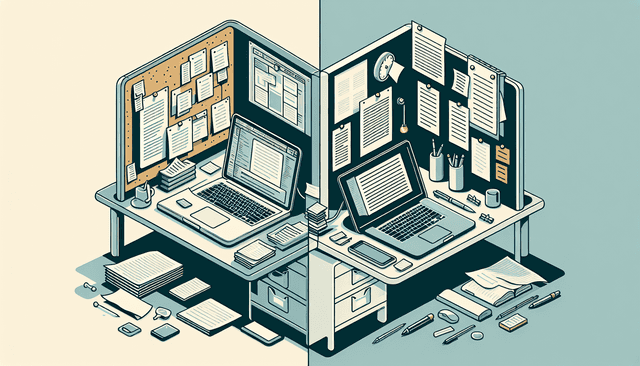
User Interface: Scrivener vs Ulysses
This is where the choice becomes obvious.
Scrivener’s UI: more panels, more controls, more options. You’ve got things like the corkboard and inspector panels, plus a layout designed for multitasking. When I had my manuscript open and my notes/research visible, it was genuinely helpful—especially during revision.
But: if you’re a beginner, it can feel cluttered. Not because it’s “bad,” but because it’s powerful. You’ll likely spend the first couple sessions figuring out where everything lives.
Ulysses’s UI: minimal and calm. The editor is clean. The sidebar organizes your library. There’s less temptation to tinker. I noticed I wrote more consistently in Ulysses because there were fewer “tool moments” breaking my flow.
So ask yourself: do you want your app to be a desk, or do you want it to be a window? Scrivener is more like a full desk setup. Ulysses is more like a window that stays out of your way.
Pricing Comparison
Pricing is usually the deciding factor, so I’m going to be direct. But first: prices change, and I don’t want you to rely on guesses.
Prices checked on: April 20, 2026 (based on official pricing pages at the time of writing; if you’re reading this later, double-check the latest numbers on the vendor sites).
Scrivener: one-time purchase model. The desktop versions are typically a one-time fee, and iOS is usually priced separately. (I’ve seen the desktop pricing around the ~$49 mark and the iOS pricing around ~$19.99, but the exact figure can vary by region and platform.)
Ulysses: subscription model. It’s commonly priced around ~$5.99/month or ~$49.99/year (again, exact pricing can vary by region and tax).
What I think matters:
If you write consistently for years, subscriptions can still be worth it—but you’re paying for ongoing access. If you prefer to buy once and forget it, Scrivener’s model tends to feel safer.
Both apps offer trials, and honestly, that’s the best way to decide because the “learning curve” is real. You don’t want to discover that after you’ve paid.
Who Should Use Scrivener?
Scrivener is a great fit if your writing includes a lot of moving parts.
Pick Scrivener if you:
- Work on long-form projects like novels, screenplays, or research papers where you need sections, drafts, and research together.
- Like planning. Corkboard, outlines, and section rearranging are built for that.
- Want to compile into specific formats with control over how your final document is assembled.
- Prefer offline writing (Scrivener is not dependent on an internet connection for the core experience).
In my case: when I’m revising and need to compare sections, Scrivener’s “project view” keeps everything in one place. It’s slower to set up, but it pays off when you’re deep in the work.
Who Should Use Ulysses?
Ulysses is ideal when your priority is writing with minimal friction.
Choose Ulysses if you:
- Write shorter pieces (articles, blog posts, essays) and want quick organization via tags and groups.
- Prefer a distraction-free editor and a clean interface.
- Like Markdown for fast formatting.
- Use Apple devices and want smooth syncing through the Apple ecosystem.
One practical example: if you’re drafting weekly posts, Ulysses tends to feel faster because you’re not constantly juggling a “project structure.” You just create sheets, tag them, and keep going.
Important note: Ulysses is Apple-only, so if you need Windows support, Scrivener will be the more realistic option.

Pros and Cons of Scrivener
Let’s be honest about tradeoffs—because both apps have them.
Pros (what you’ll actually feel):
- Strong project organization: corkboard, outlines, research storage, and section management are built in.
- Excellent compile/export control: great when you need a polished final document from a complex project.
- Good for revision: “scrivening”/multi-section views make it easier to compare and reorder.
- Offline-first workflow: you can work without relying on syncing every minute.
Cons (where it can annoy you):
- Learning curve: the interface has a lot going on, especially if you’re used to simple editors.
- Can feel heavy for small writing: if you’re only writing short drafts, Scrivener’s setup can feel like overkill.
- Sync/setup may take extra steps: depending on your setup, you may need additional tools/services to get your preferred cross-device behavior.
Pros and Cons of Ulysses
Ulysses is the “clean and quick” option. It’s not trying to be a full project studio.
Pros:
- Minimal, distraction-free editor: it’s easier to sit down and write.
- Markdown support: formatting is fast and doesn’t require constant UI clicks.
- Library + tags: finding old material is straightforward once you tag consistently.
- Apple ecosystem integration: syncing tends to be smooth for macOS/iOS users.
Cons:
- Less deep “project management” depth: if you want heavy outlining, corkboard-style planning, and compile customization, you may miss Scrivener.
- Subscription cost: ongoing payments can feel annoying if you only write sporadically.
- Not available on Windows: if you’re not in Apple land, you’ll be limited.
Integrations and Compatibility
This is one of those areas where “it depends” is actually true.
Scrivener: it’s available on macOS and Windows, which immediately makes it more flexible for cross-platform writers. For syncing, many people use third-party options (like Dropbox workflows). In my testing, it worked fine, but I did have to pay attention to setup details rather than expecting everything to “just happen.”
Ulysses: it’s built for Apple devices. If you’re on macOS and iOS, the experience is usually smooth, and iCloud-style syncing is a big part of why people stick with it.
Bottom line: if you’re writing on multiple operating systems, Scrivener is the safer bet. If you’re all-in on Apple, Ulysses is hard to beat.
Community and Support
Support matters more than people think—especially when you’re trying to do something specific like compile settings or exporting correctly.
Scrivener: you’ll find a strong community, plus official documentation and tutorials. There are also lots of guides online, which helps when you’re trying to understand compile/export behavior.
Ulysses: similar story—documentation, updates, and a community that shares tips (especially around Markdown, tags, and publishing workflows).
In both cases, I recommend browsing the official docs before you commit, because the “right workflow” is usually explained there better than in random blog posts.
Final Thoughts: Choosing Between Scrivener and Ulysses
If you’re writing something big—novel, thesis, screenplay with lots of research—Scrivener is the tool that supports that whole process. It’s more complex, but it’s built for complexity.
If you’re writing to publish—articles, blog posts, essays—and you want to stay in the zone, Ulysses is the better fit. It’s faster to start, easier to maintain, and it keeps your focus on the words.
Also, don’t ignore the device reality: Scrivener works on Windows and Mac, while Ulysses is Apple-only. That alone can decide it.
Try the trials, test your actual workflow (export once, reorganize once, tag once), and you’ll know pretty quickly which one feels like it belongs in your writing routine.
FAQs
Scrivener is built around project management (corkboard, outlines, sections, research stored in the same project). Ulysses focuses on a streamlined writing experience (sheets, Markdown support, and a library with tags for quick organization).
Scrivener is typically one-time purchase pricing (desktop) with iOS priced separately. Ulysses uses a subscription. If you write for many years, Scrivener often ends up cheaper; if you’re actively using Ulysses and want constant updates, the subscription can still make sense.
Choose Scrivener if you’re working on long, complex projects (novels, research papers, screenplays) and you want strong organization like folders, corkboard planning, and compile tools. It’s especially good when you need to manage research alongside drafts.
Both offer documentation and official support through their websites, and both have active user communities. Scrivener tends to have lots of tutorials around advanced project/compile workflows, while Ulysses users often share practical tips for Markdown, tags, and publishing.



