Table of Contents
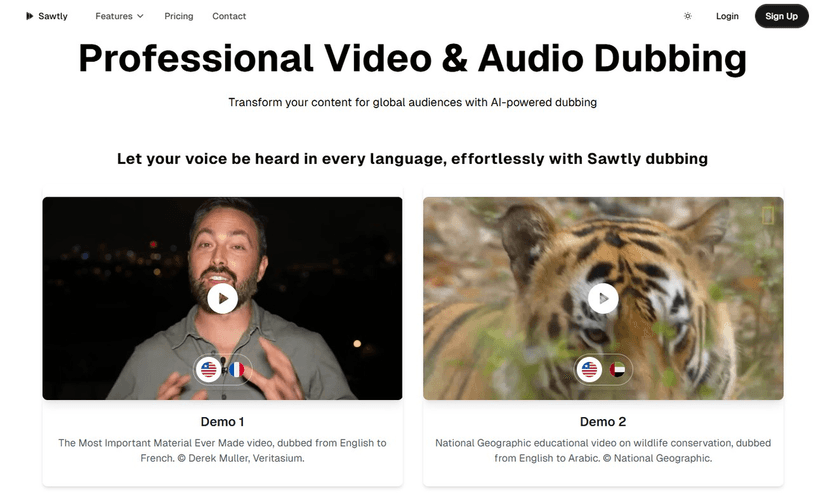
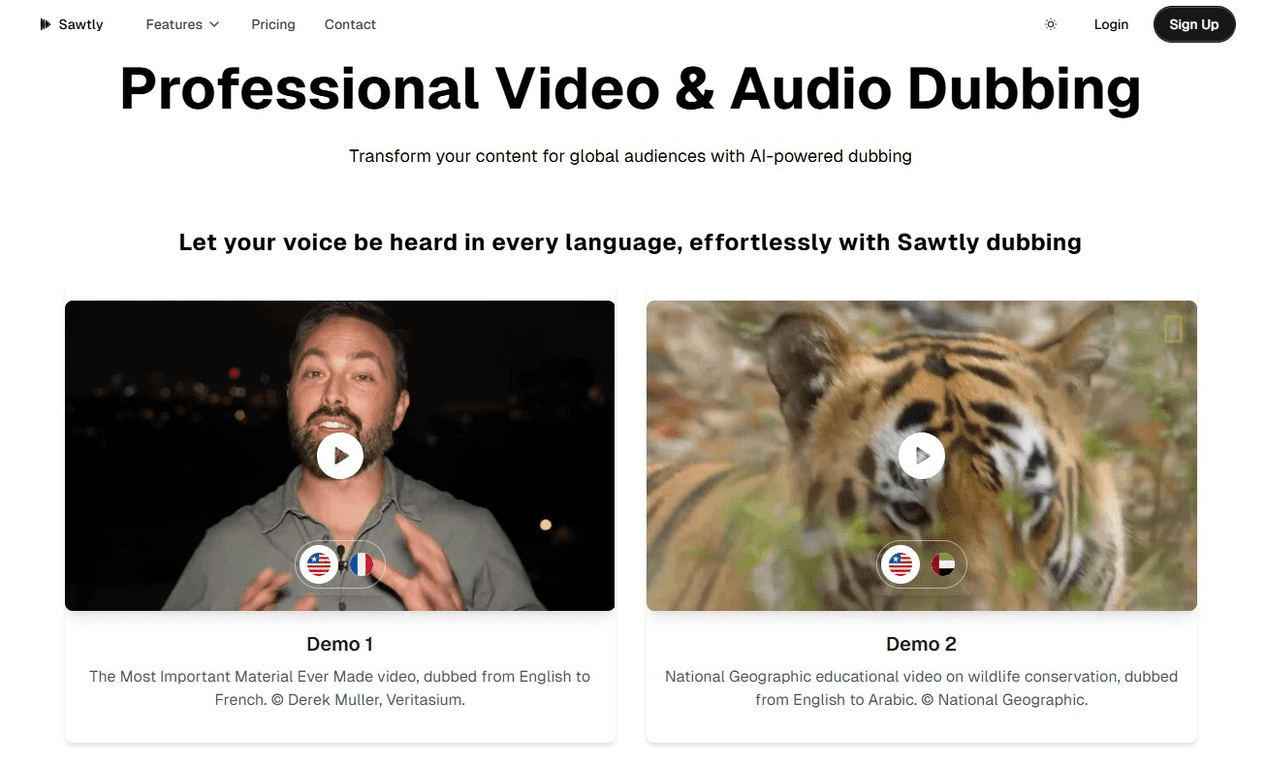
I’ve watched a lot of creators get stuck at the “we’ll translate it later” stage. The truth is, translation isn’t the hard part—getting audio and video to actually work in another language is. That’s why I wanted to test Sawtly. It’s positioned as an AI dubbing tool that takes your content and turns it into dubbed audio and video, with syncing that’s meant to feel natural.
What I liked right away: it’s not just “paste text, get audio.” You can work with your own video files or pull content from YouTube, which is a pretty big deal if you’re trying to publish consistently. And yes—there’s support for 30+ languages, so you’re not limited to just a handful of options.

Sawtly Review: AI Dubbing That Aims for Real-World Sync
Sawtly is an AI dubbing service built for people who want to localize video content without hiring a full dubbing team for every language. In my experience, the biggest question with tools like this is always the same: does it sound natural, and does it line up with the video?
From what I tested, Sawtly focuses on two things that matter to viewers: voice quality and lip-sync. The pitch and pacing aren’t robotic in the way I’ve heard from some older text-to-speech tools. It still depends on the source audio (cleaner recordings generally help), but overall the dubbed voices are meant to feel like a real performance rather than a placeholder.
It’s also set up to be practical. Instead of forcing you to start from scratch, you can upload a video file or use YouTube as an input route. If you’re already filming and posting, that reduces the “admin work” that usually kills localization projects.
And yes, you get support for 30+ languages. That’s the kind of range that actually lets you target multiple regions (and not just one or two “popular” markets).
Key Features I Noticed in Sawtly
- Natural Voice Cloning / Voice Selection: The goal here is to keep the delivery close to the original speaker. I found the voice output most convincing when the original audio was clear and the speech wasn’t too fast.
- Multi-language Dubbing (30+ languages): You can translate and dub into multiple target languages without rebuilding the project each time. This is where the tool earns its keep for creators who want consistent releases.
- Lip-sync Technology: The syncing is designed to match the dubbed audio to the visuals. Is it perfect on every frame? No dubbing tech is. But it’s clearly trying to align mouth movement with speech timing.
- Flexible Export Options: You can export the results in different ways—video, audio, and subtitles are mentioned as supported outputs. In practice, that’s useful if you want to repurpose just the voiceover for short-form content.
- High-Quality Audio Output: The output is meant to sound clean rather than compressed or “flat.” If your input audio is noisy, though, you’ll still want to clean it up first.
- YouTube Integration: Being able to start from YouTube content is a big time-saver. If you’re dubbing the same channel content into multiple languages, this reduces the steps between “idea” and “published draft.”
Pros and Cons (Realistic Take After Testing)
Pros
- Speed: The turnaround is designed to be quick—fast enough that you can realistically localize content without waiting days.
- Cost-effective vs. traditional dubbing: If you compare this to hiring voice actors and studios for multiple languages, Sawtly is a much cheaper path to getting started.
- More language options than you’d expect: 30+ languages is great when you want to test different markets.
- Voice output sounds more “human” than basic AI voices: I noticed less of that overly synthetic tone, especially in calmer dialogue.
Cons
- Quality can vary by input: If your source audio is messy, there’s only so much the dubbing can “fix.” Cleaner audio gives noticeably better results.
- AI voices still won’t replace professional actors: Some lines may feel slightly off in emotion or emphasis. It’s often good, but it won’t always match the nuance of a human performance.
- Pricing details aren’t super clear in the overview: I had to check the site directly to understand what you pay for and what’s included.
Pricing Plans: What to Check Before You Buy
Pricing isn’t clearly laid out in the summary I saw. My advice? Before you commit, go to the Sawtly website and verify a few things:
- What’s included in each plan (exports, subtitle formats, language credits, etc.)
- Limits like file length or number of dubbing projects
- Whether you’re paying per minute, per project, or by usage
- Output options—make sure video/audio/subtitles exports match what you actually need
If you’re dubbing regularly, even small plan differences can matter. I’d rather you confirm it upfront than get surprised later.
Wrap up
Overall, I think Sawtly is a strong option if you want to move beyond subtitles and actually dub your content. The combination of voice output, multi-language support (30+ languages), and tools like YouTube integration makes it feel built for creators who publish often and want localization to be repeatable.
That said, it’s not magic. If your source audio is poor or your content relies heavily on subtle acting, you’ll still want to review the dubbed output carefully before publishing. But if you’re aiming for fast, practical dubbing at scale, Sawtly definitely earns a spot on your shortlist.