Table of Contents
Healthcare documentation can feel like a second job. You finish the visit, you’re trying to stay present with the patient, and then—boom—there’s the charting pile waiting for you after hours. That’s exactly why I was curious about S10.AI, an ambient AI medical scribe that’s built to capture what’s said during the appointment and turn it into usable notes.
In my experience, the big question with tools like this isn’t “can it transcribe?” It’s whether it helps in the real, messy world of clinical conversations: interruptions, side comments, multiple speakers, and the occasional “wait, what was that medication name again?” So I looked closely at what S10.AI claims around transcription accuracy, speed, and privacy—because if it can’t handle the day-to-day, it won’t matter how impressive the marketing sounds.
S10 AI Review
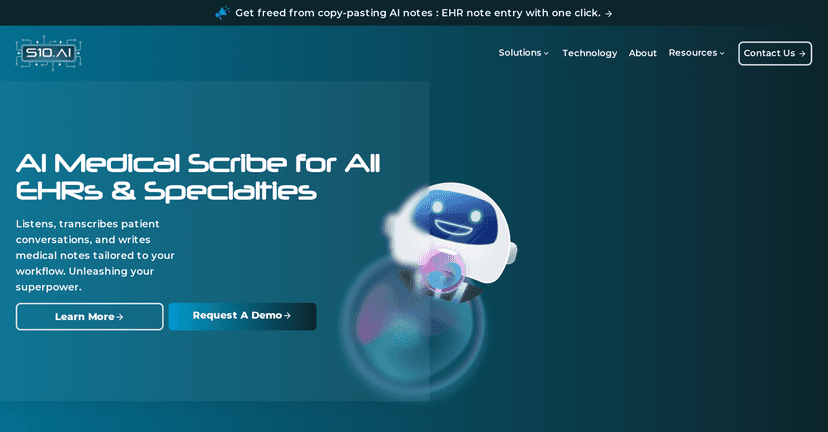
S10.AI is positioned as an ambient AI medical scribe meant to document patient encounters in real time. The promise is simple: reduce the time you spend on admin work so you can stay focused on the patient in front of you.
Here’s what stood out to me from the claims (and what I’d personally test first):
- Documentation time savings: S10.AI claims up to 99% reduction in documentation time. That’s a big number—if it’s even partially true in your day-to-day, charting at the end of the day becomes a lot less brutal.
- Real-time transcription + note generation: it’s built to transcribe the conversation and generate medical notes during the appointment, not hours later.
- EHR flexibility: it’s described as working with or without an Electronic Health Record (EHR) system. That matters if your practice isn’t standardized or if you’re trying to roll this out gradually.
- Accuracy expectations: it advertises 99% transcription accuracy, including support for multiple languages and handling group discussions (not just one clean speaker).
- Speedy chart closure: the idea of closing a chart in about one minute is a huge workflow win—especially for busy clinics where you’re always catching up.
- Privacy & security: it claims compliance with HIPAA, PIPEDA, and GDPR, plus ISO 27001 certification. If you’re evaluating any ambient scribe, this is the stuff you really want to see spelled out.
One thing I’ll say plainly: even the best ambient scribe won’t replace your clinical judgment. What you want is a draft that’s close enough that you can correct quickly—like fixing a medication name, tightening a diagnosis statement, or confirming the plan. If you’re still rewriting everything from scratch, the “time savings” story falls apart fast.
Key Features
- Real-time Documentation
- Cross-Compatibility with EHR systems
- Customizable Notes for various specialties
- High-Accuracy Transcription
- Speedy Chart Closure
- Privacy and Security Compliance
- Voice Recognition for multiple speakers
From a practical standpoint, I care most about two things: how it handles real speech and how much editing you have to do. Multi-speaker recognition is especially important. In many visits, it’s not just “doctor talks, patient answers.” You’ve got nurses, family members, or the patient adding clarifications mid-sentence. If the tool can keep those voices straight, your notes are usually easier to clean up.
What I’d look for during setup
- Speaker separation: does it clearly label who said what?
- Medication and dosage capture: this is where transcription tools often struggle. Try a visit where the patient mentions multiple meds or changes.
- Consent and privacy settings: make sure you understand where recordings go and how long they’re retained.
- Template fit: “customizable notes” sounds great, but does it match your specialty’s style? If you’re doing primary care vs. cardiology, you’ll want templates that don’t feel generic.
Pros and Cons
Pros
- Huge potential time savings: the claimed up to 99% reduction in documentation time is exactly what clinicians want to reclaim.
- More focus during the visit: when the scribe is doing the heavy lifting, you’re less likely to drift into “typing mode.”
- High accuracy + customization: transcription accuracy and customizable note formats can cut down the amount of manual editing.
- Strong compliance story: HIPAA, PIPEDA, GDPR, plus ISO 27001 are all meaningful signals for a healthcare tool.
Cons
- It may take training to get the best results: if you want consistently clean outputs, you’ll likely need a bit of workflow adjustment at first.
- Integration can be a hurdle: even if it works with or without EHRs, connecting to your existing setup (or standardizing how it’s used across providers) can take time.
In other words: it’s promising, but don’t assume it’ll be perfect on day one. If you’re rolling it out across a practice, consider running a small pilot with a couple of clinicians and a few common visit types.
Pricing Plans
The specific pricing plans aren’t listed here. If you’re interested, you’ll want to reach out for a consultation so you can get pricing based on your practice size, specialties, and how you plan to deploy it (EHR-connected or not).
Wrap up
Overall, S10.AI is aiming at the right pain point: cutting down documentation time without sacrificing accuracy or security. If the transcription quality holds up in real appointments (especially multi-speaker visits), and if chart closure really can happen in around a minute, this could meaningfully reduce burnout for clinicians.
If you’re seriously considering it, my advice is to ask for a demo that mirrors your clinic’s workflow—your patient mix, your typical visit length, and the kinds of notes you actually need. That’s the quickest way to find out whether it’s a helpful assistant or just another tool you end up tweaking all day.