Table of Contents
If you’re an architect or designer, you already know the pain: you tweak a facade, adjust a few materials, move a wall… and then you wait. Hours. Sometimes more. That’s why I was curious about ReRender AI—it promises photorealistic renders in seconds, using images you already have from tools like AutoCAD, Blender, or SketchUp.
In my experience, the big win here isn’t just “pretty pictures.” It’s speed during the early and mid stages, when clients want options and you don’t want to burn a whole day re-rendering the same scene. You upload, you generate, and you can iterate fast.
ReRender AI Review: Instant Photorealistic Renders (What I Noticed)
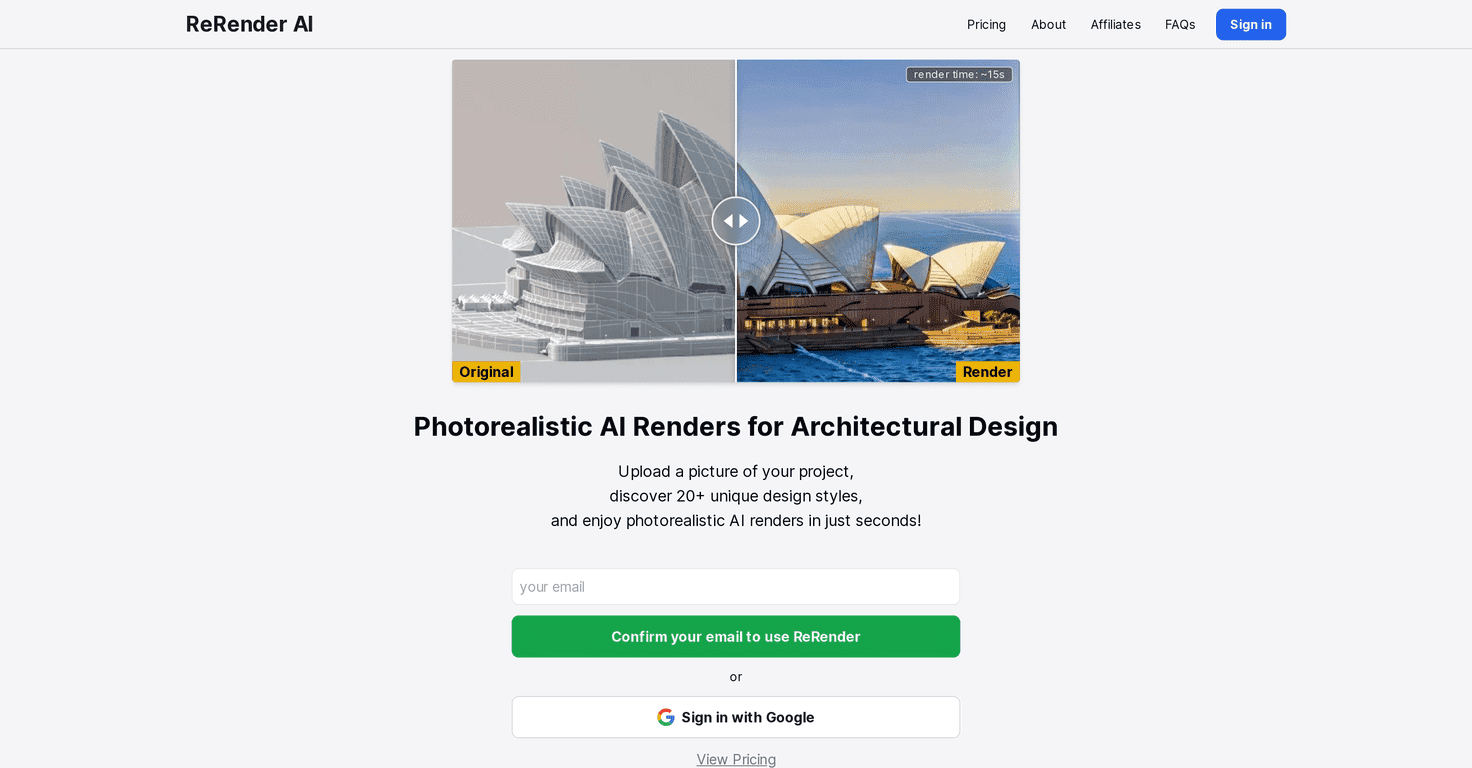
ReRender AI is built for one main job: turning your existing project images into photorealistic architectural renders quickly. You’re not starting from scratch like a traditional renderer. Instead, you upload an image (or images) you already have, then the AI generates a more realistic version.
What stood out to me right away is how fast the output feels. The tool’s listed speed is about 15 seconds per render (roughly), and that matches the “instant” vibe you’d expect when you’re trying to show options to a client. If you’ve ever had a client ask, “Can we see it with a different material?” and you’re stuck waiting on a render queue—this is exactly the kind of workflow shift that matters.
It also supports edit mode, which is where things get practical. Instead of redoing everything, you can ask for changes like adjusting the environment or adding/substituting elements (like landscaping or furniture). Is it perfect every time? No. But for early concepts and revision rounds, it’s genuinely useful.
Key Features of ReRender AI (With Real-World Use Cases)
- Instant Rendering (around 15 seconds)
- This is the headline feature. In practice, it means you can generate multiple variations during a meeting or right after you get feedback. Want a morning light version and an evening one? You can usually get both without losing your whole afternoon.
- Diverse Design Styles (20+ styles)
- The platform includes over 20 architectural styles. I like having options that aren’t just “slightly different.” Some styles feel more like distinct visual directions, which is helpful when you’re trying to match a client’s taste—modern minimal, warm residential, more cinematic looks, and so on.
- Edit Mode for Iterations
- ReRender AI’s edit mode is meant for redesigning spaces without starting over. In my experience, this is where you get the most value if you already have a solid base image. You can experiment with things like landscape, furniture, and other scene elements instead of re-rendering from scratch every time.
- User-Friendly Interface
- It’s not trying to be overly technical. If you’ve used common design tools, you’ll probably pick it up quickly. That said, you still need to understand what makes a good input image—more on that below.
Pros and Cons (Honest Take After Testing the Workflow)
Pros
- Big time saver: If you’re doing revisions often, the speed helps you move faster and keep momentum with clients.
- Style variety: Having 20+ styles means you can explore different visual directions without hunting for new assets or settings.
- Simple to use: The interface doesn’t feel like it’s built only for power users.
- Great for concept rounds: When you need “good enough to decide,” this kind of tool shines.
Cons
- You still need good source images: It helps a lot if you know how to export clean visuals from AutoCAD/Blender/SketchUp. If your input is messy or low-res, the output won’t magically fix everything.
- Pricing isn’t super transparent: I couldn’t find a clear pricing breakdown in the basic overview, so you’ll likely have to check the site directly or compare plans after you sign up.
- Not a replacement for final production: For client-ready, ultra-precise deliverables, you may still need traditional rendering workflows—especially if your project demands strict accuracy.
Pricing Plans (What to Check Before You Commit)
Pricing can change, and I don’t want to guess. For the latest details (plans, limits, and what’s included), check the official ReRender AI website.
If you’re deciding whether it’s worth it, I’d focus on two things: how many renders you get per plan and whether edit mode is included without extra restrictions. That’s usually what determines whether it saves you time (or just adds another tool to manage).
Wrap up
ReRender AI is one of those tools that feels built for the real rhythm of architectural work: quick iterations, lots of options, and tight timelines. The speed (around 15 seconds per render), the 20+ styles, and the edit-friendly workflow are what make it stand out—especially when you’re trying to respond to feedback fast.
Just go in with the right expectations: it’s best for concepting, revision rounds, and client explorations. If you want the final, ultra-accurate production look, you’ll still want your standard rendering pipeline in the mix. Either way, it’s worth checking out if you’re tired of waiting on renders every time the client changes their mind.
Promote ReRender AI