Table of Contents
Expense tracking sounds simple—until you’re staring at a random pile of receipts and wondering where your money actually went last week. That’s why I wanted to test ReceiptiX. I’m not trying to become a spreadsheet person. I just want something that makes it easy to capture spending, categorize it automatically, and show me patterns without a ton of effort.
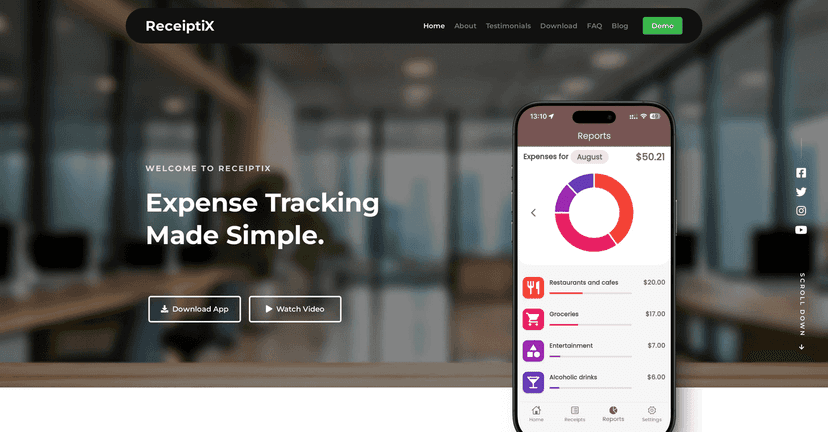
ReceiptiX positions itself as an AI-powered expense tracking app, especially for beginners. In my experience, that’s the right angle—because most people don’t fail at budgeting because they don’t understand money. They fail because the process is annoying. ReceiptiX tries to remove the annoyance with receipt scanning, voice logging, and automatic categorization.
ReceiptiX Review: Does It Actually Make Expense Tracking Easier?
Here’s what I like right away: ReceiptiX doesn’t try to overwhelm you with a bunch of finance jargon. Instead, it focuses on capturing expenses quickly. For example, I can snap a receipt and move on—no tedious manual entry right after dinner or a quick coffee run.
When the app works well, it feels almost “set it and forget it.” The scan captures the details, categorization assigns the category, and then you can look at what you spent without having to do all the organizing yourself.
That said, I don’t want to oversell it. Like any receipt-scanning tool, the results depend on the quality of the photo and the complexity of the receipt. If the receipt is blurry, angled, or has tiny text, you might need to double-check what the app pulled from it.
Key Features I’d Pay Attention To
- AI-Powered Receipt Scanning to capture expense details instantly. In real life, this matters most when you’re busy and don’t want to type everything out.
- Smart Categorization that learns from your spending habits. I like this because it reduces the “what category is this?” decision fatigue.
- Voice Mode Expense Logging for hands-free tracking. If you’re cooking, commuting, or just don’t want to open your phone every time, voice logging is genuinely useful.
- Beginner-Friendly Interface for smooth navigation. I found it easier to get started than apps that bury you in settings right away.
- Automatic Insights that help you uncover spending patterns. You don’t just get a list of transactions—you get a sense of where your money is going.
- Multi-Currency Support for tracking expenses globally. If you travel or shop in another currency, this saves you from doing conversions manually.
Pros and Cons (What You’ll Like vs. What Might Annoy You)
Pros
- Beginner-friendly: it’s not trying to force you into complicated budgeting frameworks.
- Receipt scanning is fast: it’s built for quick capture, not slow data entry.
- Voice logging is convenient: I can log expenses without breaking my flow.
- Useful insights: seeing patterns is the whole point, and the app aims to deliver that without extra work.
- Multi-currency support: helpful for international spending and travel.
Cons
- Scanned data may need verification: if the receipt is messy or the text is small, you’ll want to check totals and line items.
- Categorization accuracy can dip with complex expenses (think mixed purchases or unusual merchant descriptions).
- Not built for power users: if you want advanced budgeting rules, deep reporting, or highly customized workflows, it may feel a bit basic.
Pricing Plans: What I’d Check Before You Commit
ReceiptiX is available as a free download from the App Store or Google Play. After that, there may be in-app purchases or subscription options depending on what features you use. I’d recommend checking the app store listing for the most current pricing because these details can change.
If you’re deciding whether to pay, think about this: do you primarily need receipt scanning and basic categorization, or do you want more frequent insights, expanded features, or higher limits? That’s usually where subscriptions make sense.
Wrap up
Overall, I think ReceiptiX is a solid pick for beginners who want expense tracking without turning it into a second job. The biggest win is how quickly you can log spending—especially with receipt scanning and voice mode. Just don’t forget to review scans occasionally, because no AI is perfect when receipts are blurry or complicated.
If you want an app that helps you get organized fast and actually keep up with your spending, ReceiptiX is worth a try.
Promote ReceiptiX