LIFETIME DEAL — LIMITED TIME
Get Lifetime AccessLimited-time — price increases soon ⏳
AI Tools

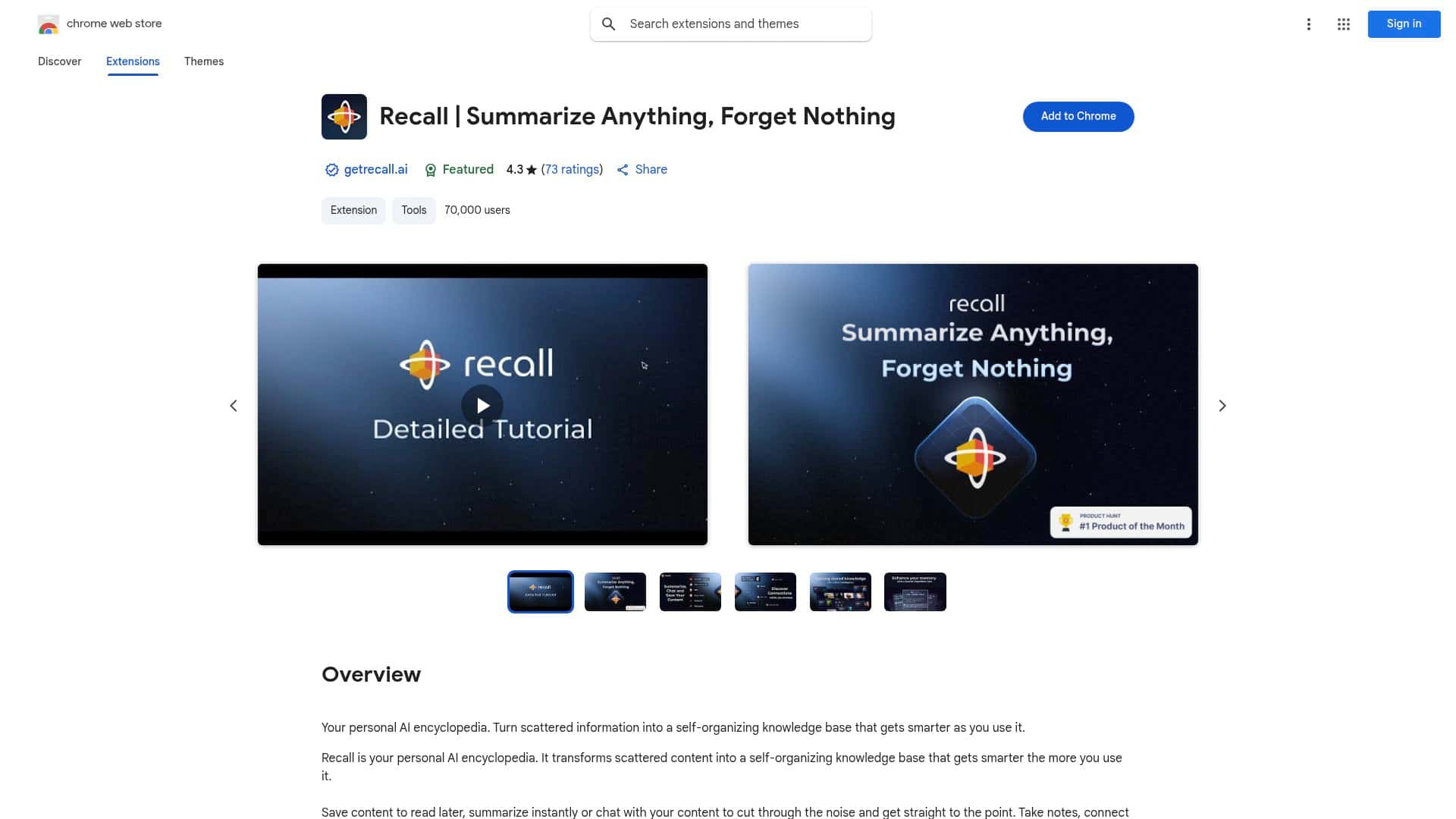
Recall Review – Your Ultimate AI Knowledge Organizer

Updated: April 20, 2026
7 min read
#Ai tool#productivity

Table of Contents

I’ve been trying to solve the same problem for years: I save stuff all day long, and then a week later I can’t find it—or I find it and forget what it was actually saying. That’s why I gave Recall a real test.

In my case, I used Recall on a mix of content types (web articles, a couple PDFs, and a handful of videos). My goal wasn’t just “organize my bookmarks.” I wanted to see if it genuinely helps me review and remember—especially when I’m busy and I don’t want to manually re-read everything. What I noticed after the initial setup: the app’s auto-organization and knowledge graph are the parts that actually feel different from a typical notes tool. The spaced repetition reminders also did what they’re supposed to do: pull me back to the right items at the right time.

Recall Review (What I actually did & what happened)

I used Recall for a few weeks, starting with a pretty normal “I save too much” workflow. I’d find something useful, save it, and then move on. The difference is that Recall doesn’t treat those saves like dead-end bookmarks. It tries to turn them into something you can review and connect later.

Here are a few specific scenarios from my test:

  • Scenario 1: PDF + summary check. I saved a PDF I’d already skimmed once. After saving, I generated/used the quick summary feature and compared it to what I remembered. The summary was good enough that I didn’t have to re-open the file immediately. One thing I noticed: if the source PDF is messy or text is low quality, summaries can feel more “generic” than you’d want.
  • Scenario 2: Chatting with stored content. I asked follow-up questions like “What are the main takeaways?” and “How does this relate to X?” The chat answered based on what I had saved, not random web results. That’s the big win for me—less searching, more continuing the thought.
  • Scenario 3: Linking ideas in the knowledge web. I took two related articles and manually linked ideas between them. What surprised me was how quickly the knowledge graph made the connections feel visible. It’s not magic, but it reduced the mental effort of “where does this fit?”
  • Scenario 4: Spaced repetition reminders. After I saved a set of items, the active recall/spaced repetition prompts started showing up. In practice, that meant I actually reviewed notes instead of just collecting them. I also noticed that the reminders work best when you’ve already added at least a little context (like a short note on why you saved something).

So, does it feel like a “self-growing knowledge base”? Yes—if you keep feeding it. But the real value, in my experience, is that it gives you a path back to your saved info: summaries, chat, and recall prompts. Without those, knowledge tools usually turn into storage. Recall tries to keep it alive.

Key Features (with real-world examples)

  1. Save articles, videos, PDFs, recipes, and more for later
  2. I tested this with a mix of web links and files. The workflow is straightforward: save first, organize later. The useful part is that Recall doesn’t make me do heavy tagging right away. I can add notes afterward when I remember why the item mattered.
  3. Get quick summaries of your saved content
  4. After saving, I used summaries as a “should I read this now?” filter. For clean text sources, the summary was tight and easy to scan. For lower-quality inputs (like PDFs with poor OCR), the summary quality dropped—so it’s not flawless, and you still need to sanity-check when the source is messy.
  5. Chat with your stored information
  6. This is where Recall feels more like a personalized reference library than a note app. I asked questions that were too specific for a generic search query, and it answered using what I’d saved. If you’re the type who likes to ask “why” and “how does this connect?”, you’ll probably use this a lot.
  7. Customize notes and link ideas to create a connected knowledge web
  8. I added short notes like “useful for client onboarding” and “compare with X.” Then I linked related concepts. The result wasn’t just organization—it changed how quickly I could jump between ideas. If you skip the notes entirely, the graph still works, but the connections can feel less meaningful.
  9. Automatic organization and knowledge graph generation
  10. The auto-organization is what saves you time. In my test, the knowledge graph made relationships visible without me doing everything manually. Still, I wouldn’t treat it as perfect. Sometimes it linked things that were adjacent rather than truly related, and I adjusted by refining notes/links.
  11. Active recall and spaced repetition for better retention
  12. This is the feature I cared about most. I noticed that recall prompts helped me revisit key items instead of forgetting they existed. It works best when you’ve saved content with a clear purpose (learning a concept, prepping for something, or capturing a repeatable workflow).
  13. Augmented browsing that surfaces related content instantly
  14. When I went back to browsing, Recall surfaced related items from my library. That reduced the “lost in tabs” feeling. It’s not a replacement for research, but it’s a strong way to keep momentum once you’re already learning.

Pros and Cons (my honest take)

Pros

  • Summaries + chat are genuinely useful together. I didn’t just get a one-time summary; I could follow up with questions and keep going.
  • Linking ideas makes review easier. The knowledge graph helped me move between topics without re-reading everything.
  • Spaced repetition nudges you to actually review. That’s the difference between “I saved it” and “I learned it.”
  • Local-first security posture (as stated). Recall emphasizes data staying local, which matters if you’re cautious about privacy.

Cons

  • Input quality matters. If your PDFs are scanned images or badly formatted, summaries and downstream answers can be less accurate. Garbage in, garbage out—no surprise, but it’s real.
  • Setup and onboarding take a little patience. I didn’t get everything perfect on day one. It took a couple sessions to understand where notes, links, and recall prompts “click” together.
  • Not a substitute for deep reading. Summaries are fast, but if you truly need nuance, you’ll still open the source content sometimes.

Pricing Plans (what I found)

Recall has a free tier with limited features (including a cap on summaries). For paid plans, I’m seeing $10/month and a lifetime license option at $500, plus business/custom plans.

Quick note: I can’t guarantee those prices match every date since pricing pages update. If you want the most accurate number, check the official Recall site directly (the link at the top of this review points there).

Who I think Recall is best for (and who should skip it)

  • Best for: people who save lots of material and want a system for reviewing it later—especially if you like active recall/spaced repetition.
  • Not ideal for: users who only want a basic “notes + search” workflow. If that’s you, tools like Notion or Obsidian might be simpler and more customizable.
  • How it compares (in plain terms): Readwise is great for highlighting and turning reading into review, while ChatGPT can help you summarize, but it won’t automatically build a personal knowledge base from your saved library the way Recall aims to. Obsidian is powerful for manual linking, but it won’t do the same automatic organization + recall prompts out of the box.

Final thoughts

Recall is one of the more practical “AI knowledge” tools I’ve tried because it doesn’t stop at organization. It pushes you back toward the content with summaries, chat, and recall reminders. If you’re willing to save consistently and add at least a bit of context, it can genuinely make learning stick. And if you’re expecting it to work perfectly with low-quality inputs or to replace actual study entirely—yeah, that’s not what it’s built for.

For me, the biggest win was simple: fewer tabs, fewer dead-end bookmarks, and more real review. That’s exactly what I wanted from a knowledge organizer.

Stefan

Stefan

Stefan is the founder of Automateed. A content creator at heart, swimming through SAAS waters, and trying to make new AI apps available to fellow entrepreneurs.

Related Posts

Figure 1

Strategic PPC Management in the Age of Automation: Integrating AI-Driven Optimisation with Human Expertise to Maximise Return on Ad Spend

Title: Human Intelligence and AI Working in Tandem for Smarter PPCDescription: A digital illustration of a human head in side profile,

Stefan

ACX is killing the old royalty math—plan now

Audible’s ACX is moving from a legacy royalty model to a pooling, consumption-based approach. Indie audiobook earnings may swing with listener behavior.

Jordan Reese
AWS adds OpenAI agents—indies should care now

AWS adds OpenAI agents—indies should care now

AWS is rolling out OpenAI model and agent services on AWS. Indie authors using AI workflows for writing, marketing, and production need to reassess tooling.

Jordan Reese

Create Your AI Book in 10 Minutes