Table of Contents
Good website feedback is surprisingly hard to get. You can ask a friend, hire a designer, or run a bunch of tools—but most of the time you still end up waiting, guessing, or paying for something you just needed a quick sanity check on. That’s why I tried ratemysite.app.
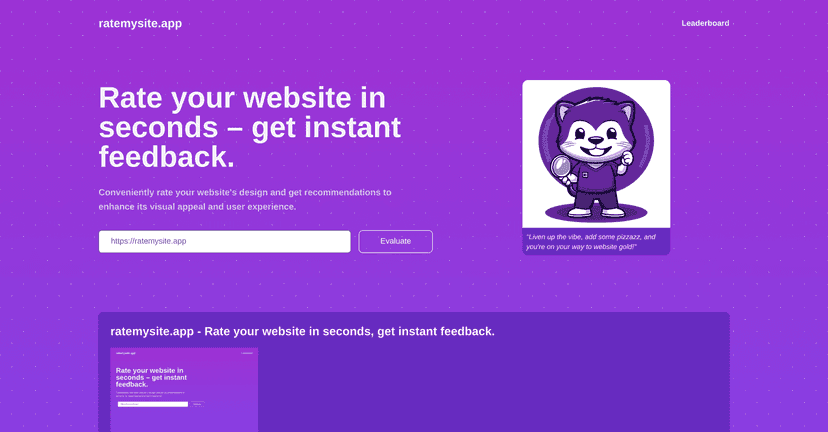
From what I saw, ratemysite.app is a simple web app: you paste in a website URL, hit the button, and it spits out a rating pretty quickly. The output focuses on things like visual appeal, layout, and content clarity—basically the areas most people notice first when they land on a page. It also includes recommendations, which is the part I actually like. A score without guidance is kind of useless, right?
One thing I noticed right away is the interface. It’s clean and doesn’t feel cluttered, so you’re not stuck clicking through a confusing dashboard just to get an answer. After the results show up, there’s also social sharing, which is handy if you want to post a quick “before/after” or show clients what you’re working on.
Now, I’ll be honest: this isn’t a replacement for a real UX audit or user testing. But if you want fast, readable feedback you can act on today, it’s pretty convenient.
ratemysite.app Review: quick feedback you can actually use
If you’ve ever stared at your own homepage thinking, “Is this clear enough?” or “Why does this feel off?”, you’ll get why tools like this are popular. I ran ratemysite.app on a couple of URLs and what I liked most was how fast I got something I could work with. You’re not waiting for a report that takes days.
Here’s the basic flow: paste your website URL, and the app returns a set of scores tied to different design areas (visual design, layout, and clarity/content). After that, it gives recommendations—so you’re not just left with “you scored 72” and a shrug.
What stood out in my experience is that the feedback is written in a way that’s easy to scan. It’s the kind of output you can bring to a quick meeting with a designer or use as a checklist for your next round of edits. Could it be more detailed? Sure. But it’s not trying to be a full agency deliverable.
Key Features I’d Pay Attention To
- Instant website rating: You get results quickly after entering a URL, which makes it useful for repeated checks while you iterate.
- Design recommendations: The app doesn’t just score—it points you toward changes. In my case, that’s what helped me decide what to tweak first.
- Score metrics: It breaks things down into areas like Visual Design, Layout, and Clarity/Content.
- User-friendly interface: No complicated setup. If you can paste a link, you can use it.
- Social sharing: After the evaluation, you can share your results to social platforms. It’s a small feature, but it’s useful when you’re showing progress.
Pros and Cons (What’s Great vs. What to Watch)
Pros
- Fast feedback: If you need a quick “what’s working / what’s not” before you redesign, this is convenient.
- Readable recommendations: I didn’t feel like I had to decode the results just to figure out what to do next.
- Scoring helps you prioritize: When you’re juggling multiple pages, having categories (visual/layout/clarity) makes it easier to decide where to start.
- Clean, low-friction experience: The interface is simple enough that you won’t get annoyed mid-check.
Cons
- Scores are still subjective: AI can’t fully account for brand voice, audience expectations, or the “why” behind certain design choices.
- Feedback can feel generalized: If your site is unique (or uses a non-standard layout), the recommendations might not be as specific as you’d want.
- Some suggestions may read a bit dry: The tone is functional. If you’re expecting creative, brand-level critique, you may find it a little bland.
Pricing Plans
From what I can tell, ratemysite.app looks like it’s free (at least there weren’t any pricing tiers mentioned in the content I reviewed). That said, pricing can change, and I don’t want to guess. If you’re planning to use it regularly, I’d check the official site directly to confirm whether there are limits on usage or features.
Wrap up
Overall, ratemysite.app is a solid option when you want quick website feedback without the hassle. It’s easy to use, the results are easy to scan, and the recommendations give you a direction for what to improve next. Just don’t treat it like a final verdict—think of it more like a helpful first pass.
If you’re iterating on your homepage, landing page, or portfolio and you want something you can run in minutes, it’s worth trying. Get your baseline, make a change or two, and run it again. That’s where tools like this actually start to pay off.