Table of Contents
If you’ve ever tried to make a quiz from scratch, you already know the annoying part: writing questions, formatting everything, and then realizing you forgot one section. That’s why I gave Quizz Light Year a real test. My goal was simple—see how fast I could turn an idea (or a class document) into something students could actually use.
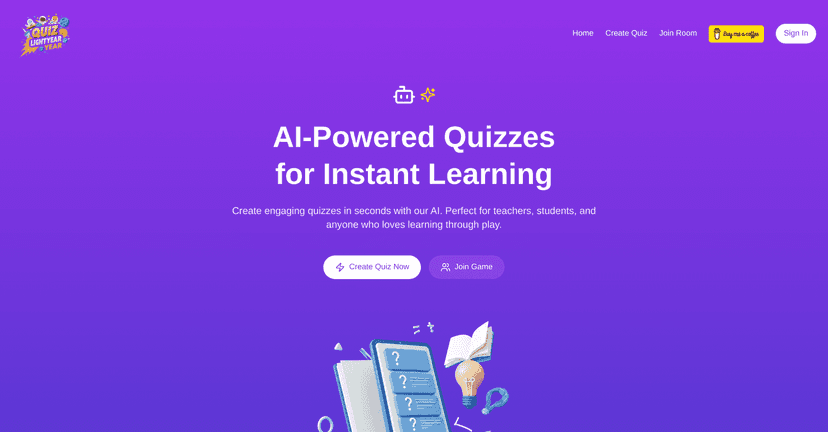
Quizz Light Year Review (What I Noticed After Testing It)
Quizz Light Year is built for one thing: making quizzes quickly. In my experience, that speed matters most when you’re crunched for time—like when you need a quick review before an exam or you want to check understanding mid-unit.
What I liked right away is that it doesn’t feel like you’re wrestling with a complicated editor. You pick a topic, and it generates questions fast. The questions are designed to be engaging, not just “copy-paste definitions.” And because it’s AI-driven, you’re not stuck manually writing every single prompt.
Even better, it supports uploading study materials—like PDFs. I tested it with a document that had multiple sections and headings, and the quiz it produced was actually usable. It pulled the material into interactive questions instead of leaving me to do all the work myself. If you teach or coach, this is the part that saves real time: turning existing content into practice questions.
Customization is where it gets practical. I could adjust things like difficulty and question types, which means you’re not stuck with one-size-fits-all quizzes. For example, if you’re reviewing basic concepts, you can steer it toward easier questions. If you’re doing a stronger assessment, you can push toward harder prompts. That flexibility is a big deal when different learners need different levels of practice.
There’s also progress tracking. I like having some kind of “where am I at?” view, especially for self-study. It helps you spot weak areas instead of guessing. And if you’re using it in a group setting, progress insights make it easier to decide what to review next.
One honest caveat though: AI-generated questions are great for speed, but they’re not always perfect. I still recommend doing a quick skim—especially for accuracy and clarity—before you hand it to a class or submit it for a graded assignment.
Key Features That Actually Matter
- Instant AI Quizzes for any topic
Start with a topic and get a quiz without spending hours building questions manually. - Upload and convert PDFs into interactive formats
Turn existing study docs into quiz questions so you don’t have to rewrite everything. - Customizable difficulty and question types
Adjust the quiz to match your learners—basic review vs. tougher practice. - Engaging question generation
The questions are built to keep attention, not just test memorization. - Progress tracking
Helps you see improvement and identify areas to revisit.
Pros and Cons (No Sugarcoating)
Pros
- Fast quiz creation—I didn’t feel like I was waiting around.
- PDF-to-quiz workflow—you can reuse your existing materials.
- Good customization for difficulty and question style.
- Better engagement than typical “worksheet” style practice.
- Progress tracking makes self-study feel more structured.
Cons
- AI questions may need a quick review for accuracy/wording before using them for anything high-stakes.
- Pricing details aren’t clear in the page text here, so you’ll want to confirm on the official site before committing.
Pricing Plans
Pricing isn’t spelled out in the content I was given, so I can’t responsibly quote numbers. What I recommend (and what I do when a tool doesn’t list pricing upfront) is checking the official Quizz Light Year site directly for the latest plan options. If you’re using it for a class or organization, also look for any student/teacher discounts or bulk options.
Wrap up
If your main goal is to create quizzes without spending your whole evening formatting questions, Quizz Light Year is genuinely worth trying. The PDF upload feature and the ability to adjust difficulty are the standout benefits I noticed, and the progress tracking helps keep practice from feeling random.
Just don’t skip the quick sanity check on the generated questions—AI is fast, but you’ll want to make sure it matches what you actually taught.
Promote Quizz Light Year