Table of Contents
Let’s be real—news scrolling can eat up way too much time. I tried Quik News because it sounded like the opposite of doomscrolling: short audio updates, delivered fast, with an option to steer what you hear. I used it for a couple of weeks in between work tasks, and I’m going to tell you what actually felt better, what didn’t, and where the app surprised me.
Quik News Review: What I Noticed After Using It for Weeks
My setup: I tested Quik News on an iPhone (iOS 17) using the app’s audio feed while commuting and during short breaks (usually 5–10 minutes at a time). I also tried it with headphones and once without—audio clarity was fine either way, but I definitely preferred headphones for background noise.
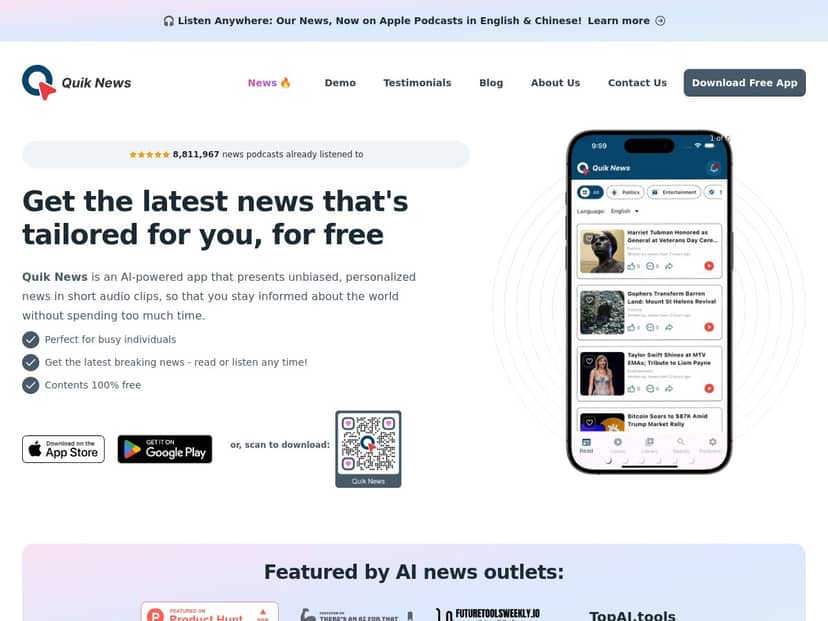
What the app does well right away: The main feed is built around short audio clips. I didn’t feel like I had to “commit” to a long article. In my first couple of sessions, I could tell the app was pulling headlines from a mix of categories and turning them into listenable updates.
Personalization test (the part that matters): I set my preferences to focus on a few categories instead of trying to listen to everything. I also moved the adjustable political orientation setting slightly toward the direction I usually lean (not all the way). Then I ran the same routine: open the app, listen to the first 5 clips, and repeat the next day.
Here’s what I saw in week 1 versus week 2:
- Week 1: Categories mostly matched what I selected, but a couple of clips felt “adjacent” rather than on-target—like I’d chosen a specific topic, yet I got a broader angle that didn’t quite fit.
- Week 2: The feed tightened up. I still got occasional misses, but overall the clips felt more aligned with my chosen categories and the political slider direction.
How often did it miss? I kept it simple and rough (because I’m not pretending I’m doing academic research), but across about 10 listening sessions in total, I’d say 3 out of 10 times I noticed at least one clip that didn’t match what I expected based on my settings. The miss wasn’t always “wrong”—sometimes it was just a different framing than what I thought I’d get.
Concrete examples of where it landed (and where it didn’t): One day, I set my categories to mostly tech and business and expected the feed to lean toward product/market updates. Instead, one of the clips was more policy-heavy than I was expecting. Another time, I got a headline that sounded like it would be a local story, but the audio recap was more general and global. Those were the moments that made me go, “Oh—this isn’t exactly what I filtered for.”
Revisiting and saving: I actually used the revisit/download part. When a clip caught my attention, I went back later and pulled up the audio again. That “save it for later” behavior is underrated—especially when you’re listening while distracted and you know you’ll want to check the details.
Bottom line from my experience: Quik News is genuinely convenient when you want updates without the endless scroll. The audio format works for busy days. And while the personalization AI isn’t perfect, it improved over time in a way that felt noticeable—not just marketing talk.
Key Features: What They Look Like in Real Use
- Personalized News tailored to user preferences
- Instead of a single generic feed, I could steer the results by choosing categories and adjusting the political orientation slider. What I noticed: the feed doesn’t become “echo chamber mode” instantly. It feels more like it nudges framing and topic selection over multiple sessions.
- Short Audio Clips for quick consumption
- This was the main reason I kept using it. In practice, I could hit a 7-minute window and still feel like I’d caught up. The app doesn’t demand that you start an article, read it, and then find related links. It’s listen-first.
- Selection from seven different news categories
- I liked that I could narrow things down. When I left categories too broad, I got more variety—but also more “why am I hearing this right now?” moments. When I tightened the categories, the feed felt more useful.
- News aggregated from over 80,000 trusted sources worldwide
- I can’t verify the exact source list from inside the app UI, but I did notice the variety in the types of outlets referenced by the clips. The bigger value here is that the feed doesn’t feel like it’s coming from one single publisher.
- Adjustable Political Orientation to suit user views
- This slider is where personalization gets interesting. When I moved it slightly, the tone and emphasis of certain stories changed. When I left it neutral, the feed felt more evenly mixed, but also less “tailored.” It’s not magic—just a meaningful steering control.
- Revisit and download stories in audio or script form
- I tested this by listening to clips I liked and then revisiting later. The script/download option is helpful if you want to skim details instead of replaying audio. It’s also useful when you’re in a place where audio isn’t ideal.
- Multi-language support for diverse users
- Multi-language support matters if you want to keep up while traveling or if you prefer news in a language you’re comfortable with. I didn’t exhaustively test every language, but the option being there makes Quik News feel more globally usable.
Pros and Cons: The Honest Version
Pros
- Fast catch-up: The whole point—quick audio updates—worked for me. I didn’t lose time to scrolling.
- Free to use: I didn’t run into paywalls during my testing sessions.
- Source variety: The feed didn’t feel like it was repeating the same outlet style over and over.
- Multitasking friendly: I used it while walking and during short breaks, and it fit that “in the background” style.
- Multi-language option: Helpful for people who don’t want everything in one language.
Cons
- Personalization accuracy isn’t perfect: Like I mentioned, I noticed category/political framing misses in about 3 out of 10 sessions during my testing. Most times it was “close,” but not always.
- Audio won’t replace reading for everyone: If you want deep context, audio recaps can feel too short. It’s great for awareness—less great for research.
- Information overload if you don’t manage categories: When I left everything broad, I got more clips than I actually wanted. Narrowing categories fixed most of that.
Pricing Plans: Is Quik News Actually Free?
From what I experienced, Quik News is completely free. I didn’t hit any “upgrade now” prompts while using the feed features I cared about—listening, revisiting, and using the personalization controls.
You can also find it through major app distribution channels like Apple Podcasts and Google Play, which makes it easy to start without jumping through hoops.
Wrap up
If you’re looking for a way to stay informed without turning the day into a scrolling marathon, Quik News makes sense. The audio-first format genuinely fits into busy schedules, and the personalization controls (categories + political orientation) helped the feed feel more relevant as I kept using it. Just don’t expect perfection—on a few sessions, the app’s recommendations didn’t match my filters exactly. Still, for a free audio news tool, it’s one of the more practical ones I’ve tried.


