Table of Contents
If you’ve ever sat through a 20–40 minute YouTube video just to find one useful point, you already know the pain. I do this all the time—then I end up wishing there was a faster way to get to the actual takeaway. That’s exactly where QuickClip comes in.
QuickClip Review: Does It Actually Save Time?
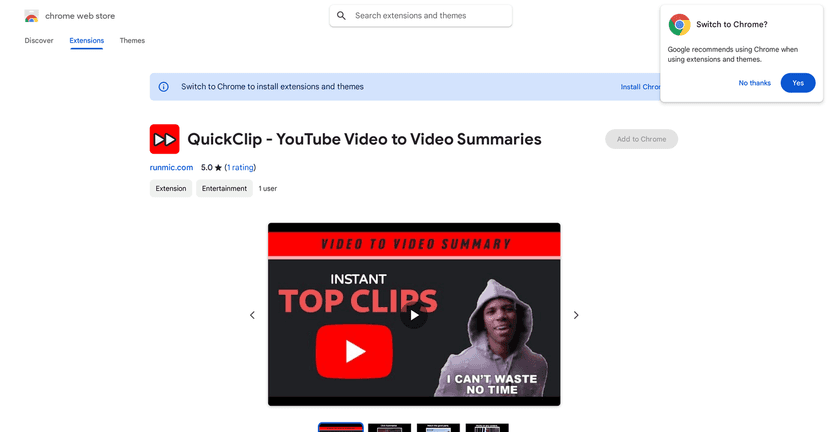
QuickClip is a Chrome extension that’s built for one main job: turning long YouTube videos into shorter summaries so you can jump to the good parts. I tried it on a few longer uploads (the kind that usually make me scroll for the “real info”). What I noticed right away is that it’s trying to pull out the key points instead of forcing you to listen to every minute.
Here’s the simple flow: you install the extension, open a video, and use it to generate a summary/highlights. You don’t have to hunt around for timestamps or manually take notes. And honestly, that’s the whole appeal—less time watching, more time learning.
One thing I appreciated is how “click and go” it feels. There’s no complicated setup. You’re not juggling settings or trying to figure out what mode you’re in. You just want the summary, and QuickClip focuses on getting you there quickly.
That said, it’s not magic. If a video is very dense, heavy on nuance, or relies on context, the summary may smooth out some of the details. Still, for most everyday use—tutorials, explanations, interviews, and general knowledge—QuickClip can be a pretty helpful shortcut.
Key Features I Look For in a YouTube Summary Tool
- Extracts key points from YouTube videos (so you’re not stuck watching every section)
- Creates quick summaries for longer content
- Uses AI to generate highlights and condensed takeaways
- Single-click style activation (no fiddly workflow)
- Designed for people who want to catch the main ideas fast—students, busy professionals, and casual viewers alike
Pros and Cons (My Honest Take)
Pros
- It really does cut down the time when you’re hunting for specific info. I found myself using the summary to decide whether I should watch the whole thing.
- Summaries are usually concise, which is what I want when I’m short on time.
- Easy to use. If you can click an extension button, you can use this.
- Great for “previewing” content. Before I commit to a long video, I can get the gist.
Cons
- Some nuance can get lost. If you need every caveat or every step in a tutorial, you may still have to watch the original.
- Quality depends on the video. Clear audio and structured videos tend to summarize better than chaotic or fast-paced ones.
Pricing Plans: Free First, Premium Later
QuickClip is available for free, and there are options for in-app purchases to unlock premium features inside the extension. If you’re just trying it out, I’d start with the free version and see how often you actually use it. If you’re a heavy YouTube watcher or you rely on videos for learning, that’s usually when premium makes more sense.
Wrap up
QuickClip is one of those tools that feels small at first—until you realize how much time you spend watching videos just to find a single takeaway. For me, the best use case is previewing long videos and quickly getting the key points without the full time sink.
If you’re the type who bookmarks videos but never gets around to finishing them, or you just want to cut through the fluff, QuickClip is worth trying. Just keep your expectations realistic: it’s a summary tool, not a replacement for actually watching when you need the full context.
Promote QuickClip