Table of Contents
Welcome to my Qonqur review. If you’re trying to get better at math and science (without feeling like you’re just memorizing steps), this is the kind of tool I actually pay attention to.
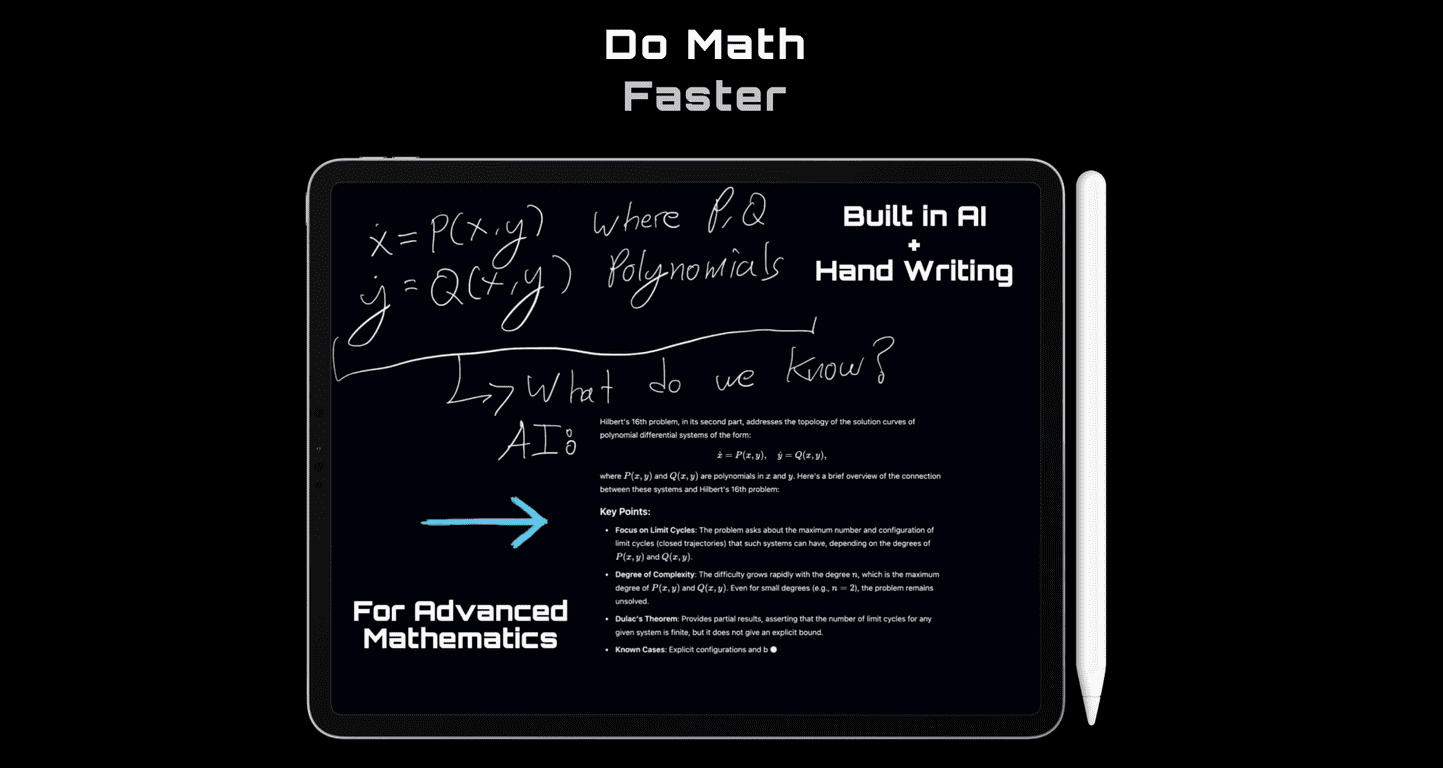
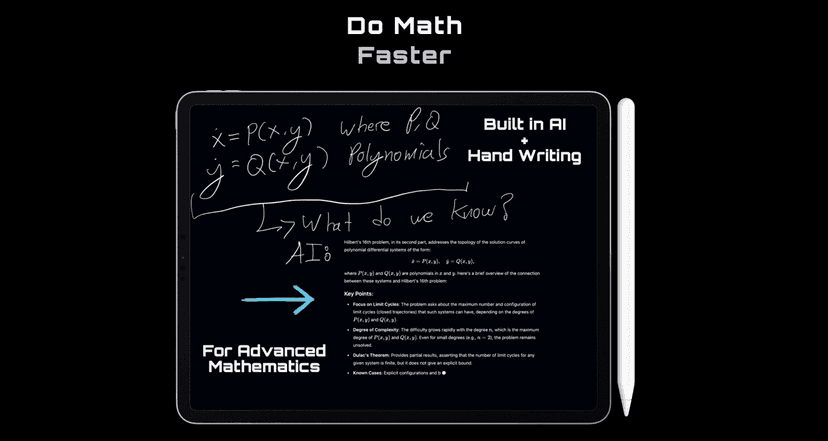
Qonqur’s main idea is pretty straightforward: you write notes by hand, and it uses intelligent handwriting recognition to understand what you wrote. Then it connects that thinking to relevant explanations and expands on your ideas. That “write it out → get help → keep going” loop is exactly what I wish more learning tools did.
In my experience, the biggest win here is that you don’t have to force your thinking into a rigid format. You can jot down a messy derivation, a quick sketch of a concept, or a half-finished question—and Qonqur helps you turn it into something more complete. And yeah, I’m picky about learning apps. If it doesn’t feel natural, I stop using it. This one has the right vibe.
Qonqur Review: What It Actually Does (and Why I Like the Approach)
Qonqur is built around a pretty specific workflow: you write your math or science notes by hand, and it interprets them. Then it doesn’t just “answer” you—it tries to connect your notes to related explanations and expand on what you started.
Here’s what that looks like in real life. Say you’re working through a physics problem and you jot down something like: “Net force = m(a)” and then you scribble a free-body diagram with a couple of forces labeled. With a normal text-based assistant, you’d have to type all of that (or describe it). With Qonqur’s handwriting-first approach, you can keep momentum. You’re still thinking on paper while the tool helps translate that into clearer context.
It’s also the kind of platform that can support both foundational and advanced learning. For example, if you’re early in your math journey, you might use it to break down steps you don’t fully get. If you’re deeper into the subject, you can use it to explore “why this works” instead of only “how to do it.”
Key Features That Matter for Math & Science Learning
- Intelligent handwriting recognition to aid learning
- Connection + expansion of ideas so your notes don’t stay stuck as fragments
- Exploration across levels (foundational concepts up through more advanced thinking)
- Built for learners and researchers—people who actually write things down when they think
What I like most is that it’s not trying to replace your notes. It’s trying to work with them. That sounds small, but it changes how often you’ll actually use the tool.
Pros and Cons (Real Talk)
Pros
- Arts + sciences vibe actually helps—handwriting-based learning feels more natural than typing every equation.
- Encourages creative thinking because you can sketch, rearrange, and iterate like you would in a notebook.
- STEM-friendly in the sense that it’s designed around the way STEM students work: steps, diagrams, and definitions.
- Helps you navigate complex ideas by turning rough notes into more structured explanations.
Cons
- It’s still pre-release, so a lot of the “final” experience (including pricing and full capability) isn’t locked in yet.
- Functionality depends on the release setup—they’ve indicated iPad + Pencil + MacBook, and until that’s fully available, it’s hard to judge what’s truly possible day-to-day.
- Handwriting isn’t magic. If your handwriting is hard to read, any handwriting recognition system can struggle. (I’ve seen this with other tools, and I’d expect similar limitations.)
Pricing Plans: What’s Known Right Now
As of now, Qonqur doesn’t list clear pricing plans. From what’s been shared, it’s operating in a waitlist phase, and the expectation is that pricing and more complete functionality will roll out soon—specifically with the iPad + Pencil + MacBook setup.
If you’re deciding whether to join, I’d treat the waitlist like this: you’re signing up to get early access and updates, not buying a fully priced, fully documented product today. Fair enough—but you should know that going in.
Wrap up
Overall, I think Qonqur has a strong concept: handwriting recognition tied to real learning support for math and science. The best part is the workflow—it feels closer to how people actually study, not how apps wish people studied.
That said, it’s still early. Until the full release is out (and we can see the real capabilities on the iPad + Pencil + MacBook setup), I wouldn’t call it “done” yet. But if you like learning through notes, diagrams, and step-by-step thinking, it’s definitely worth watching—and joining the waitlist if you want early access.
Promote Qonqur