Table of Contents
If you’ve ever pasted the “perfect” prompt into ChatGPT (or another model) and still gotten something vague, off-topic, or just… weird, you’re not alone. I’ve run into that enough times that I started treating prompt quality like a real craft—structure, specificity, constraints, the whole deal.
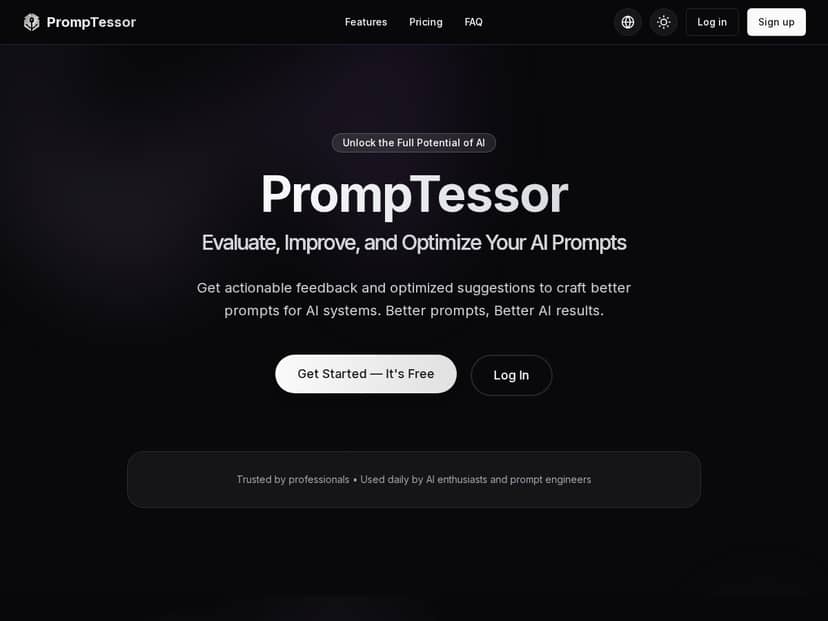
That’s why I tested PrompTessor. It’s positioned as an AI prompt analyzer/optimizer, and the big question for me was simple: does it just spit out generic advice, or does it actually help you write prompts that produce better outputs?
PrompTessor Review: Does It Actually Improve AI Outputs?
I tested PrompTessor on 2026-04-18 (around 2:30 PM local time). I used the free tier first so I could see what the “real” experience feels like before paying for anything. My setup was pretty simple: I’d write a prompt, run it through PrompTessor, apply the suggested rewrite(s), then paste both versions into a separate model to see what changed.
One thing I noticed right away: PrompTessor doesn’t just ask you to “rate” your prompt. It gives you a breakdown—score plus metrics—that makes it easier to understand why the prompt is struggling.
My workflow (what I actually did)
- Step 1: Paste a prompt into PrompTessor.
- Step 2: Choose analysis level (basic vs advanced).
- Step 3: Review the Effectiveness Score (0–100) and the metric breakdown.
- Step 4: Copy the optimized rewrite(s) it suggests.
- Step 5: Re-test the original vs optimized prompt in a model and compare the output quality.
That last step matters. A lot of tools can make your prompt look better on paper—but do they help in practice? That’s what I checked.
Before/after examples (prompt pairs I tested)
Example 1: Marketing email (too broad → tightened constraints)
Original prompt:
“Write a marketing email for our new product. Make it engaging.”
What PrompTessor flagged (metrics + guidance):
- The prompt lacked concrete details (product name, audience, tone, offer).
- It didn’t specify what “engaging” means (story? benefits? CTA?).
- It had weak goal orientation and constraints, so the output could wander.
Optimized prompt suggestion (what I used):
“Act as a marketing copywriter. Write a short email (120–160 words) promoting a new skincare serum called ‘GlowDrop’ for busy professionals. Tone: friendly, confident, not hype-y. Include: 1) a subject line, 2) 3 bullet benefits, 3) one clear CTA button text. Avoid medical claims. End with a one-sentence reminder of the launch offer: 20% off for 48 hours.”
What changed in the downstream output: The optimized version came back with a clear structure (subject + bullets + CTA), and it stayed on message instead of trying to “sell” in a generic way. The original prompt produced a decent email, but it was more likely to ramble and skip the bullets/CTA unless I explicitly asked.
Example 2: Blog outline (vague topic → clearer structure)
Original prompt:
“Create an outline about productivity for students.”
What PrompTessor improved:
- It pushed for a defined scope (which “students,” what timeframe, what level).
- It encouraged a clearer goal (what the reader should be able to do after reading).
- It emphasized structure (headings, sections, and actionable takeaways).
Optimized prompt suggestion (what I used):
“Create a blog outline titled ‘Productivity Systems for College Students’. Audience: first-year students. Goal: help them set up a weekly routine in 30 minutes. Include H2 sections for planning, task capture, time blocking, and review. Add H3 bullets with 1–2 actionable steps per section. Keep it realistic—no ‘wake up at 5 AM’ fluff. Add a short FAQ at the end (4 questions).”
What changed in the downstream output: With the optimized prompt, the outline came back with a more consistent hierarchy and fewer “placeholder” sections. The original prompt was broad enough that the model leaned into generic advice.
Example 3: Developer-style request (missing constraints → more consistent format)
Original prompt:
“Help me write code to parse JSON.”
What PrompTessor suggested:
- Specify language/runtime and input/output expectations.
- Add constraints like error handling and example inputs.
- Define the desired response format (code only vs explanation).
Optimized prompt suggestion (what I used):
“Write a JavaScript function that parses a JSON string and returns an object. Requirements: handle invalid JSON gracefully (return null), accept an optional reviver callback, and include an example input + output. Response format: give the code first, then a short explanation in 3 bullet points.”
What changed in the downstream output: The optimized prompt produced cleaner, more predictable results—especially around error handling and response formatting.
About the score + metrics (and how I used them)
PrompTessor’s Effectiveness Score (0–100) is useful, but I didn’t treat it like a “grade.” I used it more like a compass. When my score was lower, the metrics usually pointed to the same culprits: missing context, unclear goal, weak constraints, or messy structure.
The metric categories I saw were along the lines of:
- Clarity (is it easy to understand what you want?)
- Specificity (are key details included?)
- Context (does the model know the situation/audience?)
- Goal Orientation (what outcome are you aiming for?)
- Structure (is there a format to follow?)
- Constraints (what should it avoid or limit?)
And here’s what surprised me: once I fixed just one missing piece—usually constraints or structure—the output quality improved more than I expected. It wasn’t magic, but it was consistently practical.
Limitations I ran into
- Free tier is tight: you don’t get unlimited tries, so you have to be intentional about which prompts you test.
- Advanced analysis takes a bit more effort: it’s better for complex prompts, but it’s not always necessary for quick tasks.
- It can’t know your brand voice: PrompTessor helps you structure prompts, but you still need to supply details like tone, audience, and do/don’t rules.
Still, for the price (especially if you write prompts often), it’s one of the more “actionable” prompt tools I’ve used.
Key Features I Actually Used (and What They Do)
- Basic and Advanced prompt analysis options
I tried both. Basic analysis was quick for tightening obvious gaps, while Advanced felt better suited when I needed a specific output format (like “email with subject + bullets + CTA” or “code first, then 3 bullets”). - Effectiveness Score from 0 to 100 with detailed insights
The score itself isn’t everything, but it helped me decide what to fix first. When I saw the score dip, the metric breakdown pointed to whether the problem was clarity, missing constraints, or weak structure. - Multiple optimized prompt variations tailored for different use cases
This was handy because I didn’t want just one rewrite. I could pick the version that matched my workflow—shorter prompt for quick drafts vs a more constrained prompt for consistent formatting. - Deep metrics (Clarity, Specificity, Context, Goal Orientation, Structure, Constraints)
In my tests, the biggest wins usually came from improving constraints and structure. Once those were in place, the model outputs were noticeably more consistent. - Implementation guide with quick wins and testing strategies
I didn’t treat this as fluff. It basically nudged me toward a repeatable loop: adjust one variable, re-run, compare results, and keep the prompt changes that actually improve the output—not just the score. - Secure platform ensuring user privacy and data security
I didn’t run a technical audit, but the site positions security as a priority. If you deal with sensitive client prompts, it’s worth checking their privacy/security details before uploading anything confidential.
Pros and Cons (Realistic Take)
Pros
- Actionable feedback: it doesn’t just say “add more detail.” It pushes specific missing pieces (constraints, goal, structure).
- Metric breakdown is genuinely useful: I could tell whether the issue was clarity vs constraints vs context.
- Good for repeatable prompt formats: emails, outlines, and “code + explanation” style requests became easier to standardize.
- Free plan lets you test the core flow: you can see if the tool’s suggestions match your style before committing.
- Supports multiple languages: helpful if you write in more than one language.
Cons
- Free tier request limits: the daily caps mean you can’t endlessly iterate. You’ll need to batch your prompt tests.
- Advanced features cost extra: if you want heavy testing (lots of advanced analyses), you’ll likely end up paying.
- Metrics can feel technical at first: if you’re new to prompt engineering, you may need a couple tries to interpret what matters most.
- It won’t replace your judgment: you still have to decide what tone/constraints make sense. PrompTessor helps you write better prompts, but it can’t invent your brand rules.
Pricing Plans: What You Get for Free vs Paid
PrompTessor’s pricing (as listed) breaks down like this:
- Free plan: 10 requests per day for basic analyses and 1 for advanced prompts.
- Pro plan ($10/month): unlimited basic analysis requests and 2000 advanced prompt analyses.
- Pro+ plan ($15/month): unlimited access for both basic and advanced.
If you only want to clean up a few prompts here and there, the free tier might be enough to confirm it works for you. If you’re writing lots of content prompts (or you’re doing client work where prompts get refined repeatedly), the paid tiers make more sense fast—mainly because iteration is where the value shows up.
Wrap up: Should you try PrompTessor?
After testing PrompTessor, my take is pretty straightforward: it’s a practical prompt improvement tool, not just another “AI prompt generator.” The biggest benefit for me was the score + metric breakdown that tells you what to fix (constraints, structure, clarity, and context) and the optimized rewrites that make it easy to apply those fixes immediately.
If you write prompts often—content outlines, marketing emails, structured requests, or even dev tasks—it can save you time because you’re not guessing what’s missing every single round. Just don’t expect the free tier to support endless experimentation, and remember: you still need to provide your real-world details (audience, tone, do/don’t rules) for the output to match your goals.



