Table of Contents
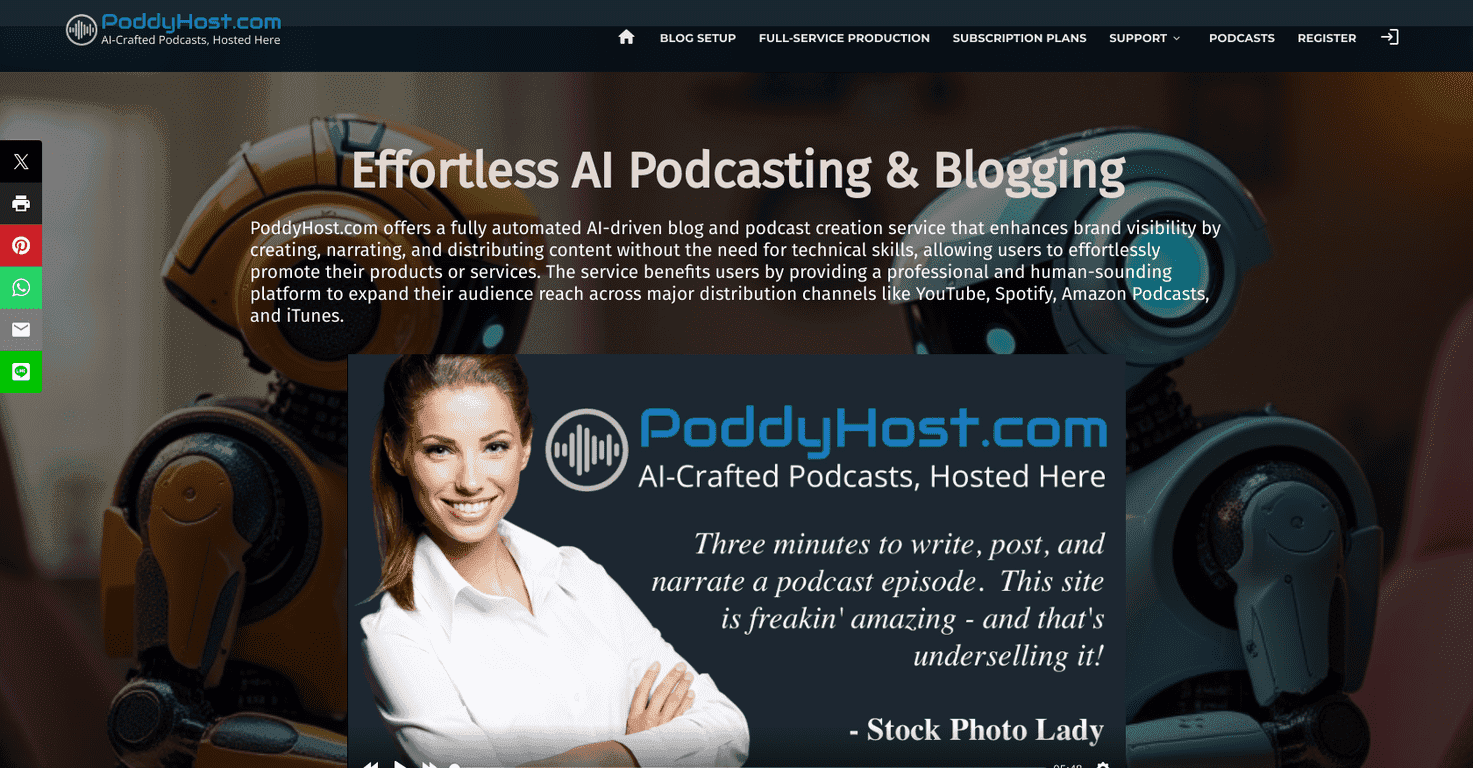
If you want to publish podcasts and blog posts without spending your evenings wrestling with plugins, hosting, and formatting, PoddyHost.com is the kind of tool I look for. I tested the workflow end-to-end with a sample topic and honestly, the biggest win is how quickly you can go from “idea” to “something you can schedule and share.”
PoddyHost.com Review: Can It Actually Help You Publish Faster?
PoddyHost.com is built for people who want to create podcasts and blog posts without the usual technical headache. In my experience, the setup feels pretty straightforward: you pick your content direction, generate or draft the text, and then decide how you want it to sound—AI narration or your own manual input.
What I liked most is that it doesn’t treat podcasts like some separate “hard mode.” Instead, it keeps the process connected: blog-style content can feed into podcast-style output, and you can keep everything organized with scheduling. If you’re the type who already has topics lined up (or a backlog), this kind of workflow is exactly what saves time.
Now, let’s be real—AI tools always need some human cleanup. PoddyHost is no different. The question is: how much editing will you need before it sounds like you? For me, it was enough to be noticeable, but not so much that it felt unusable.
Key Features That Matter (Not Just Buzzwords)
- AI Blog Creation for turning a topic into a publishable draft faster than starting from a blank page.
- Automated Podcasting options with AI narration or manual narration if you want to keep it more personal.
- Post Scheduling so you can plan a release calendar instead of scrambling at the last minute.
- Custom Images for branding, plus the option to use AI for creative visuals when you don’t have assets ready.
- SEO Optimization aimed at helping your posts get found (more on what to watch for below).
- Multi-Platform Listing to distribute your podcast content across common channels.
- Multi-Language Support if you want to reach non-English listeners without rebuilding everything.
What I noticed while testing the workflow
I tried a sample “how-to” topic and used the AI narration option. The narration was generally clear, but I did have to tweak a couple sections—mostly places where the wording felt a little too “generated” or where pacing got a bit dense. It’s not a dealbreaker, but if you’re expecting zero edits, you’ll probably be disappointed.
Also, scheduling is a big deal if you’re consistent. Even if you only post once or twice a week, having the option to lock in dates keeps you from falling behind.
Pros and Cons (The Honest Version)
Pros
- Beginner-friendly interface—I didn’t feel lost figuring out where things go (draft, narration, publish, schedule).
- AI features can genuinely save time when you’re turning outlines into drafts and drafts into scripts.
- Flexible pricing tiers if you’re just testing the waters versus producing regularly.
- AI narration quality is solid—it often sounds natural enough to publish, especially after minor edits.
- Scheduling helps you stay consistent without relying on last-minute effort.
Cons
- AI output can be inconsistent. Some sections read great; others need tightening, especially introductions and transitions.
- Support options feel limited compared to what you’d want if you run into publishing/distribution issues.
Quick tips if you want better results
- Start with a real outline. Even 5–8 bullet points makes the AI draft more on-target.
- Do a “voice pass.” Read the script out loud (or listen once) and fix awkward phrasing before you schedule.
- Don’t skip the SEO basics. Make sure your title, headings, and keyword placement still make sense to humans. AI can help, but it can’t replace judgment.
- Plan your visuals. If you don’t have cover art ready, use the image tools—but review them. You want your podcast/blog thumbnails to look intentional.
Pricing Plans: What You’ll Pay (and Who Each Tier Fits)
PoddyHost.com has multiple plans, starting with a free option and going up for more advanced features. Here’s the pricing as listed:
- Poddy Prep: $0.00/month (free)
- Poddy Plus: $29.00/month
- Poddy Power (most popular): $99.00/month
- Poddy Prime: $299.00/month
- Poddy Pinnacle: $499.00/month
If you’re thinking about annual billing, the site mentions you can save up to 23%. In my view, that makes sense if you already know you’ll publish consistently. If you’re still testing your niche or cadence, I’d start with a lower tier and only upgrade once you’re confident you’ll stick with it.
Wrap up
PoddyHost.com is a practical option if you want to publish podcasts and blog posts without the technical grind. The scheduling, multi-platform listing, and AI narration features are where it really earns its keep. Just don’t expect “press a button and it’s perfect.” In my experience, you’ll still want to review and edit—especially for tone and pacing—before you hit publish.
If you want to move faster and keep your content workflow organized, PoddyHost is worth a look—especially if you’re aiming for consistency over perfection.
Promote PoddyHost.com




