Table of Contents
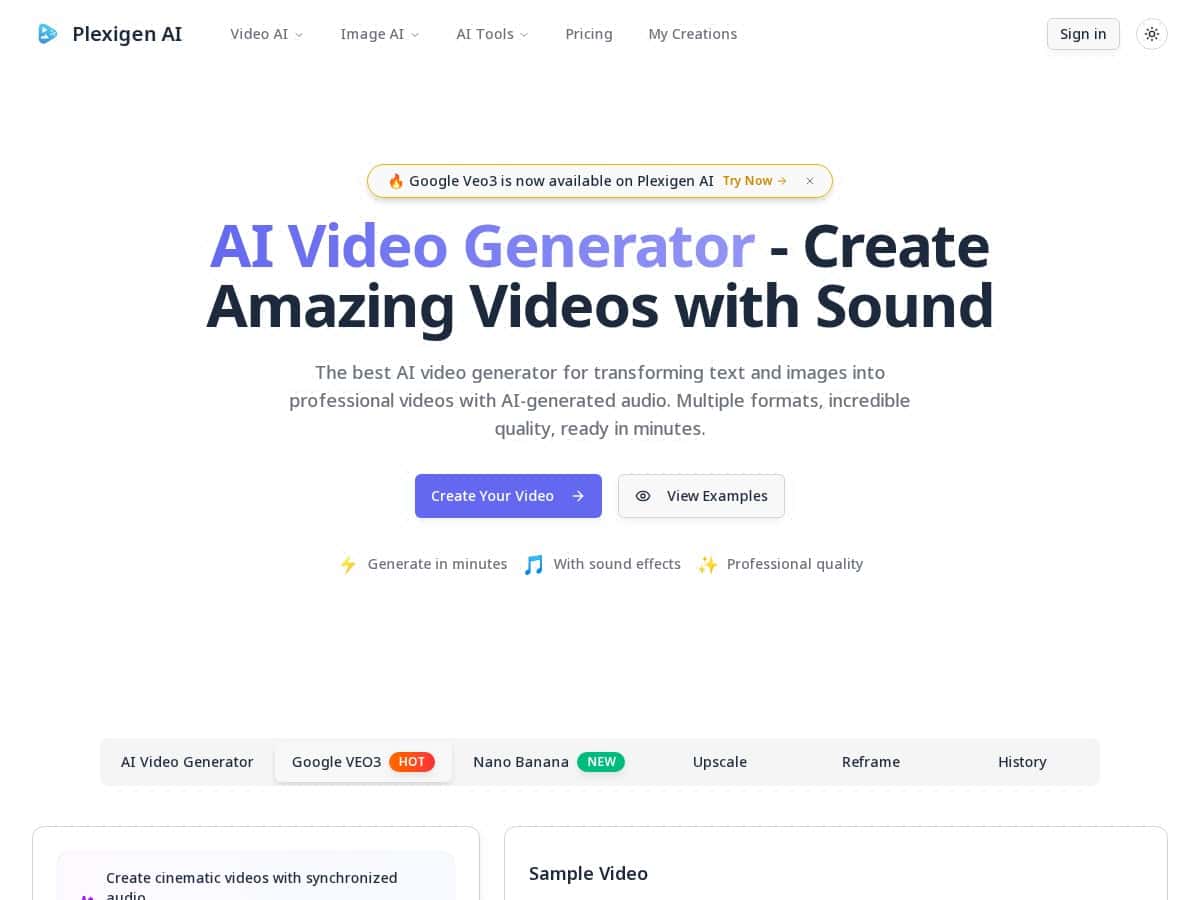
If you’ve ever stared at a blank screen thinking, “I need a video… like, yesterday,” Plexigen AI is the kind of tool that scratches that itch. It lets you generate videos from text prompts and from images, and the big headline is that the output includes audio (speech/sound effects) instead of leaving you stuck doing everything in a separate editor.
In my experience, it’s not just “fast for AI.” It’s fast in a practical way—like, I could go from idea → usable video without spending hours on timeline work. And honestly, the interface feels pretty straightforward, even if you don’t do much video editing.
Plexigen AI is aimed at marketers, social media managers, and anyone who needs consistent content. The real question is: does it produce something you’d actually post? Keep reading—I’ll break down what I tried, what worked, and where I think you’ll hit limits.

Plexigen AI Review (What I Tested + What You Should Expect)
I tested Plexigen AI with a mix of inputs—short text prompts, and a couple of images—because that’s the fastest way to spot whether the tool is actually consistent or just “looks good once.” I also paid attention to the details that usually matter when you’re posting content: how quickly it renders, whether the audio feels timed to the visuals, and whether the output stays coherent when the prompt is more specific.
Time-to-first-video: In my runs, most generations landed within a few minutes. I’m not saying every render will be identical, but it was consistently “minutes,” not “wait half the day.” That matters if you’re trying to batch content.
Audio + pacing: This is where Plexigen AI stands out the most. The videos I generated came with sound and audio that actually feels integrated (not like a placeholder track). When I used a straightforward script (roughly 60–100 words), the speech/sound effects fit the flow well enough that I didn’t feel forced to re-edit immediately.
What I noticed about quality: The visuals look polished for AI—clean motion, readable composition, and a “ready-to-share” vibe. But if you push for very complex scenes (lots of characters, too many changes, extremely specific camera directions), you’ll sometimes get artifacts or moments that feel slightly off. That’s normal for this category, but it’s good to know before you rely on it for a high-stakes campaign.
Who it’s for: If you need lots of short-form content—ads, product promos, intro videos, social clips—Plexigen AI makes sense. If you’re expecting Hollywood-level control over every frame, you’ll probably want to use it as a starting point, not a replacement for a full editor.
Key Features That Matter (Not Just Marketing Bullets)
- AI Video Generation with sound
What I liked: the output includes audio and sound effects, so you’re not staring at a silent clip. In my tests, using a simple narration style prompt produced the most “postable” results. - Text to Video + Image to Video
Text is great when you want a specific message. Image-to-video is useful when you already have a visual direction (like a product photo or a branded graphic) and just want motion + narrative. - Multiple aspect ratios
Plexigen supports landscape, portrait, and square outputs. That’s important because I don’t want to resize later. For example: portrait is typically better for TikTok/Reels-style vertical content, while landscape works for YouTube and landing pages. - Resolution aimed at “share-ready” output
The videos are generated in a professional-looking quality level. I didn’t find myself needing heavy cleanup before posting, which is a big deal if you’re producing at scale. - Fast rendering
Most generations finished in minutes. The speed is what makes batch workflows realistic—generate multiple variations, pick the best one, and move on. - Simple interface
I didn’t feel like I needed a tutorial to get started. You can go from input → output without digging through a bunch of advanced controls right away.
Pros and Cons (My Honest Take)
Pros
- Audio is included and the result feels integrated, not bolted on.
- Text + image inputs give you more ways to kickstart a concept.
- Output looks polished enough for social media and marketing use.
- Quick turnaround—fast enough to iterate on ideas instead of committing to one draft.
Cons
- Credits add up if you generate lots of variations. In other words, experimentation has a cost.
- Complex prompts can be inconsistent—I saw occasional odd transitions/visual artifacts when I asked for too many scene changes in one go.
- Pricing is credit-based, which means your “real cost” depends on the length/complexity of what you generate. If you don’t plan, you can burn credits faster than expected.
Pricing Plans (How to Think About Costs)
Plexigen AI uses a credit system, and that’s the part you need to understand before you generate a bunch of videos. The exact plan details can change, so I’m not going to pretend I can guarantee the current numbers without checking their live pricing page.
That said, here’s how I’d estimate cost in a way that’s actually useful:
- Step 1: Pick your target length. Short clips cost less than longer ones because you’re generating more content.
- Step 2: Generate one “test” video. Don’t batch 20 variations immediately. Make a 1-video baseline so you know your credit burn rate.
- Step 3: Compare plan credits to your expected output. If a plan includes, for example, X credits per month, and one video costs Y credits, then your realistic output is about X / Y videos per month.
In general terms, plans typically start around $10/month for a basic tier, with higher tiers (Pro/Enterprise) aimed at heavier usage and faster processing. You’ll want to check the current credit amounts on their pricing page and then do the simple math above. If you tell me what length/aspect ratio you plan to generate (like 30s vertical promos vs 60s landscape explainers), I can help you estimate a monthly range.
Also, keep an eye out for free trials and any new user discounts. That’s often the cheapest way to figure out whether the audio timing and visual style match what you’re trying to publish.
Wrap up
So, is Plexigen AI worth trying? If you want quick, good-looking videos with audio and you’re okay working within an AI-first workflow, I think it’s a solid option. The speed is genuinely useful, and the included sound means you can publish faster than you could with tools that only generate silent clips.
Just don’t treat credits like an afterthought. If you generate a lot of variations, cost will show up fast—so start with a test, lock your prompt style, then scale what consistently produces post-ready results.