Table of Contents
If you’ve ever thought, “I’ve got a pile of articles… but I just don’t have time to read them,” I get it. I tried Playcast.ai specifically for that kind of problem—turning written content into something you can listen to while you’re walking, commuting, or doing dishes. And honestly? It’s one of the more practical uses of AI narration I’ve come across.
Playcast Review: turn your reading list into audio
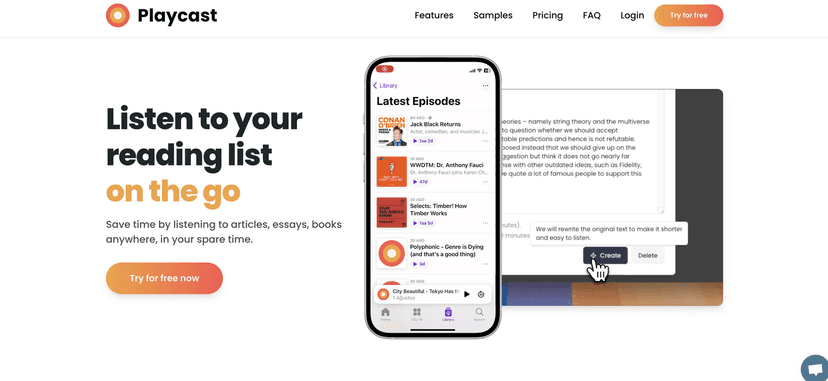
Playcast is basically built for one thing: listening to text. Instead of staring at a screen, you can convert articles and written summaries into audio narration that feels more like a podcast than a traditional “read-aloud” tool. In my experience, that difference matters—because it’s easier to stay engaged when you’re not constantly switching back to reading.
Here’s how I used it day to day. I’d save a couple of articles I was curious about, then run them through Playcast during a commute or while walking my dog. If I only had 10–15 minutes, I went for an audio summary. If I had more time—like on a longer walk—I’d choose a fuller reading so I could actually hear the details instead of just the highlights.
One thing I appreciated is the flexibility. You’re not forced into “always short” or “always long.” You can match the audio length to your mood and your schedule. And if you’re the type who collects articles in a browser tab for later (I am), this kind of tool makes that “later” finally happen.
That said, it’s still AI narration. So if you’re picky about pronunciation, tone, or pacing, you may notice the difference between this and a human audiobook narrator. It’s good enough for most casual learning and busy-day listening, but it won’t replace every reading habit.
Key Features I actually used
- AI narration for text-to-speech — turns written content into audio you can listen to without babysitting the screen.
- Audio summaries — great when you want the gist fast (think: “What’s the main takeaway?”).
- Podcast-style listening — the experience feels more natural than a robotic read-aloud, at least for typical blog/article formats.
- Mobile-friendly productivity — I found it easiest to use on the go, where reading would’ve been annoying.
- Alternative to traditional audiobooks — instead of waiting for a book to exist as an audiobook, you can convert the content you already have.
Pros and Cons (real talk)
Pros
- Learning fits into “dead time” — I used it during commutes and walks, and it felt like I was finally getting something useful done with that time.
- Good for mixed content — articles, summaries, and other written materials work well as audio sources.
- Multiple listening depths — summary when you’re busy, full reading when you want more substance.
- Less screen fatigue — if you work on a laptop all day, switching to audio is a nice break.
Cons
- Not a perfect replacement for reading — if you enjoy skimming, highlighting, or revisiting paragraphs, audio won’t always scratch that itch.
- AI narration can be hit-or-miss — long or complex articles sometimes feel a little flat, and certain terms may be pronounced in a way you wouldn’t expect.
- Traditional audiobooks still win for immersion — if you want performance, emotion, and narration quality that’s consistent, you’ll probably stick with audiobooks for that.
Pricing Plans
Playcast pricing isn’t clearly stated here, so I can’t give you exact numbers from this page alone. What I recommend is checking the pricing/subscription section on Playcast.ai before you commit. Look for things like:
- Whether there’s a free trial or credits to test narration quality
- How limits work (minutes, articles, or character limits)
- Any difference in cost between audio summaries and full-length readings
Wrap up
Overall, Playcast.ai is a solid option if you want to turn a reading backlog into something you’ll actually consume. For me, the biggest win was convenience: I could listen while moving, and I didn’t feel like I was “falling behind” on articles anymore. It’s not going to replace every book or every careful read, but as an audio companion for busy days? It works.
If you’re the type who saves articles “for later,” Playcast is worth trying—especially if you like the idea of audio summaries when you’re short on time.


