Table of Contents
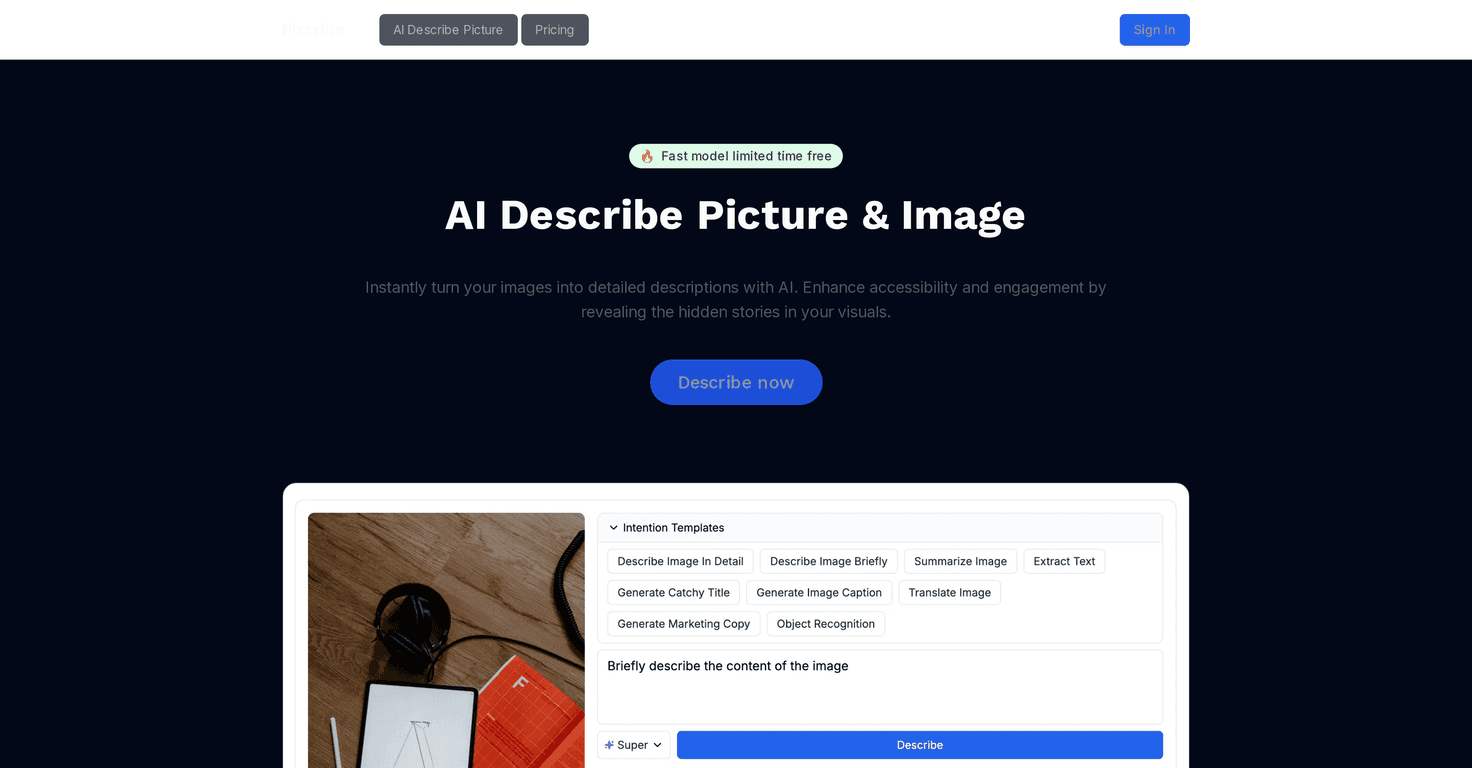
I’ve always liked the idea of turning visuals into something people can actually search, scan, and understand quickly. That’s exactly what Pixcribe is aiming for: upload an image, and it generates readable, detailed text you can use as an alt-style description, a caption, or even more structured outputs like extracted text and translations.
After testing it with a mix of product-style photos and “messier” images (crowded scenes, screenshots, and images with small text), I noticed one thing right away: the tool is best when you want speed and consistency. It won’t replace a human writer’s creativity, but it’s genuinely useful when you need descriptions now—especially for accessibility, SEO, and content workflows.
Pixcribe Review: Turning Images into Useful Text (Not Just “AI Gibberish”)
Pixcribe Review is basically about one question: can this tool generate descriptions that are actually usable? In my experience, yes—especially if you’re working with lots of images and you don’t want to manually write alt text, captions, or product descriptions from scratch.
Here’s how I think about it. If you run e-commerce, you probably need consistent image descriptions for accessibility and search. If you teach, you might need captions or plain-language descriptions for classroom visuals. If you’re a marketer, you may just want fast drafts you can refine later.
Pixcribe handles that “first draft” phase really well. It uses object recognition to identify what’s in the image, then it builds a description around it. It also includes features like text extraction and translation, which is where it gets more practical than a basic caption generator.
One honest note: the output quality depends on the image. A clean, high-resolution photo will usually produce better results than a blurry screenshot with tiny text. But when the image is readable, Pixcribe can save real time.
Key Features That Actually Matter
- Instant AI Picture Description generates vivid, detailed descriptions quickly. I used it on product photos and got descriptions that referenced the main items and scene context instead of just vague “a thing on a background” text.
- Time-Saving AI Magic cuts down the manual tagging work. If you’ve ever written alt text for dozens (or hundreds) of images, you know that pain—Pixcribe helps you avoid starting from a blank page.
- Personalized Content Creator lets you shape the output for different needs. For example, you can aim for a more descriptive tone for accessibility or a more caption-like style for social posts.
- Adapt to Any Industry is useful when you’re not doing the same kind of content every day. E-commerce images don’t need the same wording as classroom visuals, and it helps to have outputs that feel more relevant.
- Extract Text pulls text out of images. This is a big one if you deal with screenshots, labels, signs, or any image that contains information you want people to search.
- Object Recognition identifies and labels multiple objects. In my tests, it was especially good at listing obvious items and describing their relationships (like “bottle next to cup” type details).
- Generate Image Caption gives you quick caption options. I like using this for drafts—then I tweak the wording so it matches my brand voice.
- Translate Image converts text within images to multiple languages. If you work with international audiences or you’re translating signage, this can be a real time saver.
- Emotion Detector analyzes emotions captured in visuals. This is great for content ideas (like “the mood feels upbeat” or “the expression looks serious”), but I’d still treat it as a helpful suggestion, not a definitive read.
- And More covers additional capabilities for different workflows. The main takeaway is that it’s not only “captioning”—there are multiple ways to extract value from an image.
Pros and Cons (What I Liked and What to Watch)
Pros
- Accessibility support: It’s genuinely helpful for generating image descriptions faster, which can make it easier to improve accessibility across websites and content libraries.
- Speed: When you’re dealing with lots of images, it’s a noticeable time saver. I didn’t have to write from scratch for every single upload.
- Context-aware output: The tool tends to describe what’s actually happening in the image (objects, setting, and basic scene details) instead of staying generic.
- Multi-purpose: You can use it for descriptions, captions, text extraction, and translation—so you’re not stuck using one output type only.
- Good for workflows: If you’re building content pipelines (or just trying to keep your posting consistent), having structured outputs is a win.
Cons
- Human nuance is still missing: The descriptions can be accurate, but they won’t always have the creativity or subtlety a human writer would add—especially for brand storytelling.
- Image quality matters a lot: Blurry images, low lighting, and tiny text reduce accuracy. Object recognition can miss smaller items, and text extraction may need cleaner source images.
- Always review before publishing: This is one of those tools where you should treat the output as a strong draft. I’d still proofread anything that needs to be exact (like product details or specific wording).
Pricing Plans
For the most up-to-date pricing options, check the Pixcribe website’s pricing section. If you’re comparing plans, I’d pay attention to things like how many images you can process, what features are included (like translation and text extraction), and whether there are limits that affect your workflow.
Wrap up
Pixcribe is one of those tools that feels practical right away. It’s not just “AI generates a sentence.” It can produce descriptive text, pull text from images, and help with translation—things I can actually see using in day-to-day work.
Is it perfect? No. If your images are low quality or your content needs highly specific wording, you’ll still want to review and edit. But for accessibility, faster captions, and turning image libraries into searchable content, Pixcribe is a solid option worth considering.
Promote Pixcribe




