Table of Contents
If you’ve ever typed an idea into a tool and thought, “Okay… but can it actually make what’s in my head?”, you’re going to like PicLumen. I tested it as a text-to-image generator, and what stood out to me right away was how quickly it turns a prompt into something usable—no design background required.
PicLumen is a free AI image generator where you type what you want and it generates images from that description. You can steer it toward different looks too: realistic images, anime-style art, and even simpler line-art vibes. And if you don’t want to start from scratch, there’s an image-to-image option where you upload a photo and transform it into a new style.
One thing I really liked is that it doesn’t feel like you need to learn a whole “prompting language” just to get results. Sure, better prompts help—but even with basic wording, I was getting images that looked coherent rather than random noise. You’re still at the mercy of the model sometimes (more on that later), but the experience is pretty friendly.
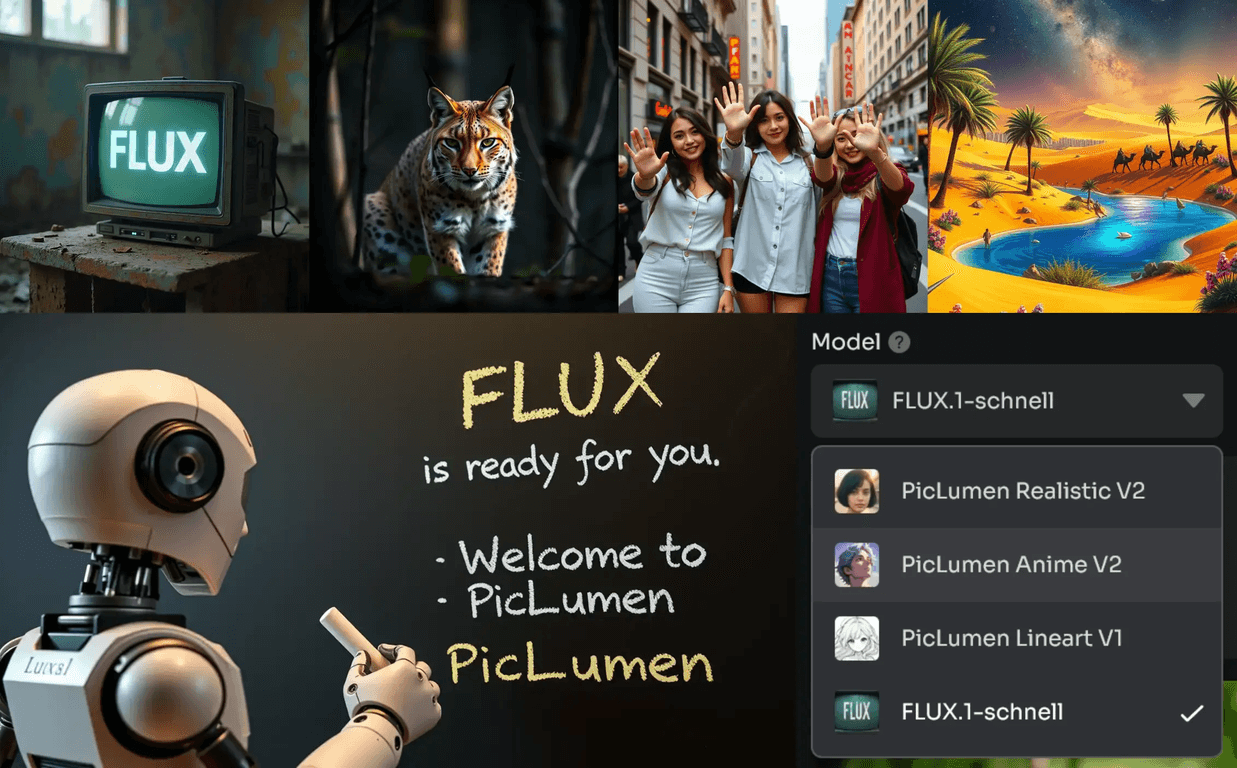
In my experience, the biggest “why this is different” factor is the FLUX AI Model. The text interpretation tends to be more detailed than what I’ve seen in some other free tools—especially when your prompt includes specific elements like lighting, subject, or style. Then there are editing-style features like AI inpainting (fixing or refining parts of an image) and AI outpainting (extending the canvas so you can grow the scene). That combination is what makes it feel more flexible than a basic generator.
PicLumen Review: Simple to Use, Surprisingly Capable
Here’s the basic flow: you type a prompt, hit generate, and you get images back quickly. When I say “quickly,” I mean it’s fast enough that you can iterate without getting bored. That matters, because most people don’t get a perfect result on the first try.
What kinds of prompts work best? In my tests, prompts that include a few concrete details—like “golden hour lighting,” “street photography,” “soft shadows,” or “clean line art”—tend to produce more consistent results. If you keep it super vague (“a cool picture”), you’ll still get something, but it can wander.
PicLumen also supports multiple styles, which is great if you’re experimenting. I tried switching between realistic and anime-inspired prompts, and the tool did a decent job matching the vibe. Line art is especially fun if you want something that looks like a sketch or illustration rather than a photo.
Then there’s the image-to-image transformation feature. This is where PicLumen gets more interesting. Instead of describing everything from scratch, you can upload an image and ask the tool to transform it—like turning a photo into an anime-style portrait, or changing the overall scene mood. It’s not “Photoshop-level” control, but it’s a fast way to explore directions.
And if you want to refine what you already generated, the inpainting and outpainting features help. Inpainting is useful when you want to fix a specific area (for example, replacing a messy background detail or adjusting part of the subject). Outpainting is handy when the composition needs more context—like extending a scene so there’s room for a wider view or extra elements.
Key Features That Matter (Not Just Buzzwords)
- Text to Image Generation
Type your idea and generate images from it. In practice, the speed makes it easier to iterate. - Image to Image Transformation
Upload an image and transform it into a new style or look. - FLUX AI Model for detailed comprehension
Helps the model interpret prompts with more detail, especially when you include specific descriptors. - Diverse Art Styles (anime, realistic, line art)
You can steer the output toward different aesthetics without starting over from scratch. - AI Inpainting
Refine parts of an image instead of regenerating everything. - AI Outpainting
Expand the image to extend the scene and composition.
Pros and Cons From a Real-World Test
Pros
- Free to use with no obvious hidden paywall during my testing. If you’re just trying things out, it’s easy to start immediately.
- User-friendly interface. I didn’t feel lost, even when switching between text-to-image and image-based workflows.
- Style variety is genuinely useful. Being able to go realistic → anime → line art makes it great for experimenting with the same concept.
- Fast results. Quick generations mean you can make small prompt tweaks and see changes without waiting forever.
- Editing features add control. Inpainting/outpainting make it easier to refine an image instead of starting from scratch every time.
Cons
- Not built for deep professional workflows. If you’re expecting super fine-grained editing like you’d get in advanced design software, you might feel limited.
- Prompt sensitivity is real. Sometimes the tool nails your intent. Other times, it “interprets” your wording in a way you didn’t ask for—especially with vague prompts.
- Account/internet may be required for full access. I’d expect that from most free AI tools, but it’s worth knowing if you’re trying to use it offline or without signing up.
Pricing Plans: Is PicLumen Actually Free?
Yep—PicLumen is entirely free to use. I didn’t run into a subscription requirement while creating images. You can generate AI images without paying, and the main “gate” is signing up so you can start generating.
If you’re the type who hates surprise upgrades, that’s a big plus. Still, I’d recommend checking what’s available in your account (some free tools limit heavy usage), especially if you plan to generate a lot in one session.
Wrap up
After using PicLumen, my take is simple: it’s a solid free AI image generator that’s easy to get into and fun to iterate with. If you want quick images for social posts, mockups, concepting, or just personal creative exploration, it does a lot right—especially with the FLUX AI Model and the inpainting/outpainting options.
Will it replace a professional design suite? Not even close. But for turning ideas into visuals fast—and being able to refine and expand them—it’s genuinely worth a try. If you’ve been waiting for a tool that feels approachable without sacrificing too much quality, this is one I’d test.