Table of Contents
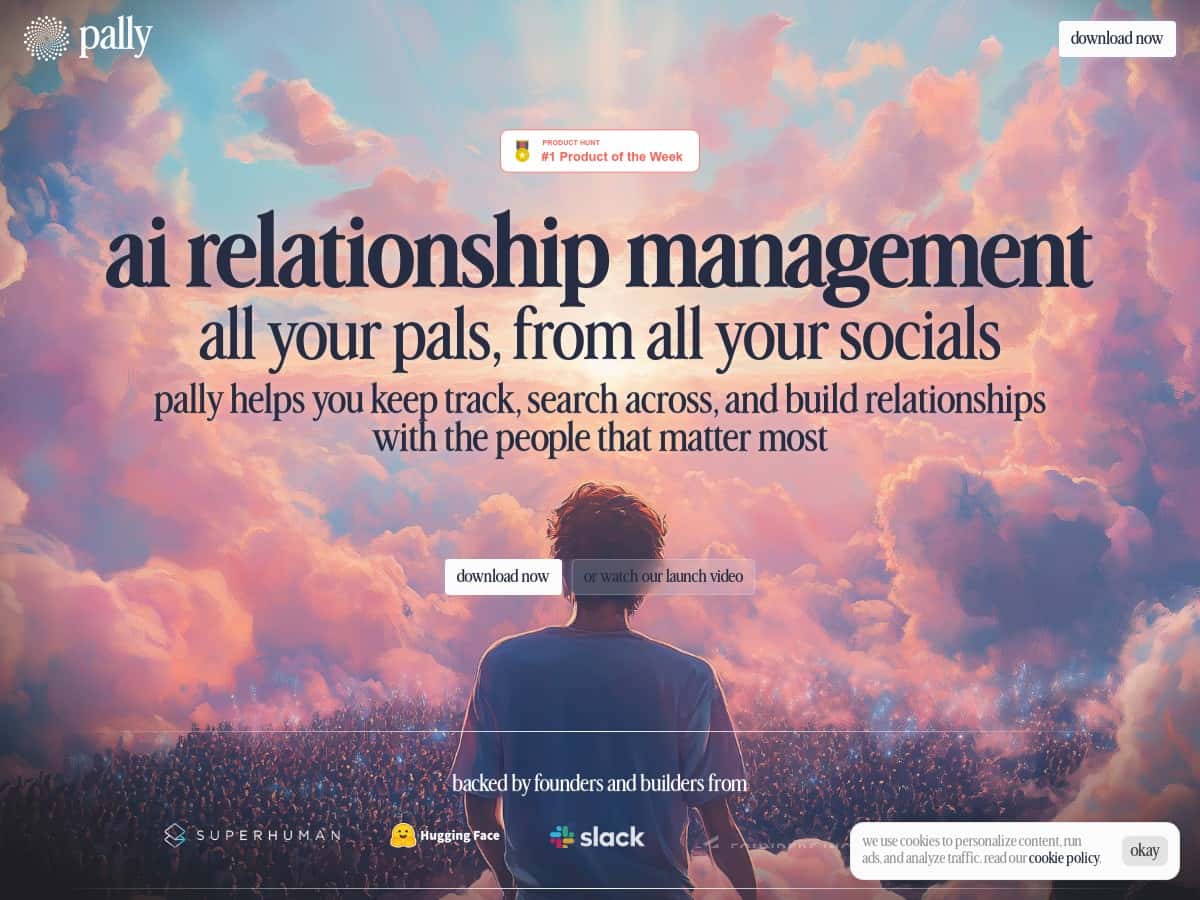
Managing relationships is one of those “simple until it’s not” things. I’ve tried spreadsheets, a couple CRMs, and even sticky-note systems that definitely didn’t survive past week two. So when I tested Pally—an AI-powered relationship management tool—I wanted to see if it actually helps, or if it’s just another dashboard with promises.
Quick context on my test: I used Pally for about a week, mainly to centralize contacts and see how well the AI follow-ups, reminders, and conversation starters worked in real life (not in marketing screenshots). I focused on the parts that normally break for me: remembering who I spoke to, when I should follow up, and what I should actually say.
Pally Review (After a Week of Testing)
The first thing I noticed is that Pally doesn’t make you “start from scratch.” Instead, it tries to pull in your existing relationships so you’re not manually retyping everything. In my case, I connected my email and calendar accounts, and I also tried a social import (the flow was pretty straightforward). Once those permissions were granted, the app started consolidating contacts into a single place.
Here’s what that looked like for me day-to-day: I could open Pally and quickly see who I’d interacted with recently, who I hadn’t touched in a while, and which people Pally thought deserved a nudge. That “at a glance” network view is honestly the part I kept coming back to.
AI follow-ups and suggestions: This is where Pally tries to earn its keep. The AI looks at your interaction history (based on what you connected) and then suggests follow-up timing. On my test, I had a couple contacts where the reminder timing felt reasonable—like it didn’t just spam me every week. It also generated conversation starters rather than generic “checking in” messages.
For example, one suggestion I got after a recent email thread was something like: “Hey [Name]—hope your week’s going well. I wanted to follow up on what we discussed and see if you had any updates.” It wasn’t wildly creative, but it was relevant and easy to tweak. Another one leaned more into a calendar context (based on an upcoming meeting), with a reminder to reconnect and prep a question I could actually ask.
Smart categories: Pally also groups contacts into buckets automatically. I noticed categories were formed based on interaction patterns (who I talked to recently, who I haven’t followed up with, and who seems connected to similar contexts). The benefit is that you don’t have to decide everything yourself.
That said, I’ll be straight with you: if your connected data is thin (like you only connected one source), the AI output won’t magically become smarter. Garbage in, garbage out—just with less obvious “garbage” and more “unknowns.”
Key Features I Actually Used in Pally
- AI-Powered Contact Consolidation
- This is the core feature. Pally pulls contacts from multiple places. In my setup, I connected email and calendar, then added a social source. After that, contacts showed up in one hub instead of scattered apps.
- What I noticed: duplicates didn’t disappear instantly for me. I had a few overlapping entries where the same person appeared from different sources. The good part is that Pally makes it easier to manage than a manual spreadsheet—still, it’s not always “perfect on day one.”
- Relationship Insights (Follow-up timing)
- Pally’s “when should I follow up?” suggestions are based on your interaction history from connected accounts. During my week of testing, the recommendations were the kind of reminders I’d normally procrastinate on.
- Example (what I got): for a contact I hadn’t reached out to in a bit, the insight suggested a follow-up window that felt aligned with the last interaction. It didn’t feel random like “check in next Tuesday.”
- Automated Reminders
- I liked that reminders weren’t just generic. They were tied to specific contacts and (in some cases) specific contexts like recent activity or upcoming calendar events.
- What I noticed: reminders helped me stop relying on memory. I didn’t have to hunt through old emails to figure out who I should reach out to this week.
- Advanced Search and Filtering
- If you have a large network, search matters. Pally’s filtering made it easier to find people by relationship status/category rather than digging through everything.
- Practical tip: once you see how categories are formed, use them like “mini lists.” That’s faster than searching names every time.
- Automated Tagging
- Pally tags contacts automatically so you can manage them without doing everything manually. In my test, tagging helped me keep outreach organized—especially when I wanted to focus on “follow up soon” vs “not urgent.”
- Limitation I ran into: when I first connected accounts, a few tags felt off until the system had enough interaction history. After a couple days, it seemed to get more consistent.
- Suggested Introductions
- This feature is meant to recommend connections that could benefit from an introduction. I didn’t force it to make connections I didn’t want, but I did check the suggestions to see how they were generated.
- What I noticed: the suggestions were most useful when the contacts had enough profile/context. When the profile info was sparse, the “why” behind an intro wasn’t always super clear.
- Rich Profile Creation
- Pally builds profiles that combine personal and professional info. It’s not just a name and email—it’s more like a relationship snapshot.
- Why it matters: when you’re writing a message, having a quick context reminder saves time and reduces awkward outreach.
- Meeting Prep Assistance
- This is the feature I used the most before meetings. Instead of showing up cold, I could see context and prompts.
- Example: Pally reminded me to prep talking points based on the relationship history it had available. I still reviewed it like a human would (I wouldn’t blindly trust it), but it gave me a faster starting point than “open calendar and guess.”
Pros and Cons (Based on My Setup)
Pros
- Centralization is real: after connecting accounts, I stopped bouncing between apps just to remember who I knew.
- AI suggestions are usable: the follow-up and conversation starter drafts were easy to edit instead of feeling like generic fluff.
- Reminders actually reduce mental load: I didn’t have to keep “who needs a nudge” in my head.
- Clean interface: navigation felt straightforward. I didn’t need a week of training to find contacts and categories.
Cons
- Onboarding depends on your data: if your connected sources don’t have enough history, the AI output will be less impressive. It can’t read what it can’t access.
- Duplicates took a bit: I had overlapping entries from different sources and had to clean up manually at least once.
- Privacy/access is a factor: to get good insights, you’re granting permission to connect platforms. That’s normal for this category, but it’s still something you should be comfortable with.
- Some features need context: suggested introductions and meeting prep were stronger when profiles had more info.
Pricing Plans (What I Found)
Pricing for Pally is typically around $20–$30 per month, and there’s usually a free trial so you can test the workflow before committing. The premium tier (from what I saw) is positioned for people who want more limits lifted—like higher contact capacity—plus deeper analytics and better support.
My advice: use the trial like a mini project. Connect the sources you care about (email + calendar is a good baseline), then see if the reminders and conversation starters are actually saving you time. If you’re only managing a small network, you might not feel the value as quickly.
Wrap up
Pally worked best for me as a “relationship memory” system—one place to consolidate contacts, track follow-ups, and get message drafts I can personalize. It’s not perfect (duplicates and sparse data are real issues), but the combination of reminders + usable AI prompts made it feel practical, not just theoretical.
If you’re constantly losing track of who you spoke to last and you want a tool that nudges you instead of letting you forget, Pally is worth trying—especially if you can connect multiple sources so the AI has something real to work with.