Table of Contents
I’ve hit that wall where you open one “quick” article and somehow it turns into 45 minutes of scrolling. Add a handful of emails and a couple of PDFs, and suddenly my brain feels like it’s buffering. That’s exactly why I tried Orbit by Mozilla—to see if a Firefox add-on could help me cut through the noise without turning my privacy into a trade-off.
Orbit by Mozilla Review (What I Noticed After Using It)
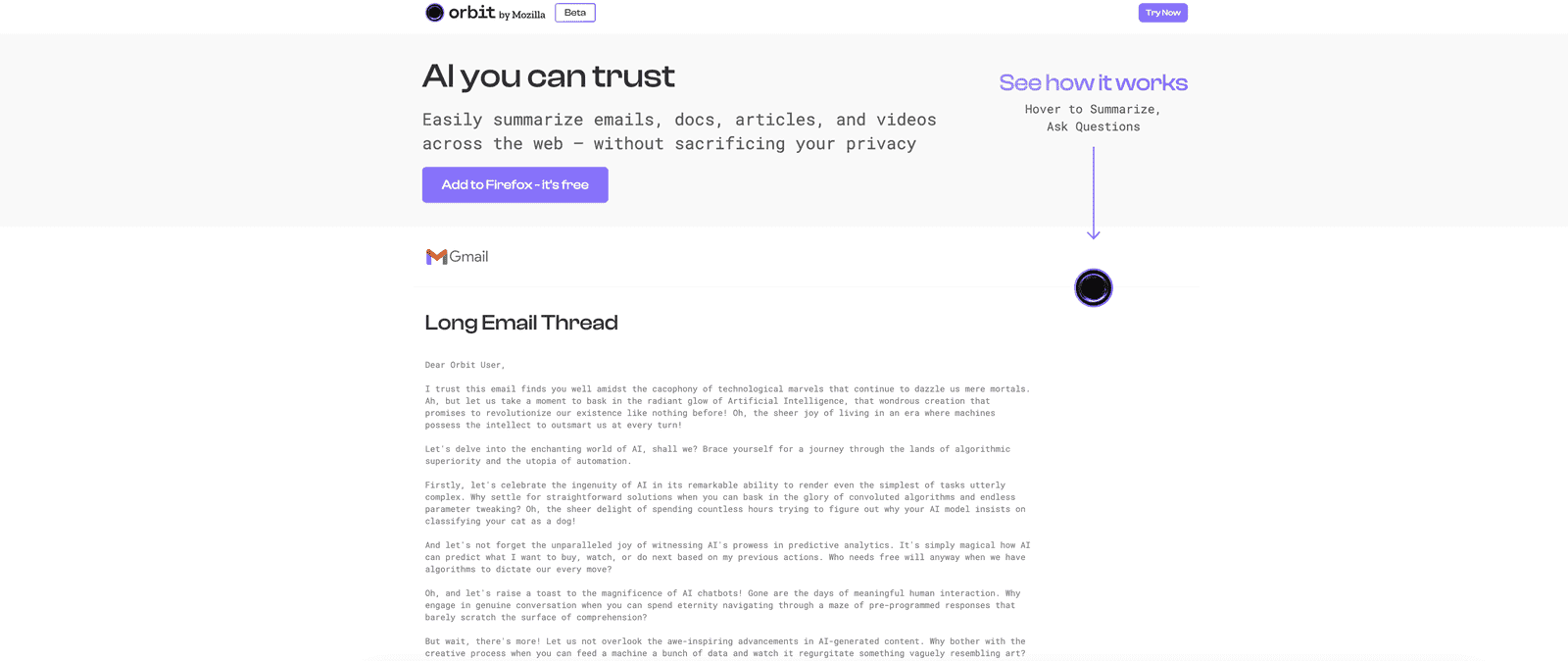
Orbit by Mozilla is built to help you process content faster—emails, documents, articles, and even video pages—without feeling like you have to read every word. The basic idea is simple: you get a summary so you can decide what’s worth your time. I found that especially useful on long articles where the first 20 minutes are mostly setup.
Now, the privacy angle is the big reason I kept using it. Orbit’s approach is centered on not forcing you to create an account, and it’s positioned as keeping processing local rather than turning your browsing into a data trail. I don’t know about you, but I’m tired of add-ons that quietly ask for permissions they don’t really need. With Orbit, that concern felt much lower.
Using it day-to-day is also pretty straightforward. The interface is clean enough that I didn’t have to watch a tutorial just to get started. You can tweak summary behavior (like how long you want it) and choose how you want the output to be presented. That matters, because sometimes I want a quick “what’s this about?” summary, and other times I need something more detailed to actually act on the information.
One feature I used a lot is quick queries. Instead of reading the whole page, I could ask something like “What are the main points?” or “What should I do next?” and get an answer without digging through paragraphs. It’s not magic (you still need to think), but it’s genuinely convenient when you’re trying to stay focused.
Overall, Orbit feels like it’s aimed at people who read a lot and want control—summaries on demand, privacy-first messaging, and no annoying account prompts. If you’re the kind of person who’s always juggling tabs and inbox clutter, it’s easy to see why it’s getting attention.
Key Features (The Stuff You’ll Actually Use)
- AI summarization for emails, documents, articles, and videos—so you can skim the important parts instead of reading everything.
- Privacy-focused design with no account requirement, so you’re not signing up just to get summaries.
- Simple, user-friendly interface that doesn’t feel cluttered or overly technical.
- Quick queries to ask targeted questions about what you’re viewing and get fast answers.
- Local data processing (positioned as not storing your interactions), which is a big deal if you care about where your data goes.
Pros and Cons (Honest Take From Real Use)
Pros
- Free to install and use—no subscriptions, no “surprise” paywalls when you try a new workflow.
- Privacy-first approach—I like that it’s designed to avoid the typical account-and-tracking vibe.
- Saves real time on long content. When I’m deciding whether to keep reading, the summary gets me there fast.
- Quick question answering works well when you already know what you’re looking for (instead of just skimming blindly).
Cons
- Firefox add-on only. If you’re on Chrome or Safari, you can’t use this directly.
- Internet access required for the functionality. So it’s not something I’d rely on in a totally offline workflow.
- Summaries aren’t perfect. Like with any AI summary, you can get occasional oversimplification—especially with niche topics or dense technical writing. I still double-check anything important.
Pricing Plans (Is It Free?)
Orbit is free to use as a Firefox add-on. I didn’t see paid tiers or a subscription model—at least not as part of this setup—so you can test it without worrying about upgrading later.
Wrap up
Orbit by Mozilla is a solid option if you want faster content consumption without feeling like you’re giving up your privacy. The summaries genuinely help with “too much to read” moments, and the quick queries are the feature I found myself reaching for when I didn’t want to waste time. If you’re a Firefox user and you regularly deal with long emails, articles, or documents, it’s worth trying—just remember that you’ll still want to sanity-check anything critical.
Promote Orbit by Mozilla