Table of Contents
Mobile bugs are the worst. One minute your app feels solid, and the next you’ve got a weird UI glitch, a freeze that only happens on older Android phones, or users tapping the same broken button over and over. That’s why I was interested in Zipy for Mobile. It’s positioned as a debugging platform for developers, and after digging into how it works, I can see why it’s getting attention—especially if you build with Flutter or React Native.
Oopsie Review: What Zipy Actually Helps With
Zipy for Mobile is built for teams working with Flutter and React Native. So right away, it’s not trying to be everything for everyone. If that’s your stack, you’ll probably like the focus.
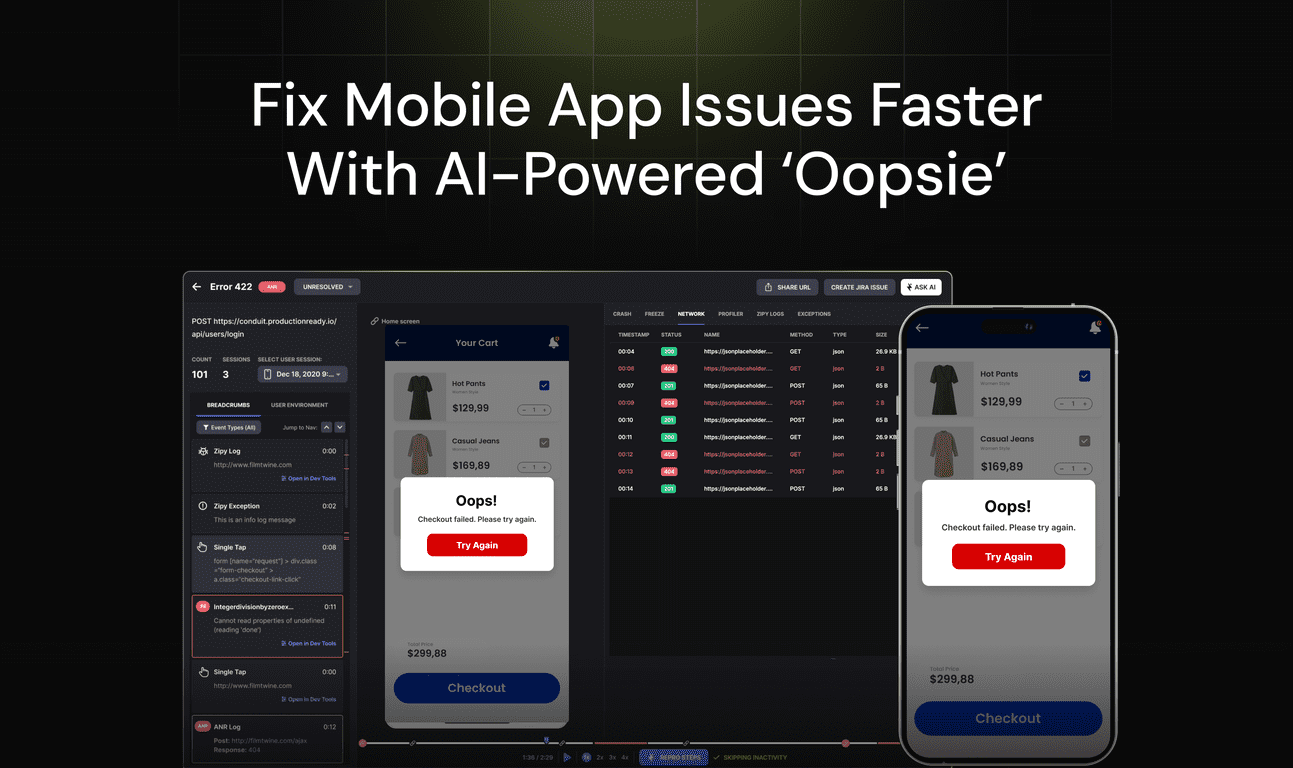
The first thing that caught my attention is the AI-powered Oopsie Bugs feature. The basic idea is that it helps flag UI and usability problems before they become “big incident” level issues. And honestly, that’s the kind of stuff I care about most—because a UI bug that confuses users can be way more costly than a crash you can reproduce in a test environment.
Then there’s session replay. This is one of those features that sounds flashy until you actually use it. When a user reports, “It doesn’t work,” you’re usually stuck guessing. With session replay, you can watch what they did, see where they got stuck, and connect the dots between a UI issue and the behavior that triggered it. In my experience, that cuts down the time between “we think it’s broken” and “we know exactly what’s happening.”
Error monitoring is also a core piece. Zipy focuses on things like crashes and unresponsive events—basically the scenarios where users bounce or the app feels dead. What I like is that it’s not just “here’s an error.” It’s more about helping you react quickly with context, so you can fix what matters rather than drowning in logs.
On top of that, Zipy’s Firebase integration is meant to simplify issue tracking. If you already use Firebase, this is the kind of integration that saves time because you’re not constantly switching systems. The platform can sync session data with Firebase issues, which makes it easier to follow a problem from “noticed” to “assigned” to “resolved.”
For performance-minded debugging, Zipy also offers API performance monitoring, network logs, and advanced diagnostics. This is especially useful when the app isn’t crashing, but it’s slow, inconsistent, or timing out. You know that feeling when everything “works”… just not reliably? That’s usually where network and API monitoring earns its keep.
Finally, there’s user identification and the ability to tag users in sessions. I’m a fan of this because it helps when the issue is user-segment-specific. For example: maybe it only happens for certain account types, certain devices, or users who navigated through a specific flow. Being able to target those sessions is a big win.
Overall, Zipy feels like it’s designed to help you debug faster with less guesswork. It’s not just a monitoring dashboard—it’s meant to connect UI, behavior, errors, and performance into something you can actually act on.
Key Features I’d Use Day-to-Day
- AI-powered Oopsie Bugs for automatic error detection (UI + usability issues)
- Session Replay to analyze user behavior and navigation paths
- Comprehensive Error Monitoring for crashes and exceptions
- Firebase Integration for easier issue tracking and syncing
- Mobile SDK Support for Flutter and React Native
- User Identification so you can tag sessions and target the right cohort
- API Performance Monitoring for interaction insights and bottlenecks
- Advanced Dev Tools for effective debugging workflows
- Heatmaps to visualize where users click/tap and how they move through the app
- Slack & Email Alerts so you don’t have to constantly refresh dashboards
Pros and Cons (The Honest Take)
Pros
- AI-assisted detection can save real time—especially for UI/usability problems that don’t always show up as crashes.
- Session replay is the kind of tool you’ll actually open when someone says “it’s broken.” It helps you see the flow instead of interpreting logs.
- Error monitoring + performance signals in one place makes troubleshooting less scattered.
- Firebase integration is a practical advantage if you’re already living in Firebase.
- Heatmaps + user tagging give you more than one lens on the same issue (behavior + location + segments).
Cons
- SDK support is currently limited to Flutter and React Native. If you’re working with other stacks, this may not fit.
- Pricing transparency is minimal. I don’t love having to guess or wait for a demo just to understand budget impact.
- Integration depth may vary depending on how advanced your setup is. Some teams might want deeper hooks beyond what’s described publicly.
Pricing Plans: What You Can Expect
Zipy doesn’t show full pricing details publicly. What I did see is a Try for Free option, and the site encourages you to schedule a demo if you want an accurate quote for your team and usage.
If you’re evaluating it for a real project, I’d recommend going in with a few specifics: your app’s approximate monthly active users, how many environments you’ll track (dev/staging/prod), and whether you need alerts for multiple teams. That way, the demo turns into a real decision instead of a generic walkthrough.
Wrap up
To me, Zipy for Mobile looks like a solid option if you’re trying to make debugging feel less chaotic. The combination of AI-assisted Oopsie Bugs, session replay, error monitoring, and performance/network diagnostics is exactly what I’d want when bugs are hard to reproduce. The big limitations are the Flutter/React Native-only focus and the lack of clear pricing upfront.
If you build mobile apps with Flutter or React Native and you want faster answers when users run into trouble, it’s worth checking out Zipy—especially if you’re tired of “please share screenshots” being your main debugging strategy.
Promote Oopsie