Table of Contents
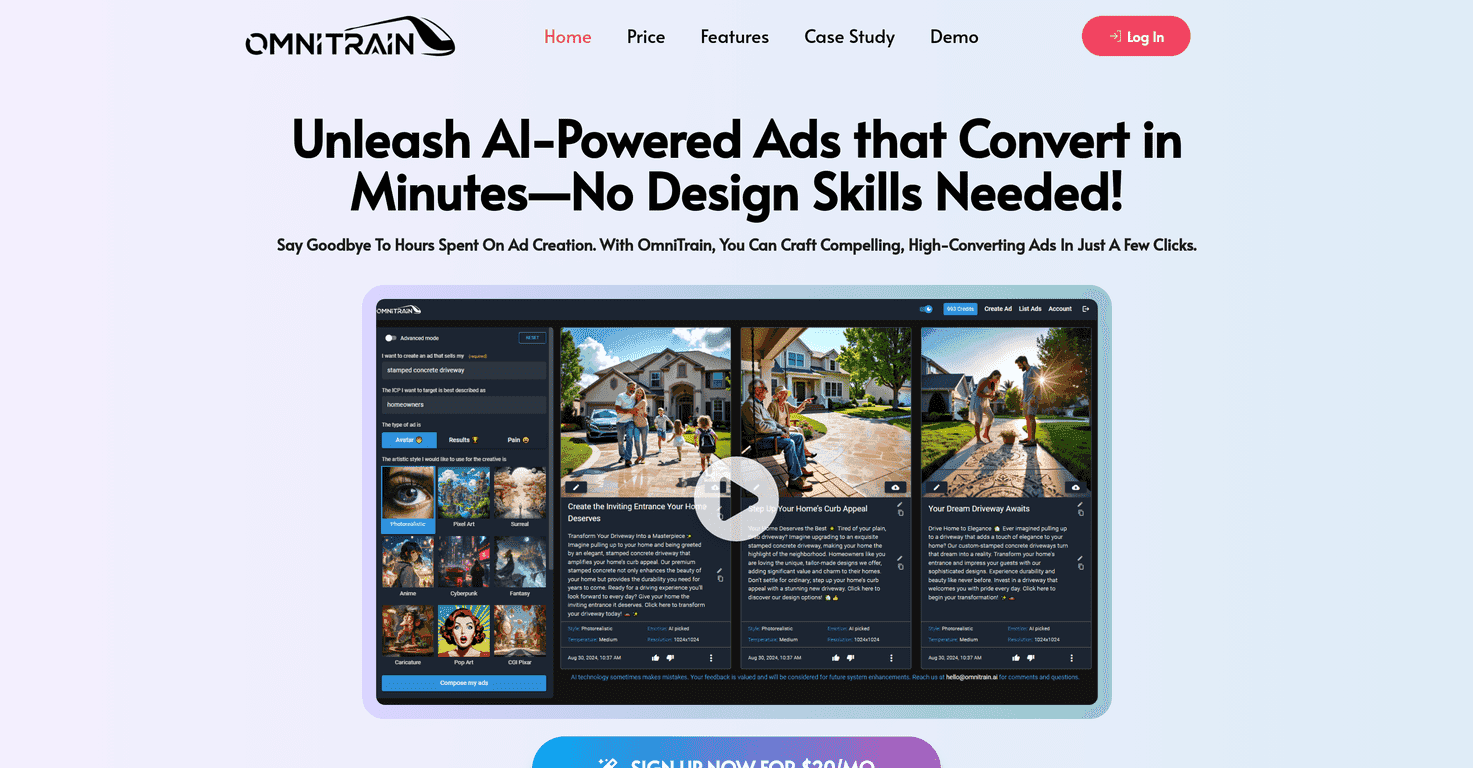
If you’ve ever tried to make ads for multiple platforms—without a designer on standby—you already know how fast it gets frustrating. I’ve written my share of ad copy, fiddled with images, resized everything for different placements, and still ended up with something that felt “fine” instead of actually compelling. That’s where Omnitrain caught my attention. It’s an AI ad creation tool that aims to help you produce ad creatives quickly while keeping them aligned with your brand.
In my experience, the big win isn’t just “faster ads.” It’s that the platform tries to guide you toward usable outputs instead of throwing a blank canvas in your lap. You still need to provide direction (your offer, who it’s for, what tone you want), but it feels a lot less like guessing and more like building from a framework.
Let me be straight, though: AI tools don’t magically fix weak positioning or a boring product. If your offer isn’t clear, the ad won’t magically become brilliant. But if you already know what you’re selling and you want to move quicker from idea to creative, Omnitrain can genuinely help.
Omnitrain Review: Does It Actually Make Ad Creation Easier?
Omnitrain is aimed at businesses that want to create ads without spending hours (or money) on design revisions. It’s positioned as an AI-powered ad creation platform, and the promise is pretty straightforward: generate ad creatives that look good and match your marketing message.
Here’s what I noticed when using tools like this in the past: you can get “pretty” outputs that don’t convert, or you can get “conversion-y” copy that looks bland. Omnitrain seems to focus on bridging that gap by combining copy + creative direction. The result is usually more usable than you’d get from a generic text-only generator.
Also, the interface feels accessible. I’m not a professional designer, and I didn’t feel like I needed to learn a complicated workflow just to get something on the screen. That matters if you’re a small business owner wearing five different hats.
Omnitrain supports multiple ad formats for different platforms too. So instead of creating one version and then manually resizing and reformatting everything, you can generate variants that are closer to what each platform expects. Is it perfect every time? No. But it’s a lot less work than starting from scratch.
Key Features I’d Pay Attention To
- AI-powered ad creation for tailored advertising
- Instead of random outputs, you’re prompted to provide context (offer, audience, tone). That helps the generated ads stay closer to your intent.
- Customization options to match your brand identity
- In my experience, this is where AI tools either shine or fall flat. If you can’t keep colors, style, or messaging consistent, you end up with a “different ad every time” problem. Omnitrain is built to reduce that.
- Quick ad generation in minutes
- When you’re testing ads, speed matters. You can go from idea to a set of creatives quickly, which makes iteration more realistic.
- Scalable ad production for high-volume campaigns
- If you’re running multiple campaigns or need variations for different segments, scaling production is one of the main reasons you’d choose a tool like this.
- Versatile ad formats for various platforms
- This is practical. You want a Facebook/Instagram-style creative that doesn’t look like it was shoehorned into the wrong size.
- User-friendly interface for all skill levels
- Even if you don’t know what “safe margins” are, you can still get to a usable result without a steep learning curve.
- Marketing frameworks and resources
- I like when tools include some structure, because it reduces the blank-page problem. It’s not just “generate,” it’s “generate with a plan.”
Pros and Cons (Realistic Take)
Pros
- Fast ad creation without needing design experience
- You can get something presentable quickly, which is huge if you’re not a designer.
- Customizable enough to stay on-brand
- What I appreciate is that you can steer the output instead of accepting whatever the AI feels like making.
- AI-generated ads that aim for emotional resonance
- Not every line will feel perfectly “human,” but the intent is there—more than just generic product listing copy.
- Scales well for high-volume needs
- If you’re producing multiple variations for testing, this is where the time savings really add up.
Cons
- Limited analytics features for tracking ad performance
- This is a big one. You can create ads faster, but you’ll still rely on your ad platform (like Meta Ads Manager or Google Ads) for performance reporting, deep insights, and optimization decisions.
- Not ideal if you want total creative control
- If you’re the type who hand-crafts every element—every font choice, every layout, every micro-detail—an AI-first workflow may feel restrictive. You’ll likely want to treat outputs as a starting point, not the final word.
Pricing Plans: What You’ll Pay
Omnitrain is priced at $20 per month for full access to the platform’s features. For a small business or a solo marketer, that’s the kind of price where you can justify experimenting—especially if it saves you even a couple hours per week.
That said, I always suggest thinking about ROI in a simple way: if this tool helps you ship more ad variations, you should be able to test faster and learn faster. If it doesn’t improve your results, it won’t matter that it’s quick.
Wrap up
So, is Omnitrain worth it? In my view, it’s a solid choice if you need speed, usable ad creatives, and a workflow that doesn’t require design expertise. The customization helps you keep things consistent, and the ability to generate multiple ad formats makes it easier to run campaigns across platforms without wasting time.
Where it falls short—at least based on what you’d expect from the platform—is analytics and full creative control. You’ll still want to lean on your ad account for performance data, and you may need to review outputs carefully before publishing.
If your current process is slow and you’re tired of recycling the same tired creative, Omnitrain can genuinely take some pressure off. Not because AI replaces strategy—but because it helps you execute the strategy faster.
Promote Omnitrain