Table of Contents
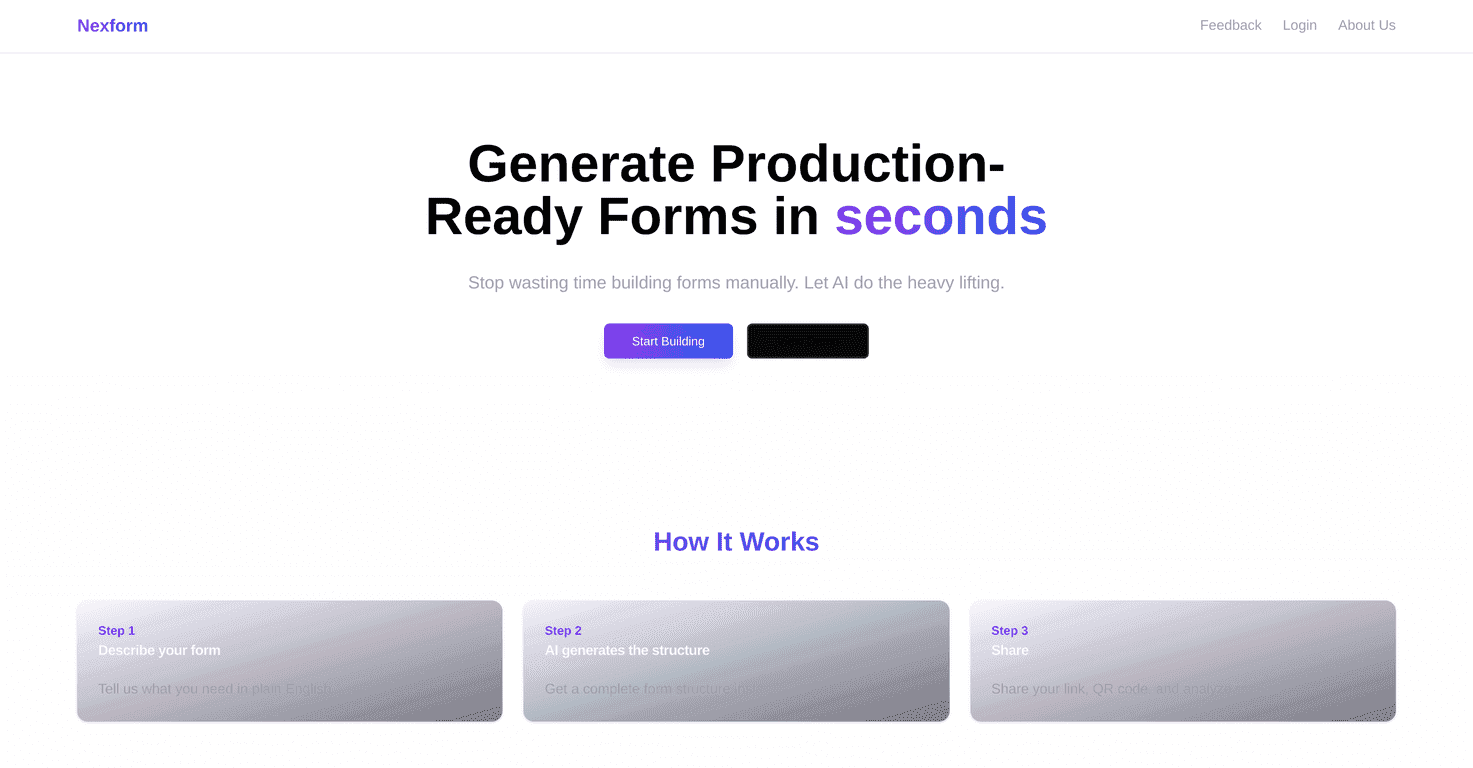
Let me be honest—most of the time I don’t mind building forms… it’s the setup that kills me. You know the drill: staring at a blank page, trying to remember the right field type, rewriting instructions, and then fixing validation because someone always finds a way to break it. That’s why I was curious about Nexform. Their whole pitch is that you describe what you need, and the AI builds the form for you.
In my experience, the best form builders don’t just “make it easier”—they remove the repetitive parts. Nexform’s approach is pretty direct: you write a short description, and it generates a complete, usable form. From there, you can rely on features like smart validation and dynamic fields so you’re not manually babysitting every question.
And yes, I also cared about the boring stuff: sharing, collecting responses, and getting results quickly. Nexform includes shareable options like QR codes and short links, which is exactly what I want when I’m setting up something in-person (events, clinics, classrooms) and don’t want to print a bunch of messy documents.
Nexform Review: what it’s like to build forms with AI
Here’s the simplest way I can describe Nexform: it’s an AI form builder that turns your text prompt into a form you can actually use. Instead of clicking through a bunch of menus to create every field, you start by telling it what you want—like a survey, an intake form, or an application-style questionnaire.
What I noticed right away is that the “first draft” is usually close. If you’re clear about the type of questions you need (short answers vs. dropdowns, required fields, and any conditional logic), Nexform tends to generate something that doesn’t feel totally generic.
Smart validation is the part I’m most thankful for. Forms always break at the edges: phone numbers with letters, emails missing the @, or people leaving required fields blank. Nexform’s validation helps catch those issues before you have to clean up messy responses later.
Then there are dynamic fields. This is where forms stop being “one-size-fits-all.” For example, if a user selects “Yes” for a question like “Do you need accommodations?”, Nexform can show follow-up questions that match that choice. It’s a small feature, but it makes the form feel smarter—and it reduces the back-and-forth you’d otherwise get from people.
Sharing is another area where Nexform feels practical. It generates QR codes and short links, so you can drop your form into real-world situations quickly. I’ve used QR codes for event check-ins and quick feedback before, and the ability to instantly share a short link is just convenient when you’re texting a group or posting to a story.
And yes, you get analytics too. I’m not expecting enterprise-level dashboards, but having real-time visibility into responses is exactly what you want once the form is live. No one wants to wait until the end of the day to find out half the submissions are unusable.
Key Features that stood out to me
- AI Form Generation — You create forms using simple text descriptions, which helps a lot when you don’t want to build every field manually.
- Smart Validation — Built to handle common input errors so your responses stay cleaner (think required fields, formatting checks, and fewer “oops” submissions).
- Dynamic Fields — Questions can change based on user responses, so you’re not forcing everyone through the same irrelevant steps.
- Quick Form Building — The time savings are real, especially for things like surveys, registration forms, and internal intake questionnaires.
- Instant Access to Results — Share your form with QR codes and short links, then track responses with analytics as they come in.
If you’re wondering whether Nexform is good for more than just “basic surveys,” my take is: it works best when you’re specific. If you say you need an application form with required fields, conditional questions, and a couple of dropdowns, it’s much more likely to get the structure right on the first pass.
Example use cases (the stuff I’d actually use)
- Event check-in: name, email, ticket type (dropdown), and a conditional question like “Need accessibility support?”
- Customer feedback: rating (required), short comment (required), and optional “what went wrong?” follow-up if rating is low.
- Job application intake: basic info + availability + a couple of conditional fields like “portfolio link” only if the role requires it.
Pros and Cons (my honest take)
Pros
- Fast AI form generation — You can go from idea to draft quickly, which is the whole point.
- Simple interface — Even if you’re not super technical, it’s easy to understand what’s being created and what needs tweaking.
- QR codes + short links — This is genuinely useful if you plan to collect responses in-person or share on mobile.
- Smart validation — Fewer broken submissions means less cleanup on your end.
Cons
- Complex requirements can be tricky — If your form logic is very specific (multiple branches, lots of conditional rules), the AI might not nail it immediately. You may need to refine the prompt or adjust fields manually.
- Pricing clarity is limited — I couldn’t find detailed pricing plan info in the extracted content here, so you’ll likely want to check the site before committing.
One more thing: AI-generated forms are still forms. If you care about branding, very specific wording, or highly structured formatting, you’ll probably want to spend a few minutes polishing after the AI draft. That’s not a deal-breaker—it’s just reality.
Pricing Plans: what I’d check before you sign up
Pricing details weren’t included in the content I received, so I can’t give you exact numbers here. What I recommend (and what I’d do myself) is checking the Nexform website directly and looking for a few key things:
- How many forms you can create on each plan
- Response limits (this matters more than people think)
- Whether QR codes and short links are included on all tiers
- Whether analytics are limited or full-featured
- Any limits on dynamic fields or conditional logic
If you want to start building right away, you can visit Nexform and see what’s available for your specific use case.
Wrap up
Overall, Nexform is a solid option if you want to build forms quickly without turning it into a full project. The combination of AI form generation, smart validation, and dynamic fields is exactly what helps when you’re trying to collect usable responses fast. Just keep in mind that super complex logic might take a little prompting or editing, and you’ll want to confirm pricing details on the site.
If your goal is simple: create surveys, intake forms, or applications faster—while still keeping submissions clean—Nexform is worth a look.
Promote Nexform