Table of Contents
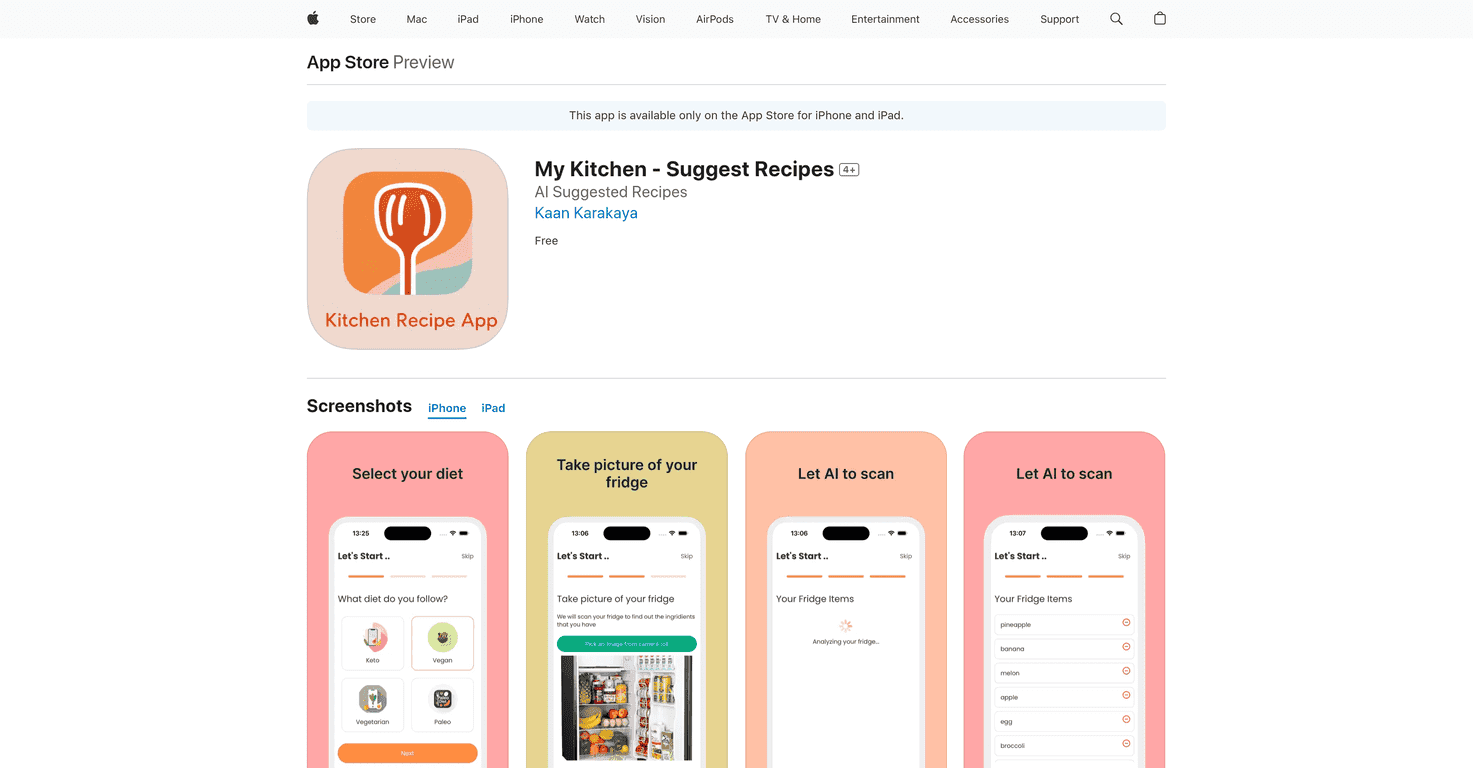
Let me be honest—most days I don’t “plan” dinner. I open the fridge, stare for a few seconds, and try to figure out what’s actually going to get eaten before it goes bad. That’s why I was curious about My Kitchen. The idea is simple: you snap a picture of your fridge, and the app suggests recipes using what it thinks you have on hand.
In my experience, the coolest part is the fridge scan. You take a photo, it identifies ingredients, and then it builds meal ideas around that. When I’m not sure what to cook—or I’m trying to use up random leftovers—it actually saves me from the “What do we eat?” loop. The daily suggestions also help. Some apps just throw you random recipes, but this one tries to stay relevant to what you’re working with.
Another thing I liked is that it’s not just about cooking new stuff. There’s a clear push toward wasting less food. If you’re the type who buys groceries and then forgets half of them, you’ll probably appreciate that angle. Still, I’ll get to the limitations—because the scan isn’t perfect.
My Kitchen Review: Does the Fridge Scan Actually Help?
I tested My Kitchen with a pretty normal fridge setup—eggs, veggies, dairy, and a few “mystery” items in containers. The app’s core workflow is what you’d expect: you scan (photo), it identifies ingredients, then it gives you recipes based on what it found. When it gets it right, it’s genuinely convenient. I’ll open the app, see a few options, and usually pick something I can make with minimal extra shopping.
What surprised me is how much the daily suggestions feel like they’re meant to be used. Instead of waiting until you’re fully stuck, you can check in each day and grab an idea. I also like that you can save recipes you want to repeat—because let’s face it, not every “new” recipe becomes a regular.
Now, the reality check: the ingredient recognition depends heavily on photo clarity and what’s visible. If your fridge is crowded, items are in opaque containers, or the lighting is off, the scan can miss things. It’s not always dramatic, but it can change what recipes show up. If it thinks you don’t have something, you won’t get the recipe that relies on it. So yes, you might need to adjust your expectations.
Still, the waste-reduction angle is one of the better reasons to use this type of app. When you’re using what you already have, you’re less likely to toss half a carton of something you forgot about. That’s the kind of small habit change that actually adds up.
Key Features I’d Actually Use
- AI-powered fridge analysis for ingredient recognition (photo scan to identify what you have)
- Daily recipe suggestions so you’re not starting from zero every night
- Save and revisit favorites (handy for repeat meals and “I liked that one” moments)
- Waste reduction focus built into the recipe recommendations
- User-friendly interface—simple enough that you don’t feel like you need a cooking degree to use it
Pros and Cons (The Honest Version)
Pros
- Fridge scanning is genuinely useful when the photo is clear and the ingredients are visible.
- Helps minimize food waste by steering you toward what you already have.
- New recipe ideas daily—it feels more “ongoing” than a one-time gimmick.
- Free to download, so you can test it without committing.
Cons
- Recipe accuracy depends on image recognition. If the scan misses an ingredient, your suggestions can shift.
- You need a smartphone and you’ll be taking photos—so it’s not exactly a hands-off experience.
- Not every food item is recognized perfectly, especially things in containers, mixed leftovers, or very similar-looking ingredients.
Pricing Plans
My Kitchen is available as a free download and it’s free to use, which makes it easy to try out for a week or two and see if it fits your cooking routine.
Wrap up
Overall, I think My Kitchen is a solid app if you want help turning “what’s in the fridge?” into actual dinner plans. The fridge scan is the standout feature, and when it nails your ingredients, it really does reduce the guesswork. Just don’t expect it to be perfect every time—photo quality and what’s visible matter a lot.
If your biggest cooking struggle is getting decision fatigue or trying to use up ingredients before they go bad, this is worth checking out. For me, it’s the kind of tool I’d rather open than scroll for 30 minutes and end up ordering takeout.
Promote My Kitchen