Table of Contents
I wanted something that felt Montessori-ish without turning my kitchen into a classroom prep station. So I tested Montessori Activities at Home to see if it actually produces usable ideas (not just generic “craft time”).

Quick context on my test: I did this on my laptop using a normal browser session (no special settings). I spent about 10–15 minutes clicking through the activity generator and opening a couple of worksheet downloads/prints. Then I tried the same approach with different household items to see if the ideas stayed practical.
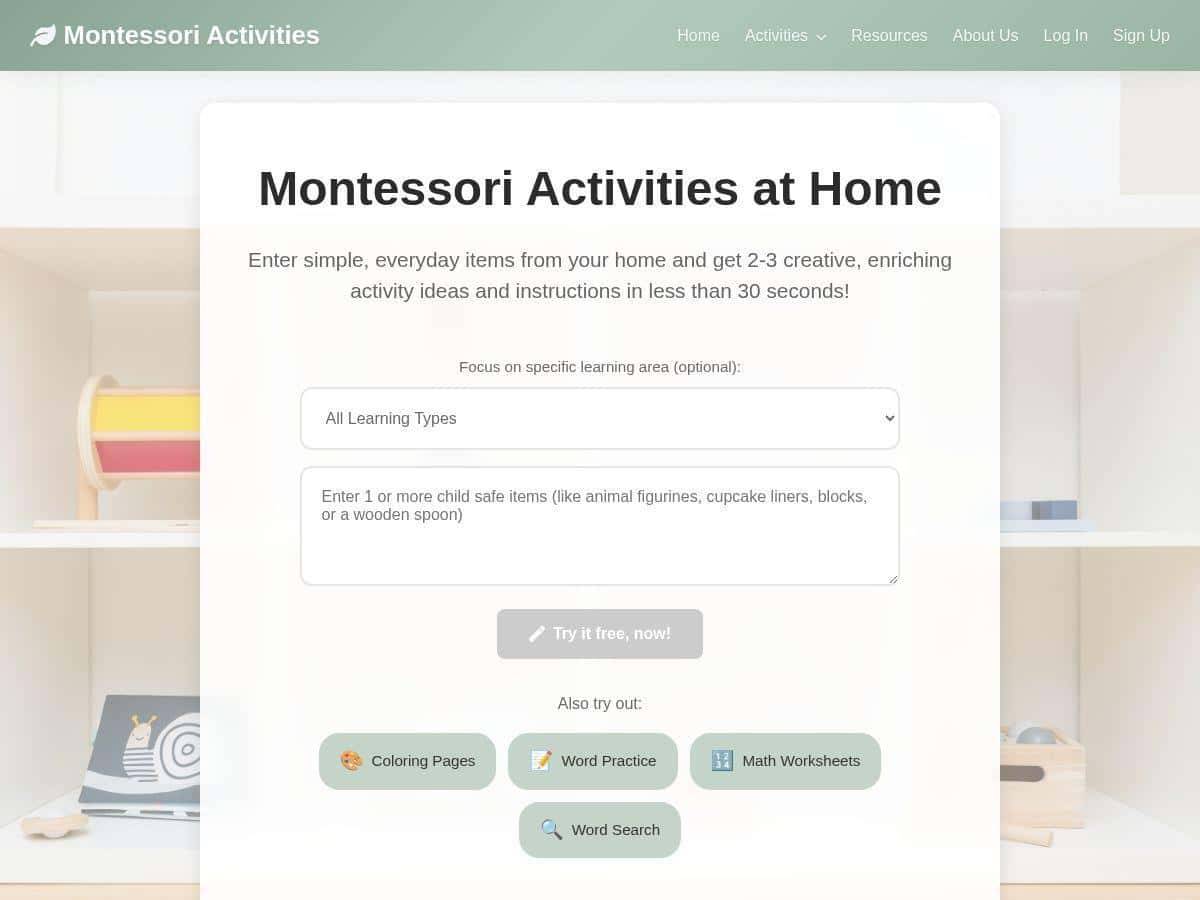
Here’s what I noticed right away: you don’t have to hunt for Montessori lesson plans online. You enter everyday items—things you already have—and the platform gives you a small set of activities you can do at home. In my experience, that “small set” matters. It’s easier to actually run the activity when you’re not overwhelmed with 20 options.
The output I got was targeted for kids roughly age 2–8. It wasn’t a full curriculum (more on that below), but it did generate ideas that match real Montessori categories like practical life, sensorial sorting, language prompts, and simple early math.
Example activity set (verbatim-ish from what I generated): when I entered spoons + a jar, the suggestions came back as things like:
- Pouring practice (practical life) — instructions focused on transferring items between containers, with a clear “start simple” approach.
- Sorting by size/shape (sensorial) — a sorting activity using the spoon shapes and jar opening as part of the “control of error” setup.
- Word matching / naming (language) — a quick prompt to label actions (pour, scoop, empty) and objects.
That’s the kind of stuff I can actually run on a weekday. No special materials required beyond what’s already in the house.
Montessori Activities Review (What You Get and What It Looks Like)
Let me be honest: I don’t expect any app to “replace Montessori.” Montessori is a philosophy, a prepared environment, and a way of presenting work so kids can succeed independently. What I did want to test is whether this platform produces activities that feel consistent with Montessori principles—especially for home use.
In practice, the platform leans into three Montessori-friendly ideas:
- Practical life independence: activities like pouring, scooping, transferring, and sorting are built around real actions kids can repeat.
- Sensorial learning: many activities are basically “notice differences” work—size, shape, texture, quantity—using everyday objects.
- Language through action: instead of abstract worksheets only, it often includes prompts that connect vocabulary to what the child is doing.
Another example (when I used different items): I tried small toys + a container and got a set that leaned into:
- Sorting by category (colors/shapes or “same vs different”)
- Counting and matching (simple “put the right number in each spot” style prompts)
- Story starter / naming exercise (using the toys to practice simple language)
What I liked here is that the activities aren’t just “do a worksheet.” They’re meant to be done with objects first, and the printable pages support that learning.
Worksheets and coloring pages: the platform also generates downloadable worksheet-style content. In my testing, the worksheets were the kind of pages you’d expect for early learners—things like tracing, basic counting, matching, and coloring activities. They’re not fancy art projects, which is exactly what I prefer for Montessori-style work.
One sample output I generated (condensed):
- Activity title: Pouring Practice & Transfer
Age range: 2–5 (also adaptable for 5–8 with added steps)
Materials: spoon(s), small jar or cup, optional tray
Instructions: set up two containers, show a simple transfer, then let the child repeat. The “goal” is calm repetition and independence (not speed).
Printable support: a basic counting/coloring page tied to the number of transfers or the items used.
If you’re wondering, “Is it Montessori-perfect?”—no. Montessori requires careful presentation, and the same activity can be “Montessori” or “not Montessori” depending on how you set it up. But as a home supplement, it’s genuinely useful.
Key Features (From My Click-Through Test)
- Household-item input → activity ideas
You type in common items (like spoons, jars, toys), and the generator returns a small set of activities. I found the “small set” approach helps you actually complete the work. - Worksheets + coloring pages
The platform generates printable pages that connect to the activity theme—early math, language prompts, and simple practice sheets. In my experience, these work best as a follow-up after the hands-on part. - Speed (fast enough for real life)
When I tested it, the suggestions came back quickly—fast enough that I wasn’t waiting around to decide what to do next. - Targeted age range
The activities are designed for kids around 2–8, with suggestions that can be simplified or extended depending on the child. - User-friendly interface
Navigation felt straightforward. I didn’t get stuck hunting for where to generate or where to view printable content. - Subscription tiers
Access to more generations and features depends on the plan (more details in the pricing section).
Pros and Cons (What I’d Tell a Friend)
Pros
- It produces practical, object-based activities—not just “print and color.” The ideas are tied to real actions like pouring and sorting.
- It covers multiple Montessori areas—I saw practical life, sensorial-style sorting, language prompts, and early math themes show up in the generated suggestions.
- Works well as a supplement—I used the hands-on activity first, then gave the printable page as optional follow-up work.
- Easy to start—you can generate ideas quickly without planning ahead for weeks.
Cons
- Free plan limits can interrupt your flow
In my test, after a small number of generations, the site pushed me toward upgrading. The exact number wasn’t something I loved searching for, and it’s the kind of thing you should expect to check before you commit. - It’s not a full curriculum
You won’t get a complete Montessori sequence (like you would from a program that builds week-by-week materials). It’s more like “activity ideas + printable support.” - Some features may be locked
For example, saving or managing history (and other “convenience” features) may require a higher tier.
Pricing Plans (What You Should Know Before Subscribing)
The service offers a free tier with limited activity generations each month. There’s also a Starter plan at $7/month for more activities, a Premium plan at $12/month with more access and additional features, and an Educator plan at $99/month for bulk worksheet printing and curriculum integration.
They also mention a 7-day money-back guarantee.
My practical advice: before you subscribe, check two things: (1) how many generations you get on the free tier, and (2) what’s included for downloads/printing at your chosen level. If your goal is to print regularly for multiple kids, you’ll want a plan that won’t constantly block you mid-session.
Sample Activities You Can Expect (So You’re Not Guessing)
Here are a couple of concrete examples of the kind of output I saw—so you can picture what you’d actually be using:
- Pouring Practice & Transfer (Practical Life)
Age range: 2–5 (extendable to 5–8 by adding steps)
Materials: spoon(s), small jar/cup, tray (optional)
What you do: transfer items between containers repeatedly, then optionally use a linked printable page for counting or coloring follow-up. - Sorting by Size/Shape (Sensorial)
Age range: 2–6
Materials: mixed items (like spoons or small objects) + container openings
What you do: sort into groups using a simple rule (bigger/smaller, same/different). The “control of error” is built into the fit and sorting logic. - Language Through Naming (Language)
Age range: 3–8
Materials: the same objects from the activity
What you do: label what the child is doing (“pour,” “scoop,” “empty”), then use a worksheet prompt or coloring page to reinforce vocabulary.
That’s the sweet spot for me: the worksheets feel like reinforcement, not the main event.
Who This Is Best For (and Who Might Want Something Else)
This is a good fit if you:
- Want quick Montessori-inspired activity ideas using everyday items
- Prefer hands-on work first, with printables as optional follow-up
- Need something you can pull out on a random Tuesday without planning
It might not be enough if you’re looking for a full Montessori curriculum with sequential materials, detailed lesson plans, and long-term progression. For that, you’d likely want a more structured program.
Wrap up
Overall, Montessori Activities at Home is a practical supplement that can save you time when you’re trying to keep learning meaningful and hands-on. It’s not a complete Montessori program, but the generated activities (especially practical life and sensorial sorting ideas) are the kind of work I can see kids repeating happily. If you test the free tier first and confirm the generation limits and printing access you need, it’s easy to see why families and educators might find it genuinely useful.