Table of Contents
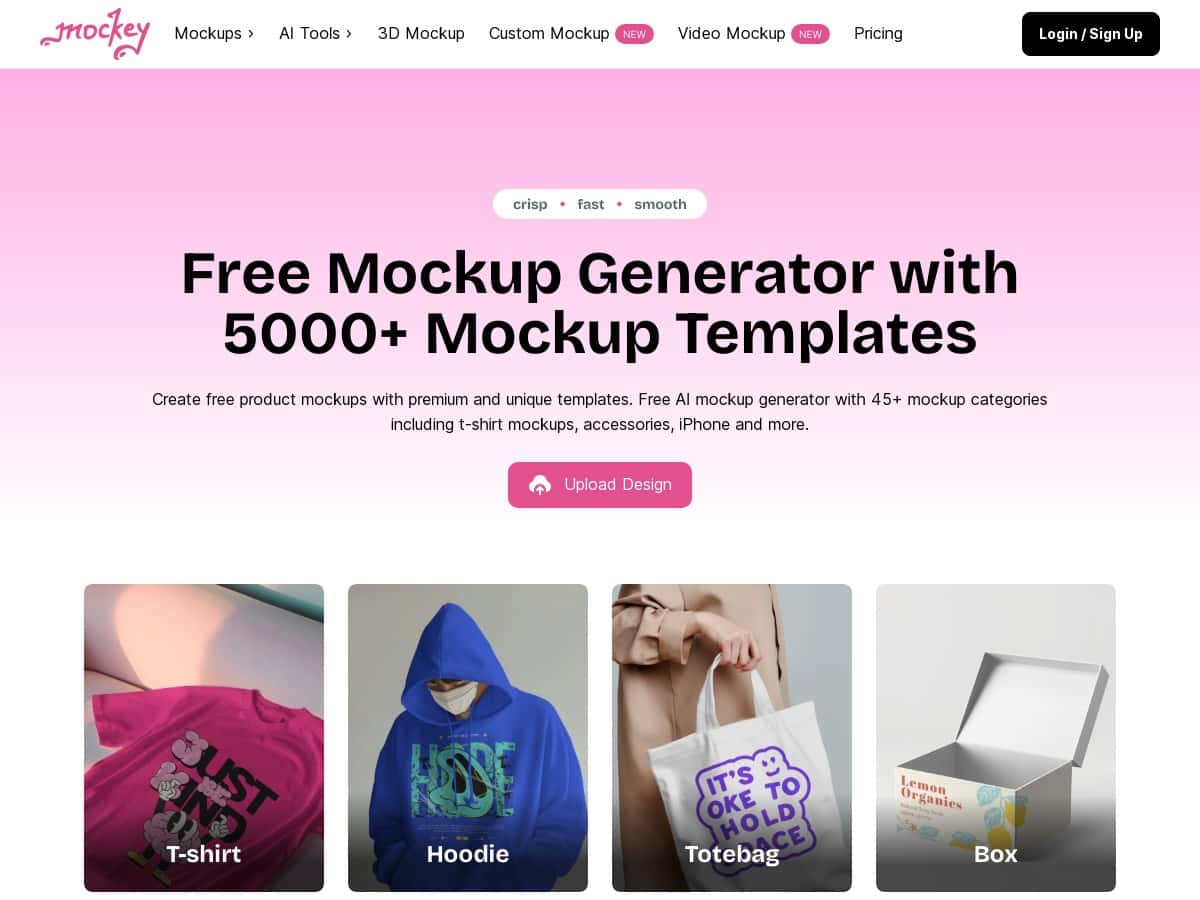
I tried Mockey for product mockups and I’ll be honest: it’s one of those tools that gets out of your way. I didn’t have to fight menus or hunt for “the right setting” just to get something usable. The basic workflow—pick a template, upload your image, tweak a few things, download—felt pretty quick from start to finish.
In my test, I made mockups for apparel-style product images and accessory-style graphics (think logos/text on a clean background). I was able to swap colors, adjust the background, and place my logo/text without needing to touch anything like perspective grids or layer masks. The results looked polished enough for product listings and social posts.
Mockey Review (What I Did + What I Actually Got)
Here’s the honest version of my experience. I didn’t come in with a complicated design file—just product images (with transparent/clean backgrounds where possible) and a logo/text element I wanted to place on top. Mockey handled the “put this on that product” part really well.
My workflow looked like this:
- Pick a template: I browsed categories and grabbed something close to what I was selling (apparel/accessories style mockups).
- Upload my image: Drag-and-drop is genuinely fast. I was able to swap the design without waiting around.
- Tweak the look: I adjusted colors/backgrounds and added/positioned logos and text.
- Use AI tools (when needed): For one image with a messy edge, I used background removal/image enhancement to clean it up.
- Download: The exported mockup I tested didn’t have a visible watermark over the actual image.
The biggest “wow” moment wasn’t fancy editing—it was how quickly I went from “raw product image” to something that looks believable on a real product scene.
That said, if you’re expecting Photoshop-level control, you’ll feel the limits fast. Mockey is built for speed and templates, not deep compositing. Want to warp perspective in a custom way, edit individual layers like a pro, or do advanced masking? That’s where you’ll likely miss your current tool.
Key Features (Based on What I Used)
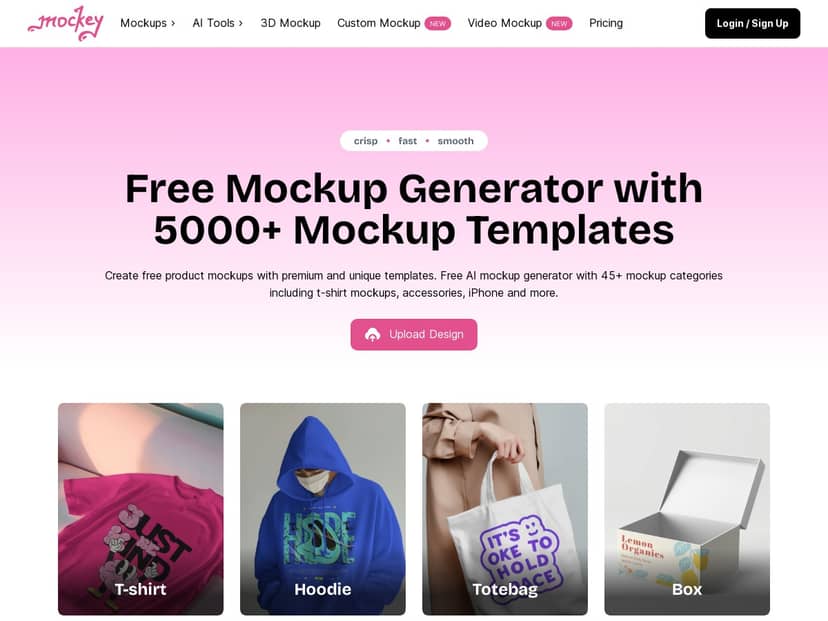
- Large template library: In the categories I checked, there were plenty of options for apparel/accessories and other product styles (the site claims 5000+ mockups). I didn’t run out of choices, which matters when you’re trying to match a brand vibe quickly.
- Drag-and-drop upload: This is the core strength. I could upload, preview, and keep moving without extra steps.
- Quick customization controls: I was able to change colors and backgrounds, and add logos/text without digging through complicated panels.
- AI-powered background removal & enhancement: I used it to clean up edges on a product image that didn’t cut perfectly. It helped more than I expected, though it still won’t magically fix every low-quality photo.
- Download behavior: In my downloads, I didn’t see watermarks covering the mockup image. (If you’re using this for client work, still double-check the free/export rules before publishing in bulk.)
- Mobile app: Mockey has an Android app, which is useful if you want to make quick updates while you’re away from your desktop.
- Regular updates: The tool’s template/feature set seems to keep expanding, which is helpful if you’re producing mockups often.
Pros and Cons (Realistic Tradeoffs)
Pros
- Fast to get a usable result: I made mockups in minutes, not hours—especially when the template matched what I was selling.
- Template variety: There’s enough selection that you can usually find something that fits your product style without starting from scratch.
- Easy customization: Color/background/logo/text placement is straightforward and doesn’t require design software knowledge.
- AI tools that actually help: Background removal is great when your cutout edges aren’t perfect.
- Free use feels practical: My test downloads didn’t show watermarks over the final image, which is a big deal for a free mockup tool.
Cons
- Not a replacement for advanced editors: Compared to Photoshop, Mockey doesn’t give you the same level of control over perspective warping, layer blending, and precision masking. I couldn’t “manually” fix every edge the way I would in Photoshop.
- Template constraints: If your product photo doesn’t match the template’s lighting/angle, you may need to compromise. With Figma/Photoshop, you can rebuild the scene more intentionally.
- Not every image behaves perfectly with AI: On low-resolution or heavily compressed images, the enhancement/background removal can still leave artifacts near edges.
Where Mockey feels weaker (examples from my testing):
- Perspective tweaks: I couldn’t fine-tune the mockup’s perspective beyond the built-in adjustments. In Photoshop, I’d use transform/warp and masks to get it exactly right.
- Layer-level editing: Mockey is template-driven. If you want to edit individual elements (shadows, highlights, textures) like separate layers, you’ll hit a wall.
- Complex composites: When I tried to add a more complicated design element, I had to simplify. Photoshop/Figma would be better if you’re building a custom scene from scratch.
Pricing Plans (What I Can Confirm)
Mockey includes a totally free plan that lets you create and download unlimited mockups without watermarks. That’s the key value proposition I saw reflected in my own downloads.
As for paid tiers: the page mentions an enterprise plan for custom templates/extra features, with sign-up and charges based on needs. I can’t confirm exact pricing numbers from what I tested (and I don’t want to guess), but the free plan behavior was clear in my case.
If you’re deciding between free and paid, ask yourself this: do you just need lots of clean mockups quickly, or do you need custom template work and deeper brand-specific assets? That’s usually where enterprise makes sense.
When Mockey Is the Right Choice (and When It Isn’t)
Mockey is a great fit if: you sell products online, you need consistent mockups for listings/social, and you want to move fast without hiring a designer for every variation.
Mockey might frustrate you if: you’re doing heavy compositing, need pixel-perfect perspective control, or you want full layer editing like Photoshop/Figma. In those situations, you’ll spend time fighting limitations instead of creating.
Wrap up
Overall, Mockey is a solid pick for quick, realistic product mockups—especially if you’re working from templates and want clean results without watermarks. It’s not trying to replace professional graphic software, and once you accept that, it’s easier to get great outcomes fast. If you want something you can actually use today (not something you have to learn for weeks), Mockey does the job.



