LIFETIME DEAL — LIMITED TIME
Get Lifetime AccessLimited-time — price increases soon ⏳
AI Tools

Mitra review – Your AI Assistant for Phone Conversations

Updated: April 20, 2026
5 min read

Table of Contents

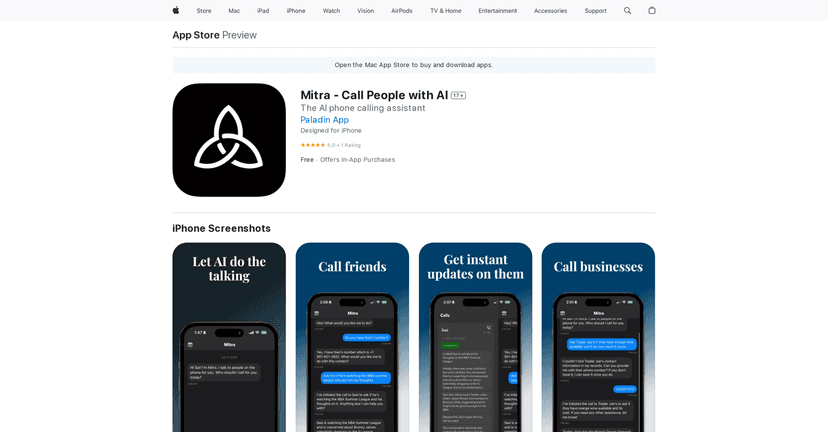
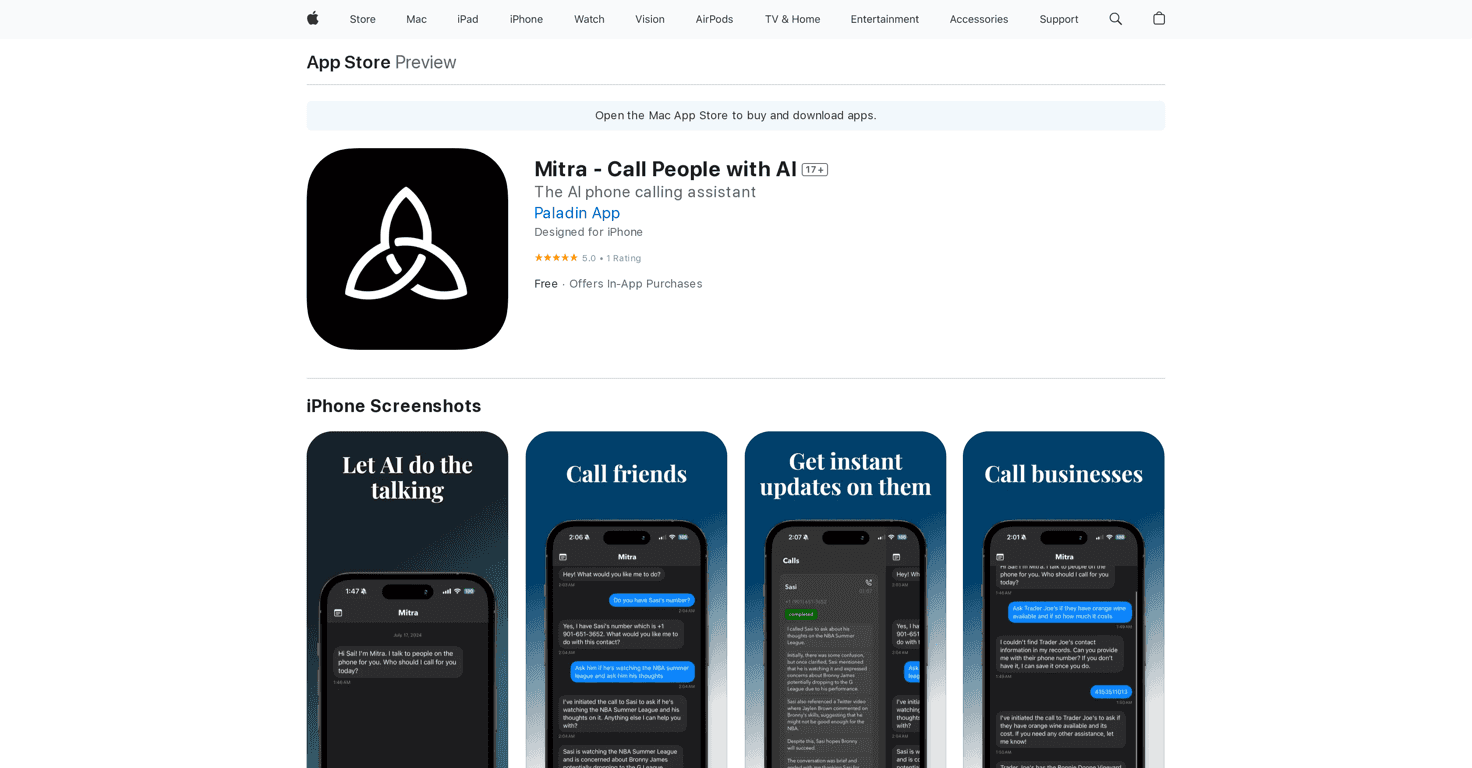
If you’ve ever dreaded making a phone call—especially the ones you “can’t avoid,” like scheduling appointments or following up with a client—you’ll probably get why I’m interested in Mitra. It’s an AI assistant app that basically handles phone conversations for you. Not just “drafts a message,” but actually places calls and talks using your caller ID.

In my experience, that’s the part that feels most different. Most call-helper apps help you write or organize. Mitra is trying to remove the call itself from your to-do list. And honestly, that’s either incredibly convenient… or something you’ll want to think carefully about depending on the situation.

Mitra AI Assistant App

Mitra review

Mitra is an AI assistant app that takes over phone calls so you don’t have to sit there on hold or repeat yourself for the third time. The basic idea is simple: you send instructions (like what you want the other person to know), and Mitra places the call using your caller ID. Then it runs the conversation from there.

What I like about the concept is that it’s aimed at real-world situations—social plans, appointments, and business follow-ups—where the “conversation” is predictable enough that an AI can handle it. If you’re calling to confirm a time, ask for details, or get a quick yes/no, this kind of tool actually makes sense.

Another thing Mitra emphasizes is making calls feel smooth rather than robotic. It uses voice AI and language AI, and it’s designed to work across devices so your workflow doesn’t feel locked to one screen. That multi-device angle matters more than people think—especially if you’re bouncing between your phone and a tablet/laptop during the day.

Key features

  • Voice Conversations: Mitra can place calls to people and handle the back-and-forth using your caller ID, not some random number.
  • Collaboration: You can refine conversation points before Mitra calls. I’d treat this like writing a quick call brief—clear goals, key facts, and the tone you want.
  • Multi-Call Support: Up to 10 calls simultaneously. If you’re juggling lots of scheduling or outreach, that’s a big deal. (Just remember: more calls means more chances for edge cases, so your instructions should be specific.)
  • Call Management: You get visibility into ongoing calls, and you can review summaries after the conversation. In practice, I’d want those summaries to be accurate and actionable—otherwise what’s the point?
  • Customization: You can tell Mitra what to say and how to behave during the call. The more “human” and specific your instructions are, the better the outcome tends to be with assistants like this.

Pros and Cons

I always like to separate the “cool feature” from the “real-life use.” So here’s how Mitra shakes out for me.

  • Pros:
    • Less time stuck on the phone: If you hate calls or you’re too busy to handle them, Mitra can take that burden off your plate.
    • Multi-call capability: Handling up to 10 calls at once is genuinely useful when you’re dealing with multiple appointments or follow-ups.
    • Customization that actually helps: Being able to instruct Mitra on details and behavior means you’re not stuck with one generic script.
    • Post-call summaries: Reviewing what happened after the call is a smart touch—especially when you’re managing several conversations.
  • Cons:
    • Privacy and data handling: Since this involves voice and potentially recordings/transcripts, you’ll want to be careful. I’d look closely at how Mitra stores and uses call data before using it for sensitive topics.
    • AI dependency for personal interactions: For casual personal calls, it can feel awkward depending on the context. Also, if the conversation gets emotional or highly nuanced, AI may not match what you’d say naturally.
    • Edge cases still happen: If someone asks a question that wasn’t covered in your instructions, you may need to refine your prompts. This isn’t magic—it’s automation with a learning curve.

Pricing Plans

Mitra’s pricing is pretty straightforward, and I like that there are options depending on how often you plan to use it.

  • Base Price: Free, with in-app purchases available.
  • In-App Purchases:
    • 10 Mitra Minutes: $3.99
    • 20 Mitra Minutes: $7.99
    • 30 Mitra Minutes: $11.99
    • Mitra Pro (monthly): $20.00
    • Mitra Pro (yearly): $200.00

If you’re only testing it, minutes are the safer bet. If you’re using it weekly for scheduling or outreach, Pro could be worth it—just do the math based on how many calls you actually expect to run.

Wrap up

Mitra is a pretty interesting option if you want an AI assistant that can handle phone conversations instead of just helping you write them. I can see it being especially handy for scheduling, confirmations, and other repetitive call types where your goal is clear.

That said, I wouldn’t treat it like a “set it and forget it” tool for every situation. The privacy angle matters, and you’ll probably want to spend a minute dialing in your instructions so the call goes the way you expect. If that sounds like your kind of workflow, Mitra is definitely worth trying.

Check out Mitra on the App Store and see whether it fits how you handle calls today.

Stefan

Stefan

Stefan is the founder of Automateed. A content creator at heart, swimming through SAAS waters, and trying to make new AI apps available to fellow entrepreneurs.

Related Posts

chine meilleure imprimante featured image

Chine Meilleure Imprimante : Guide 2026 des Fournisseurs et Technologies

Découvrez la meilleure imprimante chinoise en 2026 : types, fournisseurs, technologies, prix et conseils pour choisir la solution adaptée à vos besoins. Lisez notre guide complet !

Stefan
is lisa crowne a real person featured image

Is Lisa Crowne a Real Person? Uncovering the Truth About Daisy Jones & The Six

Discover whether Lisa Crowne is a real person or fictional character from Daisy Jones & The Six. Get expert insights, episode details, and practical tips.

Stefan
are quotes public domain featured image

Are Quotes Public Domain: Complete Guide

Learn everything about are quotes public domain. Complete guide with practical examples, expert tips, and actionable strategies.

Stefan

Create Your AI Book in 10 Minutes