Table of Contents
Honestly, I got tired of bouncing between AI tools. One subscription for writing, another for brainstorming, and then you’re stuck paying for “more” even when you only need it a couple times a week. That’s why I was curious about Lutia—it’s a chat platform that lets you access multiple generative AI models from a single place.
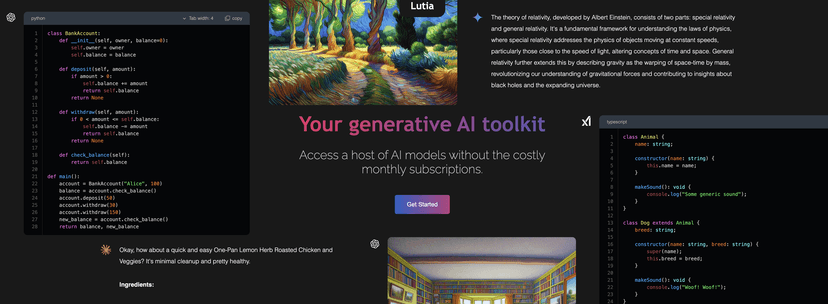
What I noticed right away is the “one interface” idea. Instead of opening a bunch of tabs or switching tools every time you want a different model, you stay in the same chat flow. For content tasks, that matters more than people think—momentum is real. If you’re drafting a blog post, rewriting paragraphs, or even just generating outline ideas, having everything in one chat window saves time.
Another big reason Lutia caught my attention is the cost setup. A lot of AI platforms push monthly pricing even if you don’t use them constantly. Lutia leans on pay-as-you-go, so you’re not locked into a recurring bill just to keep the lights on. In my experience, that’s the difference between “cool tool” and “actually sustainable tool” for regular use.
There’s also a focus on customization. You can adjust settings so the responses feel more relevant to what you’re trying to do. I’m not saying it turns every prompt into a masterpiece—but when you’re working on something specific (like a landing page section, a product description, or a set of FAQs), having more control over context helps.
And yes, data security is mentioned as a priority. I always look for that because I don’t want to paste client details or sensitive notes into something that feels careless. I can’t promise anything from a marketing paragraph alone, but it’s a positive sign that Lutia brings security up as part of the pitch.
Lutia Review
Lutia is built to make it easier to use generative AI without turning your day into a tool-switching marathon. The core idea is simple: you get a single chat interface where you can access multiple leading language models, instead of signing up for each model separately.
In practice, I like platforms like this because they reduce friction. If I’m writing content, I don’t want to spend my time figuring out which tool is best for “this exact task.” I want to prompt, compare responses quickly, and move on. That’s exactly where Lutia’s “multiple models in one chat” approach feels useful.
Cost control is another standout. Lutia uses a pay-as-you-go system, which means you only pay for what you actually use. For anyone who doesn’t run AI workloads all day, that’s a big deal. I’d rather pay for usage than keep paying monthly for features I don’t touch.
On top of that, there are customizable settings aimed at improving how the model responds based on your context. I found that when I’m more specific—like telling it the audience, tone, and target length—the output improves. And when you can tweak the context window or interaction settings, you’re more likely to get replies that match what you’re trying to produce.
Lastly, Lutia emphasizes data security. I always recommend being careful with any AI tool—don’t paste secrets—but it’s good to see privacy/security positioned as part of the experience, not an afterthought.
Key Features
- Access to Multiple AI Models – You can use different language models without leaving the chat window. In my experience, this is great for comparing styles fast (more formal vs. more casual, shorter vs. deeper, etc.).
- Pay-As-You-Go Pricing – The platform is designed around usage instead of forcing a fixed monthly subscription. If you’re a light or occasional user, this is usually the smarter option.
- Customizable Context Window – Adjusting context helps the model stay relevant to your task. It’s especially helpful for multi-step writing like outlines → drafts → revisions.
- Usage Tracking – You can monitor usage across models. This matters because different prompts can burn more credits than you expect if you’re not paying attention.
- Data Security – Lutia positions itself around privacy and keeping user data confidential. Again, I still recommend avoiding sensitive info, but the focus is a plus.
Pros and Cons
Pros
- One place to work: multiple AI models in a single chat interface means less switching and less time wasted.
- More flexible costs: pay-as-you-go makes it easier to control spending if you don’t use AI constantly.
- Better control: customizable settings can improve relevance, especially when you’re doing content iterations.
- Privacy is part of the conversation: data security is mentioned as a priority, which is reassuring.
Cons
- It can feel overwhelming at first: if you’re new to generative AI, the “pick a model / adjust settings” workflow might take a little getting used to.
- Model performance varies: some models will naturally be better for certain tasks than others, so you might need to test a few to find your favorites.
- Costs can sneak up: if you run long prompts or keep regenerating drafts, usage can add up—usage tracking helps, but you still have to watch it.
Pricing Plans
Lutia’s pricing is designed around flexibility. The platform mentions a starting point of $4.99 monthly, plus a $1 free credit for new users when you create an account. That small starter credit is actually useful—it's enough to test a few prompts and see whether the output quality matches what you expect.
If you’re evaluating it for content work, I’d recommend doing a quick “real” test: try your typical prompt (like a blog intro, product description, or FAQ set) and compare responses across a couple models. Don’t just test with a random sentence. That’s how you’ll know if it’s worth sticking with.
Wrap up
Overall, I think Lutia is a solid option if you want AI access without juggling multiple subscriptions and interfaces. The pay-as-you-go angle is especially appealing, and the multi-model chat setup is genuinely convenient when you’re writing, editing, or brainstorming. If you’re willing to spend a little time figuring out which settings and models work best for your style, it can save you time—and probably money—compared to paying for separate tools you don’t use nonstop.
Promote Lutia



