Table of Contents
If you need a logo fast, I get it. Sitting in front of design software for hours (only to end up with something you don’t love) is not fun. That’s why I tried LogoGen. The promise is simple: type in a few preferences, and the AI generates logo ideas and app icons without you needing design skills.
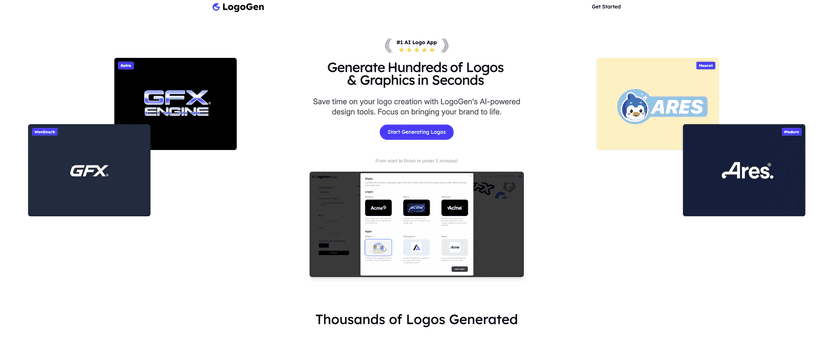
After using it for a bit, what stood out to me is how quickly it gets you to something usable. Not “perfect masterpiece” usable—more like “okay, I can work with this” usable. And for a lot of small businesses, startups, creators, or even personal projects, that’s exactly what you need. You can iterate, pick a direction, and move on.
That said, I wouldn’t oversell it. If you have a very specific vision (custom typography, exact spacing, brand guidelines you already follow), you may feel boxed in. AI can get you close, but it doesn’t always match the level of control you’d get from a traditional design tool or a human designer.
Still, if your goal is to generate a strong starting point quickly, LogoGen does the job.
LogoGen Review: Can It Really Make a Logo Fast?
When I test a logo generator, I’m usually looking for three things:
- Speed: How quickly can I go from “idea” to “downloadable options”?
- Quality: Do the results look like real branding, or like generic templates?
- Control: Can I steer the style without fighting the tool?
LogoGen hits the first two pretty well. I was able to generate multiple logo concepts quickly, and the designs generally look clean and modern. The app icon support is a nice touch too—if you’re building an app or launching a product, you don’t want to start from scratch for every asset.
Where it gets a little more “mixed” is control. You can provide preferences, but the final output is still AI-driven, so you may need to regenerate a few times to land on the exact vibe you want. In my experience, that’s fine if you treat it like brainstorming. It’s less ideal if you’re expecting precision like you’d get in Photoshop/Illustrator.
Also, one thing I always check: how the logo looks at smaller sizes. In the real world, it’s going to be on favicons, app screens, social profiles, and tiny print areas. Some AI logos look great large, but you’ll want to download and zoom around to confirm the details hold up.
Key Features
- AI-driven logo creation that generates logo concepts based on your inputs.
- Custom logos and app icons so you’re not forced to create separate assets manually.
- Works for different brand types (not just one niche look).
- No design skills required—you’re essentially guiding the style, not drawing from scratch.
- Instant generation so you can test multiple directions without waiting around.
Pros and Cons (What I Liked vs. What Felt Limited)
Pros
- Easy to use: I didn’t need to “learn design” to get decent results. It’s straightforward enough for non-designers.
- Fast results: You can generate multiple options quickly, which is huge when you’re working on a deadline.
- Good for early-stage branding: If you’re launching a new project and need a logo to move forward, it’s a solid starting point.
Cons
- Customization isn’t as deep as professional design tools: If you want very specific typography tweaks, spacing adjustments, or exact brand rules, you’ll probably want to refine elsewhere.
- AI outputs can miss your exact vision: Sometimes you’ll like the overall style but not one element—so you regenerate and hope the next batch nails it.
Pricing Plans
For detailed pricing plans and the most up-to-date packages, check the official LogoGen website. (Pricing can change, and I don’t want to guess.)
Wrap up
Overall, I think LogoGen is a practical tool if you want a logo quickly and you’re okay treating the AI results as a strong starting point. It’s not the same as having full creative control in a professional design suite, but for speed, convenience, and “good enough to publish,” it works.
If you’re in a rush—launching a startup, building a new app, or refreshing a small brand—give it a try. Worst case, you generate a few directions and pick the one that feels closest. Best case? You get a logo you can actually use without spending days stuck on the first draft.