Table of Contents
I’ve been testing Lex as a writing tool for a few writing sessions (and a couple of quick team-style edits). My goal wasn’t to see if it can “generate text.” I wanted to know if it actually helps you move from a messy draft to something publishable faster—without turning the whole process into a complicated workflow.
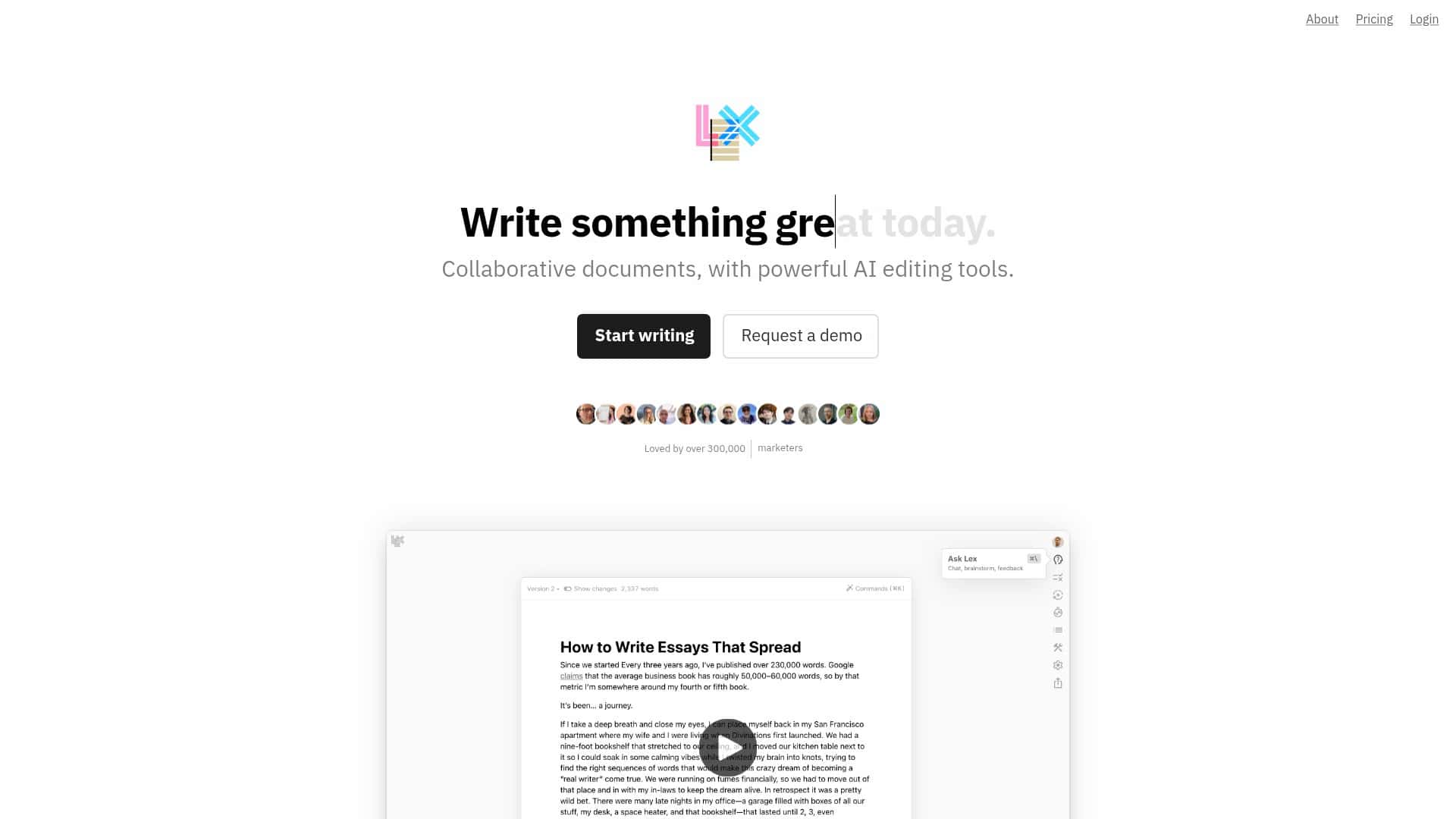
For context: I used it in a normal browser session on my laptop (no special setup). I also tested collaboration by sharing a link and having a second person leave comments and edits. What I noticed right away is how hard Lex tries to keep the UI out of your way. Clean page. Minimal clutter. It’s the kind of editor that doesn’t fight you while you’re still thinking.
Lex Review: what it’s like in real writing sessions
Let me be blunt: the “AI writing tool” label is everywhere, and most of them still feel like you’re wrestling for control. Lex felt different to me because it supports the way I actually write: draft first, then tighten up with targeted help.
In my test, I started with a rough paragraph that was a bit repetitive and vague. Then I used Lex’s AI feedback to do a couple of passes—mostly rewriting and tightening, not replacing everything I wrote. The biggest difference wasn’t that it produced “better prose” magically. It was that I got useful suggestions quickly enough that I didn’t lose momentum.
Here’s a simple before/after example of the kind of thing Lex helped with (paraphrased from my session):
- Before: “This tool helps you write faster and makes your ideas clearer. It’s easy to collaborate.”
- After: “Lex speeds up drafting with real-time editing suggestions, and it makes collaboration simple by using shared links for comments and edits.”
That’s not earth-shattering, but it’s the kind of polish that usually costs me 10–20 minutes of rereading and rewriting. With Lex, I could get to a clearer version in fewer iterations.
Key Features I actually used (and what they’re good for)
- AI feedback for real-time suggestions and rewriting
I used this when my draft was getting wordy. Instead of rewriting the whole thing, I asked for tighter phrasing and clearer structure. What I liked: it’s fast and it feels integrated into the writing flow (not a separate “chat window” you have to bounce between). - Keyboard-friendly commenting
During the collaboration test, comments were quick to add and easy to navigate. If you’re editing with someone else, this matters more than people think—because slow commenting kills momentum. - Version control
I saved multiple drafts while testing changes. If you’ve ever gone too far in an edit and had to manually undo things, you’ll appreciate this. - Live collaboration via shared links
No app downloads for the other person in my test. I shared a link, and the second editor could jump in and leave feedback. Latency felt normal for a web app—nothing dramatic—but you do want stable internet if you’re doing fast back-and-forth edits. - Publishing options (read-only access)
I used read-only sharing to show a draft without letting someone accidentally rewrite the whole thing. - AI shortcuts for generating content, lists, or ideas
In my experience, these are most useful when you’re stuck—not when you’re trying to outsource your entire voice. - Example prompt I tried: “Turn these notes into a short outline for a product review: minimal UI, real-time AI feedback, collaboration via links, pricing uncertainty.”
- What Lex produced (example): a simple section-by-section outline with bullet points for each area, which I then edited into my own structure.
- Title idea suggestions with one click
I tested this while rewriting the top of a draft. It gave me multiple options fast, and I picked one that matched the tone I wanted. If you’re tired of staring at a blank title field, it’s surprisingly helpful. - Track Changes (not fully available yet)
This is the one missing piece that matters if you rely heavily on traditional review workflows. In my test, I didn’t see full Track Changes today. The workaround is using comments + version history so you can see what changed and why.
Pros and Cons: where Lex feels strong (and where it’s not there yet)
Pros
- Collaboration is genuinely easy
Shared links worked smoothly in my test, and comments were quick to add. If you’ve ever been stuck in “send the doc, wait for edits, repeat,” this is a breath of fresh air. - AI help is useful for editing, not just brainstorming
I got the most value when I asked for rewriting/tightening and clarity improvements, not when I asked it to invent whole sections out of thin air. - Minimal interface keeps you focused
I didn’t feel like I was fighting side panels or constant popups. For drafting, that matters. - Clean workflow for drafts and iterations
Version control made it easier to explore options without fear. - Trusted by teams that care about writing speed
I can’t honestly claim “trusted by many writers and respected organizations” without specifics, so here’s what I’ll say instead: Lex positions itself as a modern writing/collaboration editor, and the features align with how writers and small teams actually work. If you want hard proof, check the product’s site/app for stated testimonials and named customers.
Cons
- Track Changes isn’t fully there yet
If your process depends on visible redlines, you’ll feel the gap. Today, comments + version history are the practical workarounds. - Complex “classic word processor” workflows may still be missing
I’m not saying it can’t handle serious writing—but things like advanced formatting controls and very specific revision workflows aren’t the focus here. - Pricing details feel a bit unclear
In my check, the high-level pricing was easy to find, but the exact breakdown of what’s included (especially around AI usage limits, which models are available on which tier, and what “premium” unlocks specifically) wasn’t always obvious on the page itself. If you’re cost-sensitive, don’t assume—confirm before you commit.
Pricing plans (what I found and what to double-check)
Lex includes a free version that covers the basics—enough to test the editor, use core AI support, and try collaboration via shared links.
For more advanced usage, there’s a Pro plan listed at $18 per month. In the materials I reviewed, Pro includes higher/expanded AI usage and access to premium models such as GPT-4o and Claude 3.5 Sonnet. It also mentions custom AI training and style guides, which is a big deal if you’re trying to keep output consistent across multiple writers.
One thing I’d double-check before upgrading: the exact AI limits and which model(s) you can use at each moment/tier. If you’re going to rely on AI daily, those details decide whether it’s “worth it” or “surprisingly expensive.”
Wrap up
Lex is the kind of writing tool that feels built for actual drafting and editing—especially if you collaborate. I liked the minimalist editor, the speed of the AI feedback during rewriting, and the fact that sharing a link is enough for others to comment and contribute.
But if you need full traditional Track Changes today, you’ll probably want to keep a backup workflow (comments + version history does the job for me, but it’s not the same as redlines). If your priority is speed, clarity, and teamwork, Lex is worth trying—just make sure you confirm the pricing/AI limits that matter to your use case.



