LIFETIME DEAL — LIMITED TIME
Get Lifetime AccessLimited-time — price increases soon ⏳
AI Tools

Le Chat by Mistral AI Review – Your Versatile AI Assistant

Updated: April 20, 2026
5 min read
#Ai tool#productivity

Table of Contents

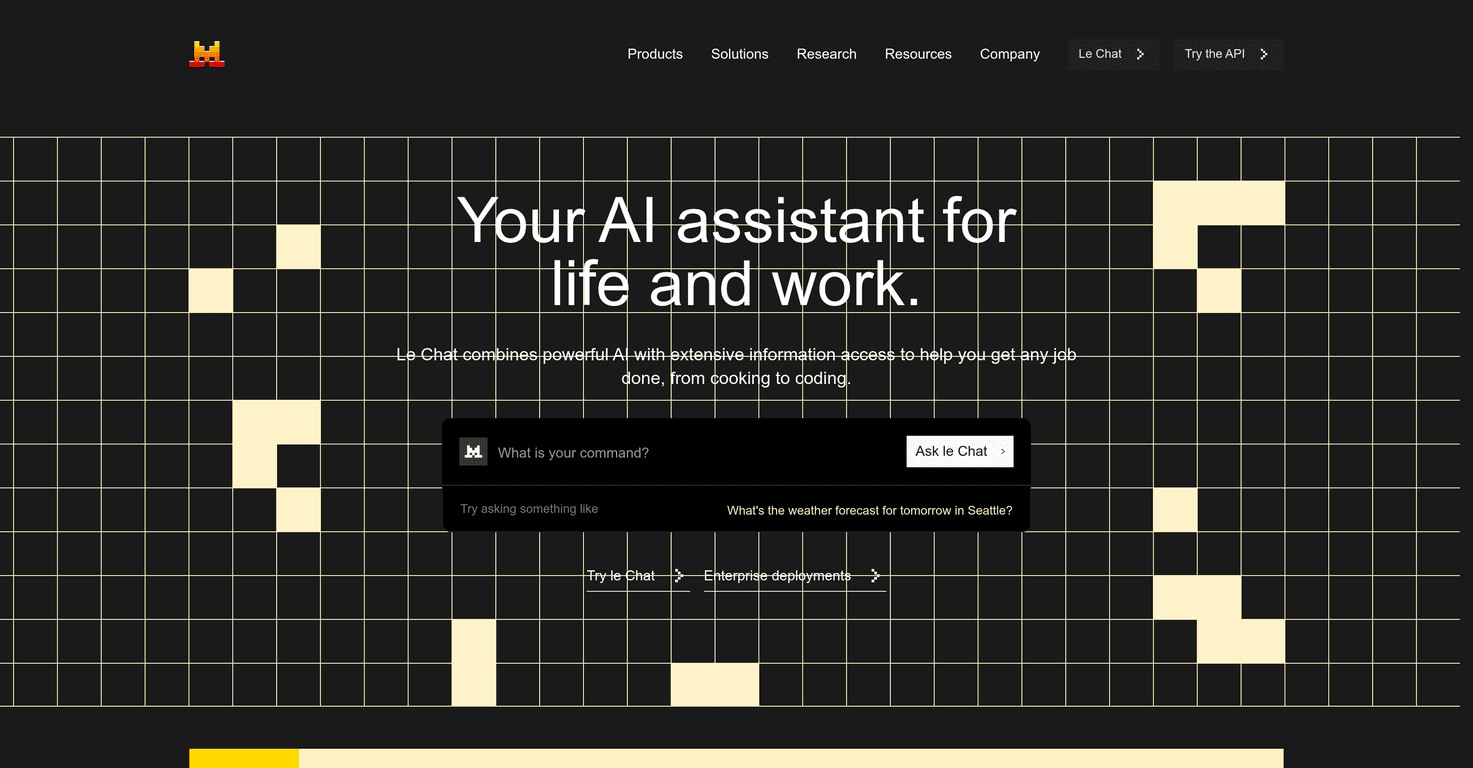
If you’re trying to find an AI assistant that doesn’t just answer questions, but actually helps you get things done, Le Chat by Mistral AI is worth a look. I tested it with a mix of everyday tasks and more technical prompts, and what stood out to me right away was how “chatty” it feels—like you’re working with a partner instead of firing off isolated queries.

Le Chat By Mistral Ai

Le Chat by Mistral AI Review: What It’s Like to Use

Le Chat by Mistral AI positions itself as a do-more-than-just-chat assistant. And honestly, that’s pretty accurate. In my experience, it’s best when you give it a goal and some context—then it can bounce between explanation, step-by-step help, and output that’s actually usable.

For example, I tried prompts like “help me rewrite this email to sound more confident” and “turn this messy set of notes into a clean plan.” It didn’t just spit out random text. It asked clarifying questions when the prompt was vague, and when it didn’t ask questions, the output still felt structured enough that I could edit it quickly.

It also does well with “real-world” tasks. If you ask for cooking ideas, you’ll get something more than generic advice—think ingredient lists, substitutions, and timing. When I switched to coding-related prompts, it handled typical workflows like outlining an approach, generating code snippets, and explaining what each part does. Not every answer was perfect (more on that later), but the direction was usually solid.

One of the standout pieces is the emphasis on real-time conversations and broad information access. When you’re trying to make decisions—whether that’s choosing a tech stack or planning what to cook—it’s nice when the assistant can keep the thread going instead of resetting every time you ask a follow-up.

And yes, the data analysis side is a big deal here. Le Chat includes SQL support, which is a feature I genuinely look for when I’m testing assistants for “serious work.” I found it helpful for translating requirements into queries and explaining how to think about the results. If you work with spreadsheets, dashboards, or any kind of reporting, that’s the kind of capability that saves time.

That said, there’s a catch: some of the more powerful tools aren’t available on the free plan. If you’re only testing lightly, you might not see the full potential. If you’re paying, though, it feels like you’re unlocking more of what makes Le Chat useful.

Overall, Le Chat is a versatile assistant that can handle a lot of different jobs—creative writing, coding help, research-style Q&A, and even SQL/data analysis. Just don’t expect every advanced feature to be included at the lowest tier.

Key Features That Matter (Not Just Buzzwords)

  1. Real-time conversations that stay coherent across follow-ups. You can iterate without starting from scratch every message.
  2. Natural conversation tools for both everyday tasks and creative help (rewrites, brainstorming, structuring ideas).
  3. Coding assistance for outlining solutions, generating snippets, and walking through how code works.
  4. Enhanced data analysis with SQL support—helpful if you want query ideas, debugging guidance, or explanations of results.
  5. Customizable workflows so you can tailor how it responds for specific projects or repeatable tasks.
  6. Integration with external APIs to add more context when you’re building real workflows (not just one-off prompts).
  7. Enterprise-focused security/compliance language, which is a plus if you’re evaluating it for teams.

Pros and Cons (My Honest Take)

Pros

  • Versatile: it can handle cooking, research-style questions, and coding help without feeling like a completely different tool each time.
  • Easy to talk to: the interface feels approachable whether you’re technical or not. I didn’t feel like I needed a “prompting course” to get decent results.
  • Helpful for decisions: when it has access to up-to-date info (depending on plan), responses are more actionable.
  • Workflow-friendly: the idea of customizing workflows is useful if you’re doing recurring tasks (like writing templates, generating reports, or iterating on code).

Cons

  • Free plan limitations: some of the best features are gated behind a subscription, so you may not see the full experience right away.
  • Performance can depend on tier: in my testing, the “depth” of responses and access to certain capabilities felt more consistent when the more advanced tools were available.
  • Not every technical answer is plug-and-play: like any assistant, it can miss edge cases or make assumptions—so it’s still on you to sanity-check.

Pricing Plans: What You Get for Each Tier

Le Chat’s pricing is straightforward, and it basically maps to how much capability you want to unlock:

  • Free Plan: $0/month with limited features (including web browsing limitations).
  • Pro Plan: $14.99/month for individuals (and $6.99/month for students). In practice, this is where you’ll want to be if you care about full access to web browsing, advanced data analysis, and image generation.
  • Team Plan: $24.99/month for collaboration features—useful if multiple people in a group need shared workflows.
  • Enterprise Plan: custom pricing for tailored solutions.

If you’re on the fence, my suggestion is simple: test the free plan for a couple of days with your real prompts. If you keep bumping into feature limits, upgrading to Pro is usually the point where it stops feeling “restricted” and starts feeling genuinely productive.

Wrap up

Le Chat by Mistral AI is a solid all-around assistant that can support everything from everyday writing and brainstorming to coding help and SQL-based data analysis. The parts I liked most were the conversational feel, the workflow potential, and the fact that it’s not pretending to be only one thing. The main downside? The best capabilities are tied to paid plans, so you’ll want to think about what you actually need before committing.

Check it out via Le Chat by Mistral AI and see if it matches how you work. If it does, it’s the kind of tool that can stick around in your daily routine.

Promote Le Chat by Mistral AI

Stefan

Stefan

Stefan is the founder of Automateed. A content creator at heart, swimming through SAAS waters, and trying to make new AI apps available to fellow entrepreneurs.

Related Posts

english voice writer featured image

English Voice Writer: Master Your Voice & Speech in 2026

Discover expert tips, tools, and strategies to develop your unique English voice, improve speech recognition, and excel in voice-to-text writing in 2026.

Stefan
dark mode writing online featured image

Dark Mode Writing Online: Top Extensions & Tips for 2026

Discover how to enable dark mode online for writing, explore top Chrome extensions, best apps, toggle methods, and benefits for focus and eye health in 2026.

Stefan
all free novel reviews featured image

All Free Novel Reviews: Best Free Book Reviews & Sites for 2026

Discover the top free novel review platforms, how to find honest reviews, and tips to boost your book’s exposure without spending a dime in 2026.

Stefan

Create Your AI Book in 10 Minutes