Table of Contents
I’ve been testing a lot of AI video tools lately, and KreadoAI is one of the few that feels genuinely built for “make something fast” without turning into a complicated editing project. You type (or upload slides), pick a style/avatar, and you get a finished video surprisingly quickly.
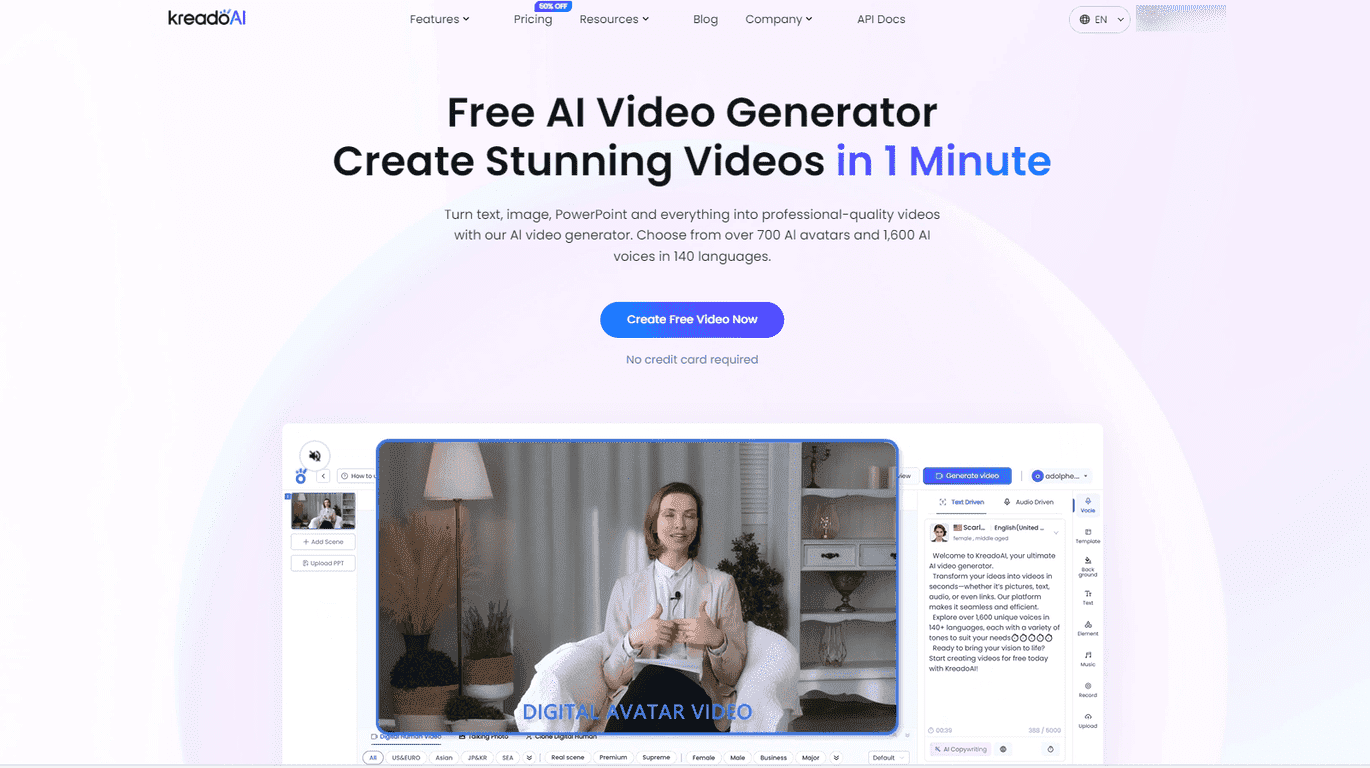
What caught my attention right away is the scale: KreadoAI includes 700+ digital avatars and 1,600+ AI voices across 140+ languages. That matters more than people think. If you’re localizing content, teaching in different languages, or just trying to match a specific brand vibe, having options from the start saves a ton of time.
In my experience, this kind of tool works best when you’re not trying to create a Hollywood-style production. Instead, it’s great for explainer videos, short promos, training clips, and social content where speed and consistency are the priority. And yes—KreadoAI also lets you create videos from text and PowerPoint-style slides, which is a big deal if you already have a script or deck.
KreadoAI Review: Can You Really Make a Video in Minutes?
So, does KreadoAI live up to the “minutes” claim? I tested it by creating a short explainer-style video from a script (and then again using a slides-style input). The setup was straightforward. I didn’t have to fight with timelines or learn a bunch of controls just to get something usable.
Here’s what I noticed most during my runs:
- Avatar + voice pairing is the main workflow. Once you choose an avatar and voice, the rest feels like “generate and adjust.”
- Localization is a real advantage. If you’re creating the same message for multiple regions, the ability to switch languages quickly is what saves you from re-recording everything.
- It’s best for short-to-medium content. For longer productions, you’ll likely want more control than an AI generator gives you out of the box.
Also, KreadoAI’s promise of generating professional-looking output is pretty believable for marketing videos, training content, and social posts. It won’t replace your full video editing suite, but it can definitely reduce the time it takes to go from idea to publishable draft.
Key Features I’d Actually Use
- 700+ Digital Avatars for customization
You can pick different presenter styles, which helps when you want the video to feel less generic. - 1,600+ AI Voices in over 140 languages
This is huge if you’re making content for global audiences or teaching in multiple languages. - Create from text, images, or slides
If you already have a deck, using that as your starting point is a time saver. - Simple editing for transitions and music
You can tweak the pacing a bit without getting stuck in a full editor. - One-click localization
In practice, this is the feature that makes “repurpose content” actually feasible. - Custom AI Voice feature
If you want a consistent brand voice, this is the kind of add-on that can matter a lot. - Free plan available without credit card
I appreciate this—no surprise lock-in when you just want to test the workflow.
Pros and Cons (Straight From My Testing)
Pros
- Fast creation. The “get a video quickly” part is real. For short scripts, you can go from input to output in minutes.
- Beginner-friendly. I didn’t need a tutorial to make a basic version that looked coherent.
- Big library of avatars and voices. More options means fewer compromises when you’re trying to match a specific tone.
- Better cost-to-output than traditional production. If you’re producing lots of short videos, this can be a budget-friendly alternative to hiring voice talent and doing full shoots.
Cons
- Free plan limits can feel restrictive. Depending on what you’re making, you may hit caps on length and/or avatar selection sooner than you expect.
- Advanced features may cost extra. In my experience, the “cool” options often come with credits or subscription requirements—so it’s worth checking before you commit.
- Less control than a full editor. If you want frame-perfect edits, custom motion graphics, or highly specific scene timing, you’ll probably still want an editing tool after the AI draft.
Pricing Plans: What You Get for Free (and What to Expect Next)
KreadoAI’s Free Plan lets you create videos up to 3 minutes long and includes up to 10 minutes of text-to-speech. You also get access to over 100 free digital avatars. That’s enough to test the workflow and see whether the output quality matches what you’re aiming for.
If you want more length, more avatar/voice options, or additional capabilities (like heavier usage of advanced tools), you’ll need to move to a premium plan. The exact premium tiers can vary, so I’d recommend checking KreadoAI’s website for the latest details before you pick a plan.
Quick tip: if you’re planning a multi-language campaign, do one test video in your target language first. Once you’re happy with the voice and pacing, then scale up—otherwise you might waste time generating versions you don’t end up using.
Wrap up
Overall, I think KreadoAI is a solid option if you want professional-style videos without spending hours in editing software. It’s especially useful for marketers, educators, and anyone who needs consistent content across different languages. Just don’t expect it to replace a full production pipeline—think of it as a fast draft-and-publish tool that gets you moving.
If you’re trying to make more video content this quarter and you don’t want the process to drag, KreadoAI is worth a real test run.
Promote KreadoAI




