Table of Contents
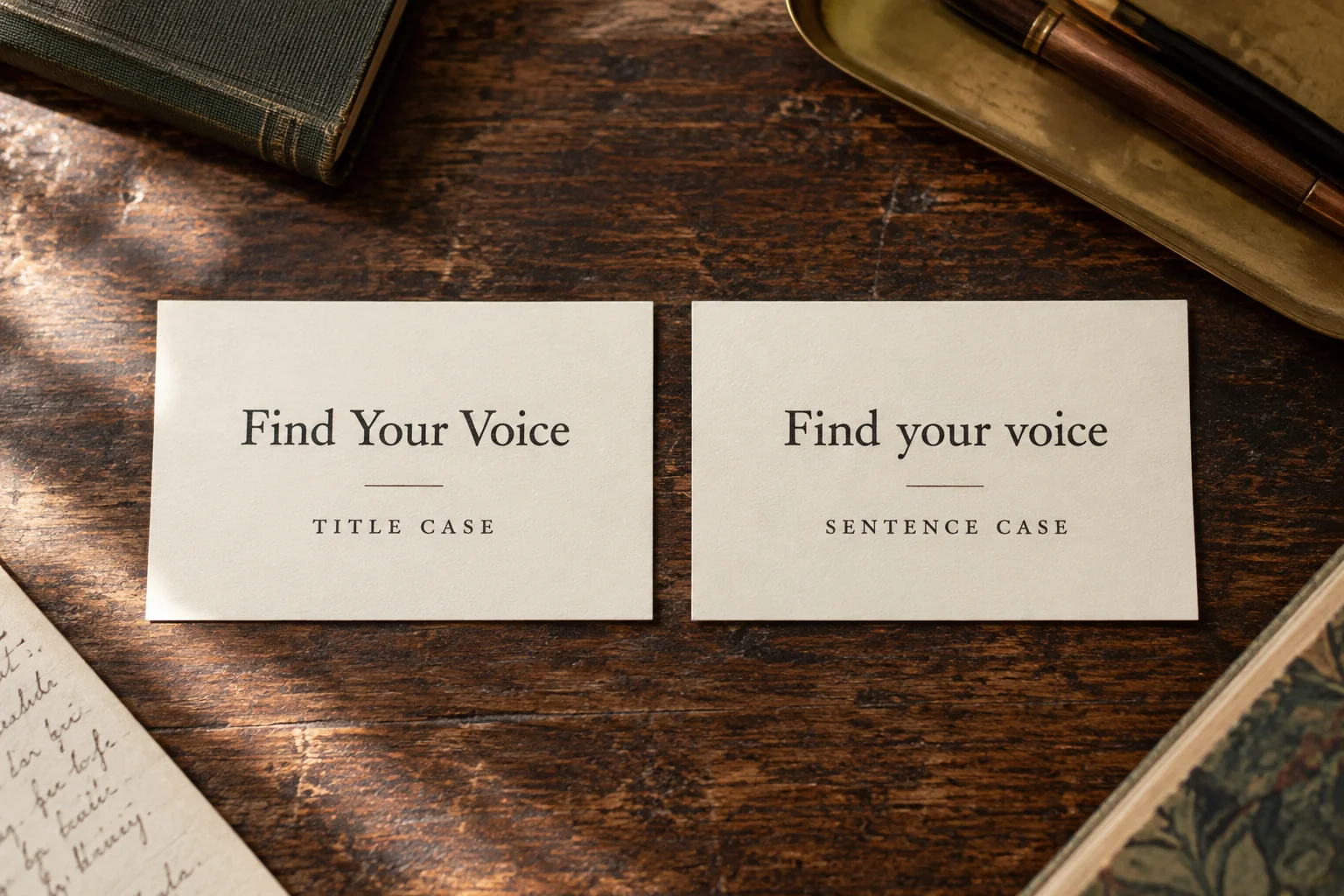
Yes, capitalize “Your” in title case: How to Write Your Book. In sentence case, write How to write your book, with lowercase “your” unless it begins the title. The reason is its grammatical role: “your” is a possessive form, so it counts as a major word in title case. It doesn't follow the lowercase rule for words such as “the” or “to.” style.mla.org
Chicago, APA and MLA agree on “Your” in title case. Where they differ is the treatment of some surrounding words. Below, we'll compare complete titles so you can fix the whole heading confidently. Unless an example names another style, it follows Chicago's 18th edition. First, check whether your publication wants title case or sentence case. chicagomanualofstyle.org
Why “Your” gets a capital in title case
Title case capitalizes selected words, not every word. Nouns, pronouns, verbs, adjectives, and adverbs receive capitals; articles and certain conjunctions and prepositions usually do not. A word’s position can override its usual treatment, so check the opening word, subtitle opening, and any style-specific final-word rule. (smu.ca)
The Chicago Manual of Style confirms that pronouns are capitalized in headline-style titles. That answer discusses the possessive “Its,” making it relevant to the same question about “Your.” However, the answer is labeled as based on Chicago’s 17th edition: its discussion of long prepositions should not be applied to an 18th-edition edit. APA's title-case guidance also identifies pronouns and adjectives as major words. (chicagomanualofstyle.org)
MLA’s guidance on capitalizing handout titles, citing the ninth-edition handbook, calls for capitals on the first, last, and principal words. Its explanation of capitalization conventions emphasizes consistency and language traditions—not an individual editor’s judgment about which words deserve emphasis.
| Capitalization system | Worked example | Treatment of “your” |
|---|---|---|
| Title case | Build Your First Author Website | Capitalized as a major word |
| Sentence case | Build your first author website | Lowercase within this title |
| All caps | BUILD YOUR FIRST AUTHOR WEBSITE | Every letter is uppercase |
Choose the system before changing letters. If your heading uses sentence case, capitalizing only “Your” creates an odd mixture: Build Your first author website. Either use Build Your First Author Website in title case or Build your first author website in sentence case. Both can be correct; the mixed version is the problem.
What about the words around “Your”?
Capitalize “Your” because of its grammatical category; use word length only where your style guide requires it. The MLA Style Center identifies "your" as a possessive form of a personal pronoun. This is why “Your” does not follow the lowercase treatment of words such as “the,” even though both can precede a noun.
For the surrounding words, use this Chicago-focused checklist. The general principal-word and endpoint conventions also appear in Chicago’s title-capitalization Q&A; the 18th-edition preposition change is explained immediately below.
- Articles: Leave “a,” “an,” and “the” lowercase inside a title unless an opening- or final-word rule applies.
- Common coordinating conjunctions: Lowercase connecting words such as “and,” “but,” and “or” in the middle. Do not extend this shortcut to every conjunction.
- Prepositions: In Chicago 18, capitalize those with five or more letters. Shorter prepositions normally remain lowercase internally. Earlier Chicago editions lowercased prepositions regardless of length.
- Verbs: Capitalize short verbs as well as long ones. “Is” and “Be” do not become minor words because they contain only two letters.
- First and last words: Chicago generally capitalizes both. Apply this as Chicago guidance, not as a universal rule for every title-case system.
The official Chicago 18th-edition changes list, section 8.160 documents the five-letter threshold. Applying it gives Your Guide About Writing, with capital “About,” but Your Guide to Writing, with lowercase “to.” The edition matters when evaluating an older heading or a converter’s output.
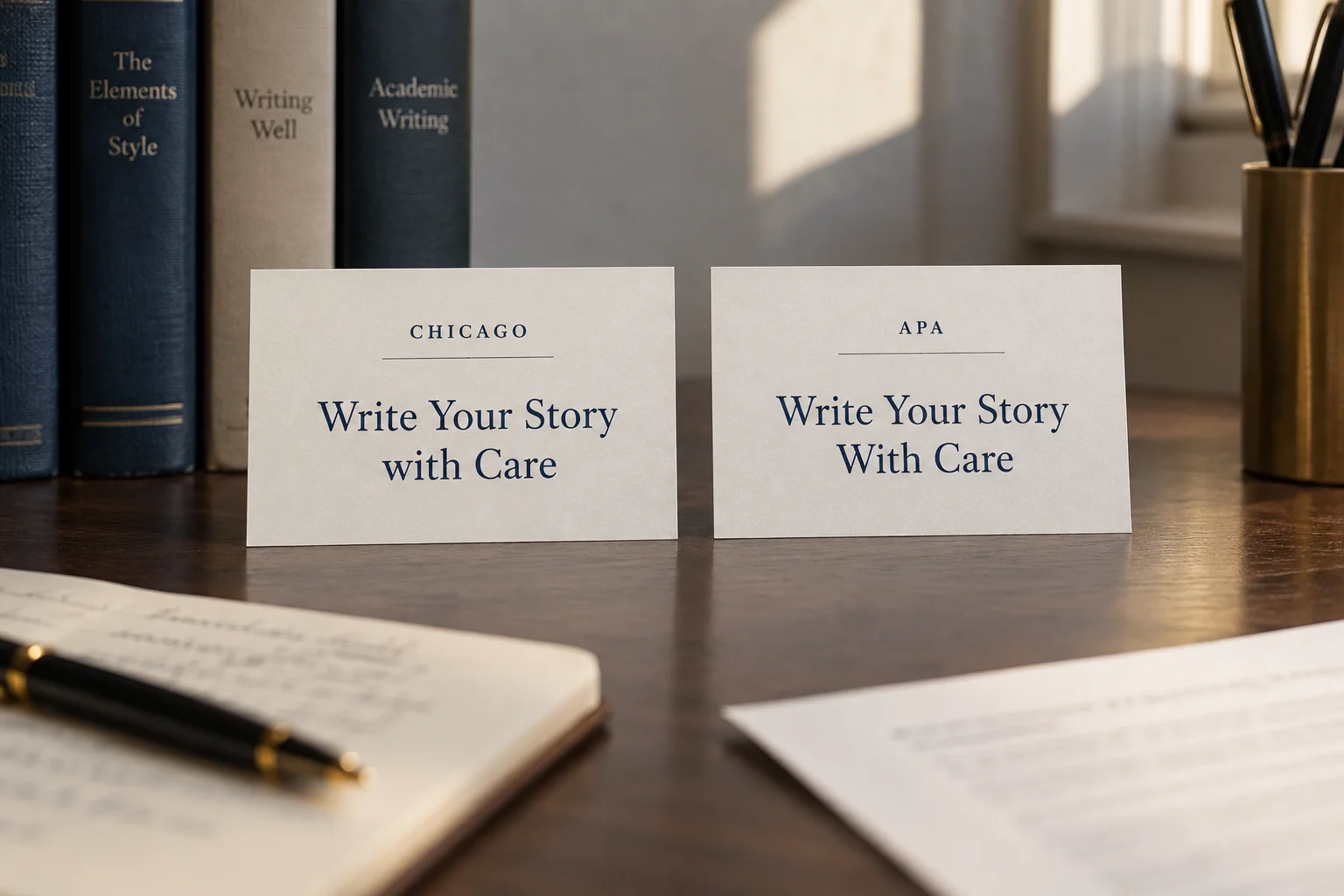
Here's an easy comparison using Write Your Story with Care. The word to watch is “with”; “Your” stays capitalized in every title-case version:
- Chicago 18: Write Your Story with Care
- APA: Write Your Story With Care
Here, “with” has four letters: it falls below Chicago’s preposition threshold but meets APA’s four-letter rule. APA Style confirms that treatment in its own explanation of title case. Both versions retain “Your.” If software changes that word to lowercase under either title-case setting, inspect the selected mode and the result.
The role of “Your” in title case
“Your” identifies something belonging to or associated with the reader. In “your manuscript,” it identifies whose manuscript is meant. Cambridge calls this a possessive determiner; other grammatical descriptions use “possessive adjective” or discuss it among possessive pronoun forms. Those labels do not change the capitalization decision.
Try the rule on these examples. Notice that “Your” keeps its capital whether it appears at the beginning or later in the title:
- How to Find Your Writing Voice
- Protect Your Work Before Publication
- What Is Your Book About?
- Your Guide to Ebook Formatting
The first three examples place “Your” inside the title; the fourth starts with it. Now switch the first two to sentence case: How to find your writing voice and Protect your work before publication. The wording stays the same. You're changing the capitalization system, not deciding that the reader's work has become less important.
Check spelling separately from capitalization. “You’re” means “you are”; it is not a possessive alternative to “your.” MLA’s explanation of “your” and “you’re” recommends substituting “you are” to test which form fits.
Try that test on Is Your Manuscript Ready?: “Is you are manuscript ready?” does not express the intended question, so “your” is correct. Compare You’re Ready to Revise Your Manuscript, where the contraction expands naturally to “You are ready.” “Yours” has another job: it can stand without the following noun, as in Make the Story Yours. (dictionary.cambridge.org)
Examples of title capitalization
Check the whole title rather than fixing “Your” on its own. The following pairs show how the same publishing-related heading looks in Chicago title case and sentence case. You can use them as patterns when editing similar headings in your book, blog or author website.
| Unedited text | Chicago-style title case | Sentence case |
|---|---|---|
| how to publish your first ebook | How to Publish Your First Ebook | How to publish your first ebook |
| is your manuscript ready for print? | Is Your Manuscript Ready for Print? | Is your manuscript ready for print? |
| a guide to your author platform | A Guide to Your Author Platform | A guide to your author platform |
| what your editor needs to know | What Your Editor Needs to Know | What your editor needs to know |
In the Chicago examples, “to” and “for” stay lowercase while “Your” gets a capital. An opening “A” is capitalized because it starts the title. “Is” is capitalized at the beginning of the question and would also get a capital inside a title-case heading, because even a short verb is a major word.
The wording and question marks stay the same in both columns. That's a useful limit for a capitalization pass: fix the letters without accidentally changing what the title says. If you spot a grammar problem or want a stronger title, handle that separately so you can see exactly what changed.
Headings and reference lists can use different case
Check whether you are editing a heading, mentioning a work, or preparing a reference entry. APA uses title case for paper titles, headings, and works mentioned in text, but sentence case for article, book, report, and webpage titles in reference entries. Periodical titles retain title case. These distinctions appear in section 6.17 of the APA Publication Manual, seventh edition.
Suppose an article is called Finding Your Voice. In an APA reference list, its article-title element becomes Finding your voice. You haven't made a mistake by using both forms in one paper. The heading or in-text mention and the reference entry follow different instructions, so check the context before making them match.
Handle subtitles deliberately, too. Starting with “your next chapter: a guide to revision,” the worked Chicago-style result is Your Next Chapter: A Guide to Revision. In APA sentence case, it becomes Your next chapter: A guide to revision: the subtitle still opens with capital “A.” Sentence case does not mean lowercasing everything after the title’s first word. (smu.ca)
Separate official spelling from decorative presentation. Follow the required citation style rather than automatically reproducing a cover’s capitals; Chicago’s Q&A explicitly distinguishes cover styling from an editor’s treatment of a cited title. Preserve names and special spellings where the governing rules require them, and record deliberate exceptions in your style sheet. (chicagomanualofstyle.org)
Example: fixing a complete title
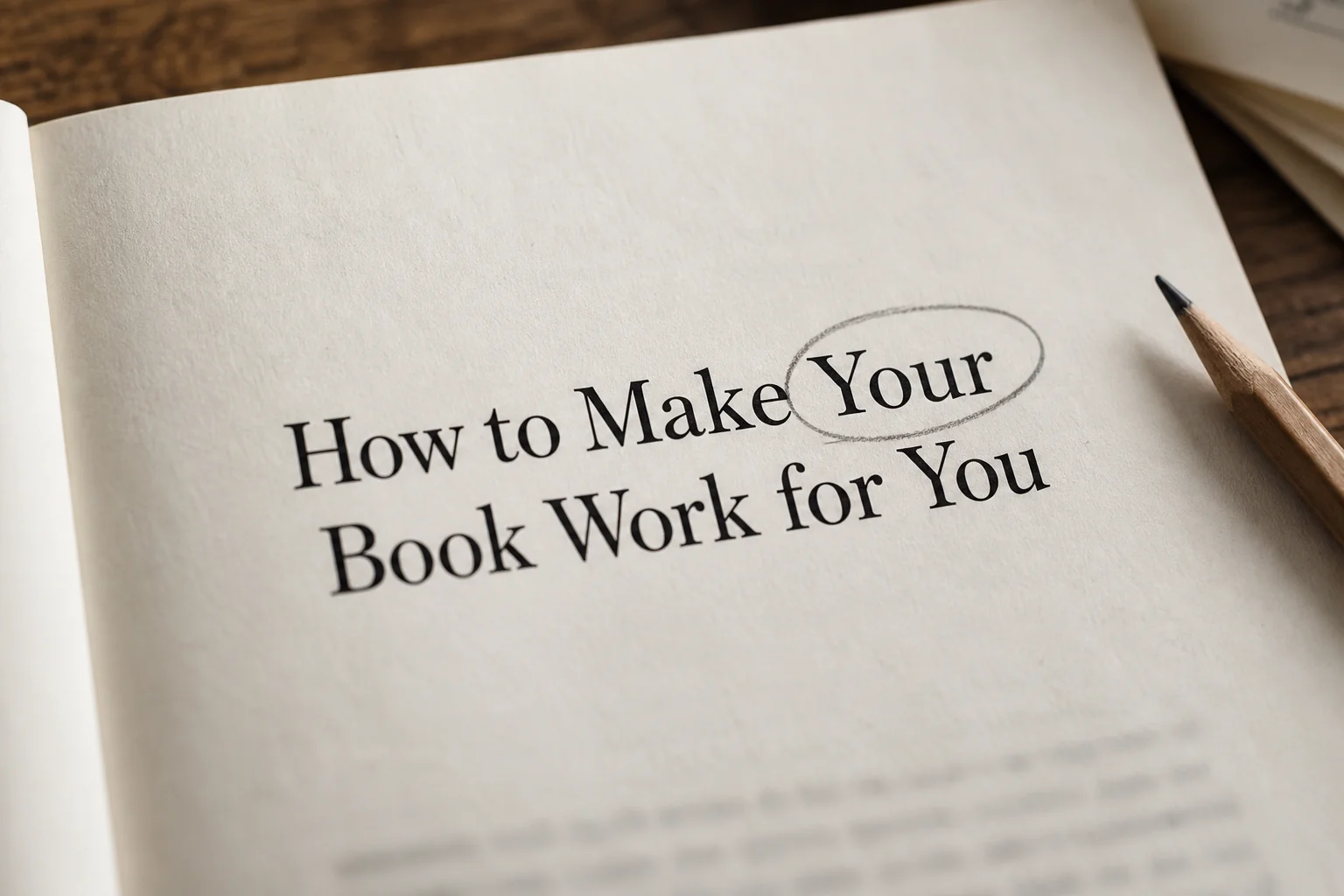
Let's edit how to make your book work for you. In Chicago title case, the result is How to Make Your Book Work for You. Here's how to reach that result one word at a time, rather than guessing which words look important:
- Check the meaning. “Your” identifies the book; “you” identifies the person it works for. Neither requires an apostrophe.
- Mark the principal words. Capitalize “How,” “Make,” “Your,” “Book,” “Work,” and “You.” In this sentence, “Work” is a verb.
- Check the lowercase words. Leave the infinitive marker “to” lowercase in “to make,” and the short preposition “for” lowercase in “for you.” Calling both words prepositions would obscure their different jobs here.
- Read the finished heading. Confirm that every word remains present and the capitalization follows one system.
In sentence case, the same heading becomes How to make your book work for you. Keep the pair as a quick reference. “Your” gets a capital in the first version because of its role in title case; that doesn't create a general instruction to capitalize every four-letter word wherever you find it.
Once the heading is correct, check its contents entry and any repeated page title. They should use the intended wording consistently. A design may display the title in all capitals while storing ordinary title case underneath. Check both before making changes, and note any deliberately shorter navigation label so another editor doesn't keep trying to expand it.
Practical tips for writing titles
Before using a capitalization tool, decide which style you need and where the title will appear. These six steps will help you check the result:
- Name the governing guide and edition. Specify Chicago, APA, MLA, AP, or house style; do not stop at “title case.”
- Draft for meaning first. Resolve “your” versus “you’re” and other wording problems before adjusting capitals.
- Identify principal words and boundaries. Mark nouns, pronouns, verbs, adjectives, and adverbs, plus title and subtitle openings. Check the final word under the selected guide.
- Apply the exception rules. Review articles, conjunctions, prepositions, and hyphenated compounds using that same guide.
- Protect names and special spellings. Check the relevant person’s, company’s, product’s, or publication’s own spelling, then apply any contextual style requirements.
- Compare equivalent headings. Look for unexplained differences among titles serving the same purpose, rather than forcing headings and reference entries into identical case.
A title-case converter can catch a missed capital, but check which style and edition it uses. Try the “with” example above: Chicago 18 and APA should produce different results for that word. If the converter can't explain its setting, use your style guide to settle the question rather than assuming the software knows best.
For a Chicago project, a short style note could say: Chicago 18 title case; capitalize Your and short verbs; capitalize the first and last words; capitalize prepositions with five or more letters. Add a separate note wherever sentence case is required. That gives you and any other editor a consistent answer the next time the question comes up.