Table of Contents
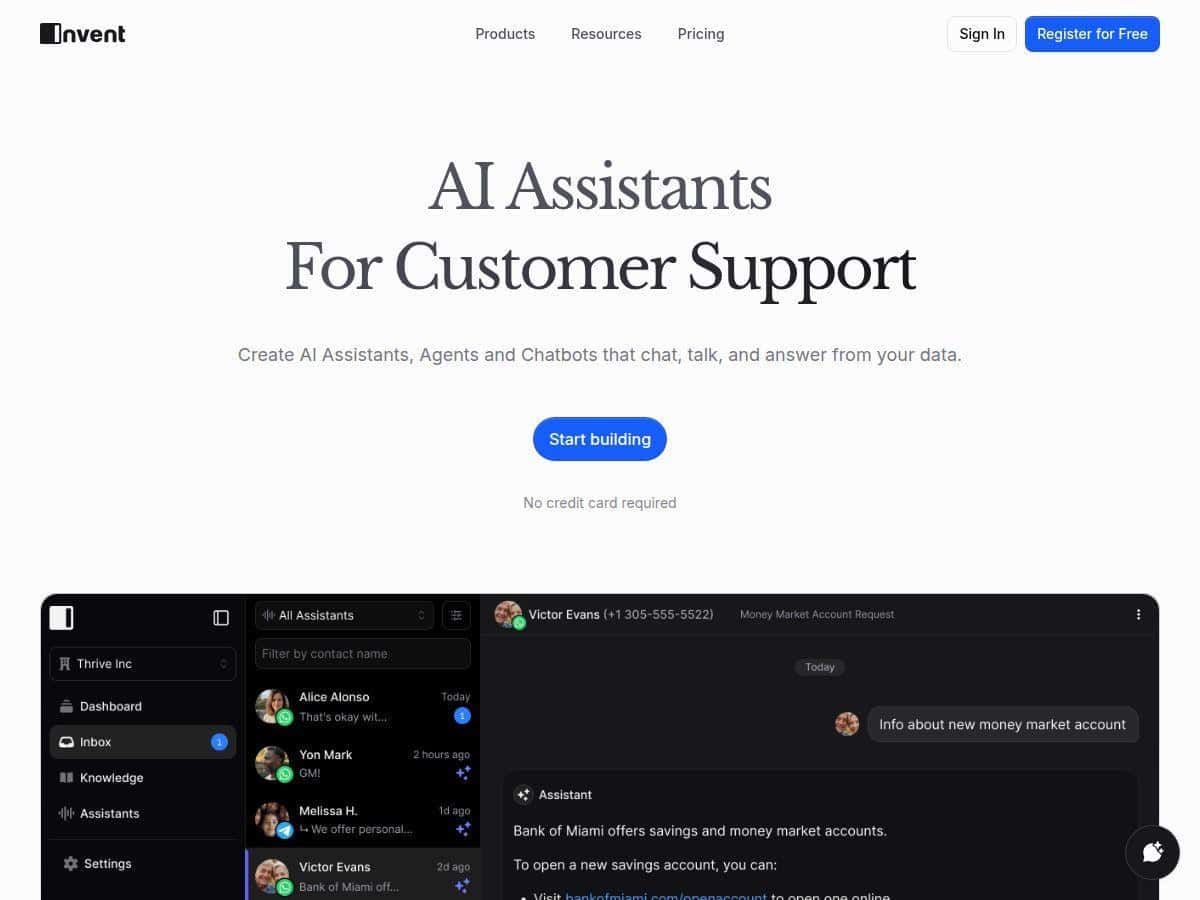
If you’re looking at AI assistants for customer support, I get it—you don’t want hype. You want something that actually handles real questions, doesn’t break when things get messy, and lets you hand off to a human when it should. That’s what I focused on while testing Invent.
I spent time setting up an assistant for common support-style requests (shipping updates, “how do I…?” questions, and a few basic troubleshooting prompts). The first thing I noticed was how quickly I could go from “blank workspace” to a working flow. No long technical detours. The interface felt straightforward enough that I didn’t have to keep pausing to figure out where everything lived.
One detail I really liked: the handoff to a human agent. In my tests, when the assistant wasn’t confident, the conversation could be transferred instead of continuing with guessy answers. That matters if you’re trying to keep customer trust. Invent also supports multiple channels, so I could test the same assistant experience across web and chat-style integrations without rebuilding everything from scratch.
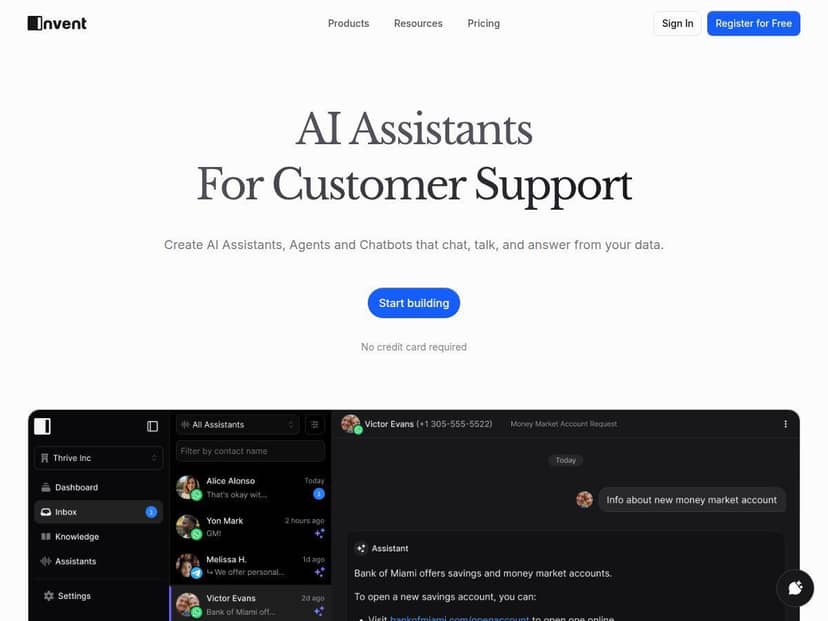
Invent Review: What It Felt Like to Use (Not Just What It Claims)
After trying out Invent, I actually found it easier than I expected to get something working. The setup doesn’t feel like you need to be a developer to build a useful assistant. You can configure the assistant and start testing flows pretty quickly.
In my case, I built a simple customer support bot designed to answer repetitive questions and route anything more complex to a human agent. I tested it with a handful of realistic prompts like:
- “Where’s my order? It says it shipped but I don’t have it yet.”
- “How do I change my shipping address?”
- “I’m having trouble logging in—what should I do first?”
- “Can you cancel my order?”
What I noticed during testing: the assistant handled the “common question” category pretty smoothly, but it also made it clear when it needed a handoff. That’s the whole point of support automation—you want the AI to do the easy stuff and escalate the rest without making customers feel ignored.
Another practical win: Invent supports multiple channels. I was able to think in terms of one assistant experience rather than building separate bots for web vs. chat apps. When you’re trying to unify support, that “single experience across channels” idea isn’t just nice—it saves time.
Key Features (With Real Examples)
Here’s what stood out to me when I went feature-by-feature and tried to build actual workflows instead of just reading labels.
Unified Inbox for Multi-Channel Support
Invent’s unified inbox is the kind of feature you don’t appreciate until you’ve had to manage messages across email, web chat, and messaging apps. In testing, it helped keep conversations organized so I wasn’t jumping between tools to find the “same” customer thread.
Integrations: Slack, WhatsApp, and CRM Connections
I liked that it doesn’t force you into one communication style. You can connect channels like Slack and WhatsApp, and Invent can also integrate with CRM systems so customer context doesn’t feel totally disconnected.
Mini scenario: if a customer asks a question in WhatsApp, the assistant can pull the right context (like customer details or previous notes from your CRM—depending on how you configure it) and then either answer directly or route to the right agent in Slack.
Seamless Handoff to Live Agents
This is one of the most important parts of any AI assistant for support. You don’t want the bot to “sound confident” while it’s actually guessing. Invent’s transfer/handoff workflow felt natural in my tests—when the conversation needed escalation, it could move to a human instead of continuing to spin.
24/7 AI Assistant Availability
On paper, “always-on” is standard. In practice, it matters because customers don’t wait for business hours. I tested the assistant with after-hours style questions (generic troubleshooting and order-related prompts) and it stayed responsive without requiring me to manually step in for every message.
Multilingual Support for Global Customers
If you serve customers in multiple regions, multilingual support is a must. Invent includes multilingual capabilities, and that’s useful if you’re trying to avoid building separate assistants per language.
Customization: Appearance + Assistant Behavior
I also tested how much you can tailor the assistant experience. The platform supports customization so you can adjust how the assistant behaves and how it appears. That’s helpful if you want the bot to match your brand voice instead of sounding like a generic template.
Workflows: Scheduling, Notifications, and API Actions
This is where Invent starts to feel more “automation platform” and less “chat widget.” You can build workflows like:
- Scheduling-related flows (collect needed details and confirm)
- Notifications (alert an agent or team when certain triggers happen)
- API actions (use an external system as part of the workflow)
Mini scenario: a user asks to schedule a call. The assistant collects the basic info, and then you trigger an action (like creating a request in your system or notifying the right team). That’s usually the difference between “the bot answers questions” and “the bot actually helps customers get things done.”
Voice-Enabled Interactions
Invent supports voice interactions too. I didn’t go super deep here, but the feature is there if you’re building for hands-free support or voice-first experiences.
Knowledge Base Sync (So Answers Don’t Drift)
One thing I cared about: keeping the bot’s information current. Invent includes knowledge base sync and company data syncing, which is important if you update policies, FAQs, or product docs.
Mini scenario: if you update a shipping policy in your knowledge base, you don’t want the assistant still quoting the old rules. Syncing helps keep things aligned (though how fast it updates can depend on your setup).
Team Collaboration and Roles
Team features matter when you’re not the only one handling support. Invent supports collaboration with roles and shared chats, which makes handoffs and internal review easier.
Self-Learning / Improving Over Time
Invent mentions self-learning improvements. In my view, this is most valuable when you pair it with good configuration—clear knowledge sources, good escalation rules, and consistent tagging of what “good answers” look like.
Pros and Cons (The Stuff You’ll Actually Run Into)
Pros
- Easy to start: I didn’t hit a wall during initial setup. It’s the rare AI tool where you can get value fast.
- Handoff to humans: The transfer flow is the kind of safety net you need for support use cases.
- Multi-channel support: Web-style chat and messaging channels can share the same assistant concept.
- Workflow options: Scheduling/notifications/API actions make it more useful than “Q&A only.”
- Team collaboration: Roles and shared chats help when multiple agents are involved.
Cons
- Advanced setup takes time: Once you move beyond basic answering and into custom workflows, you’ll likely spend time tuning prompts, escalation behavior, and routing.
- Integration fit varies: If you’re using a niche or older legacy system, you may not get a plug-and-play experience. You might need to rely on API-style actions or middleware depending on your stack.
- Enterprise customization may need help: If you want very specific routing rules, deep CRM mapping, or complex governance, you may need extra support to get everything exactly right.
Pricing Plans (What $0.0009 Per Message Really Means)
Invent uses a usage-based pricing model. The starting point mentioned is around $0.0009 per message, and there’s a free tier for smaller projects (at least for getting started and testing). After that, you scale based on usage rather than committing to a fixed monthly subscription.
Here’s a worked example so it’s not just a vague number:
- 10,000 messages/month × $0.0009 = $9/month
- 50,000 messages/month × $0.0009 = $45/month
- 100,000 messages/month × $0.0009 = $90/month
Important: “message” usually means a unit of interaction, but the exact definition (whether it’s per user message, per assistant response, or per exchange) can change based on how the platform counts traffic. Before you estimate your budget, confirm how Invent measures usage on their official pricing page.
If you want the most accurate numbers, check the official pricing details on the Invent site: Invent (and look for the pricing table/usage notes).
Who Invent Is Best For (And Who Might Want Alternatives)
From what I tested, Invent is a strong fit if:
- You want AI support that can handoff to humans instead of pretending it can solve everything.
- You need multi-channel support (web, Slack, WhatsApp, etc.) with a unified view.
- You want more than chat—workflows like scheduling, notifications, and API actions are part of your plan.
It might be less ideal if:
- You’re relying on very niche legacy integrations and can’t use APIs/middleware.
- You only need a basic chatbot and don’t care about routing, team collaboration, or knowledge syncing.
If you’re comparing alternatives, I’d at least look at platforms in the same category that focus on support automation + inbox management. In my experience, the “best” choice usually comes down to three things: how well handoffs work, how clean the inbox experience is, and whether knowledge/CRM context stays up to date.
Quick Implementation Checklist (So You Don’t Waste a Week)
- Start with 10–20 real questions your customers actually ask.
- Set clear escalation rules (when to hand off, and to whom).
- Connect the channels you’ll use first (don’t boil the ocean).
- Sync your knowledge base and test a “policy changed” scenario.
- Run a small test for a day or two and review the handoff outcomes.
Common Pitfall I’d Avoid
Don’t start by feeding the assistant everything you’ve ever written. I’ve seen teams do that and then wonder why answers feel inconsistent. Better approach: start with a tight knowledge base, test, then expand once you trust the escalation + retrieval behavior.
Wrap up
Invent is one of those AI assistant platforms that feels practical. The interface is friendly, the multi-channel support and unified inbox make day-to-day handling easier, and the human handoff is the kind of feature that keeps customer interactions from turning into a frustrating loop. If you’re trying to improve support speed without losing quality (or control), it’s worth a serious look.