Table of Contents
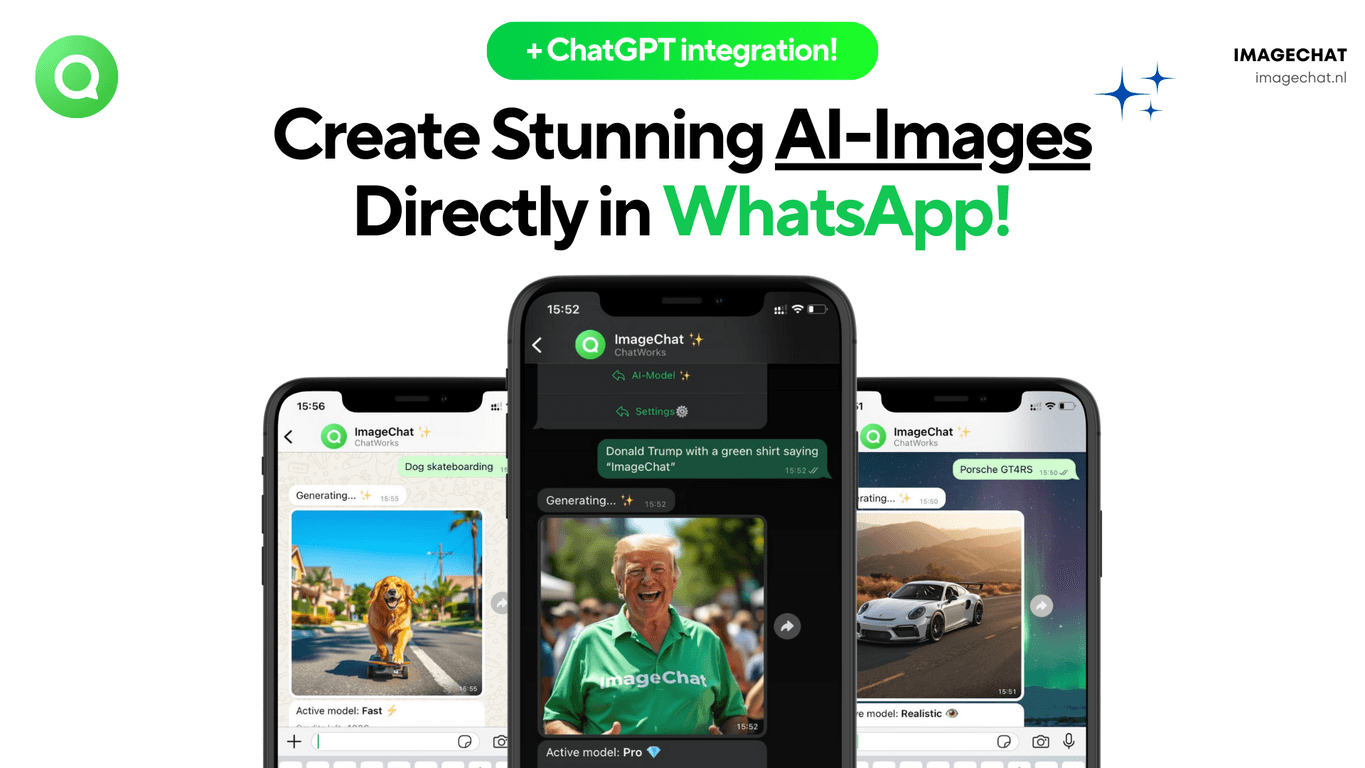
If you’ve ever tried to make AI images and thought, “Cool… but why do I have to juggle yet another app?” then you’ll probably like ImageChat. I tested it specifically for the “create inside WhatsApp” idea, and honestly—that part is the whole appeal. You open WhatsApp, send a prompt, and the AI generates an image without you bouncing between tabs or learning a new interface.
What I noticed right away is how natural it feels to use. Instead of “go to the website, upload, configure, generate,” it’s more like texting. Want a selfie turned into a stylized sticker? Send what you want. Prefer a specific vibe—like “cyberpunk portrait” or “watercolor landscape”? Describe it. It’s quick, and it’s easy to share the result right there in the chat.
ImageChat also leans on ChatGPT-style interactivity, which matters more than people think. If you’re the type who iterates (most of us are), being able to refine your request in follow-up messages is a big deal. You don’t have to start over every time you want a slightly different version.
Another thing I liked: it supports over 50 languages. I’m not saying everyone needs that—but it’s genuinely useful if you’re creating content for an international audience or you just prefer prompting in your native language. And since it’s WhatsApp-based, the “share instantly” workflow is built in.
ImageChat Review: What It’s Like to Use in Real Life
Let me put it plainly: ImageChat is for people who want fast, conversation-based image generation. If you’re expecting super deep controls like you’d get in a full desktop editor, you might feel slightly restricted. But if your goal is “make something good enough to send today,” it nails that.
In my experience, the prompts that work best are the ones that include both subject and style. For example:
- Subject + style: “Turn my photo into a vintage comic book character.”
- Scene + mood: “Create a cozy rainy street at night, warm neon glow.”
- Product-style idea: “Design a minimalist logo concept for a coffee brand, flat vector style.”
When I tried vague prompts, the results were fine—but not as “on target.” The app rewards clarity. That’s not a flaw, it’s just how AI works.
Also, because it’s inside WhatsApp, you can use it casually. I could see myself using it for quick holiday images, fun sticker-style creations, or even generating visuals for small business posts when I don’t want to spend an hour in design tools.
Key Features That Actually Matter
- AI Image Generation for different image styles (portraits, sticker-like art, scenes, and more)
- WhatsApp integration so you create and share without switching apps
- ChatGPT-style interaction to help you refine results through follow-up messages
- Multi-language support (over 50 languages) so prompting isn’t limited to English
- Subscription options + free trial so you can test before committing
Pros and Cons (My Honest Take)
Pros
- Super easy to start—no complicated setup, and the WhatsApp flow is genuinely convenient.
- Good variety of creative outputs—you can get from “fun sticker” to more polished image concepts without much effort.
- Free trial included—I always recommend using it to test your prompt style and see if the results match your expectations.
- Language support feels practical—if you’re prompting in another language, you won’t feel locked out.
Cons
- Subscription can add up—if you only use it occasionally, the ongoing cost might feel like overkill.
- It’s WhatsApp-first—if you prefer a standalone web/app workspace with more controls, you may want something else.
- More “prompting” than “editing”—you can refine with messages, but you won’t get the same level of manual tweaking you’d expect from a full design suite.
Pricing Plans (And What I’d Choose)
ImageChat uses a credit-based approach inside its plans, which is helpful because you can estimate how much you’ll generate. Here’s what you can expect:
- Starter Plan: €4.95 for 30 AI credits (great if you’re just testing and want a handful of images)
- Standard Plan: €7.95 (positioned for small businesses—usually a better fit if you’ll generate more than a few one-off visuals)
- Pro Plan: €14.95 (for heavier use and more frequent image creation)
There’s also a 7-day free trial, which I think is the right move. I’d use that week to test 10–20 prompts across the styles you actually care about. If the results consistently look good to you, then the subscription makes sense.
Wrap Up: Should You Try ImageChat?
For me, ImageChat wins because it removes friction. You’re not learning a new tool—you’re just using WhatsApp like you already do. If you want quick AI images to share with friends, create sticker-style art, or generate simple visuals for content, it’s a solid option.
If you’re more of a “give me total control” creator, you might eventually want a standalone image tool with deeper editing. But for everyday creative use? Yeah, I’d try it—especially with the free trial—because it’s fast, it’s accessible, and you’ll know pretty quickly whether it fits your workflow.
Promote ImageChat




