Table of Contents
If you’ve ever sat down to make a video for social media and thought, “Ugh… I don’t have time for this,” I totally get it. Writing a script is one thing, but then you’ve got to record, edit, add captions, and somehow make it look polished. That’s usually where my energy goes to die.
Humva is aimed at solving that exact problem. It lets you create spokesperson-style videos using generative AI, with lip-syncing that’s meant to look natural. In my experience, the biggest win is that you can go from “rough idea” to a finished video without needing to be on camera or hire a presenter. And yes—there’s a free option, which is always a plus when you’re just testing the waters.
Humva Review: AI Spokesperson Videos Without the Production Headache
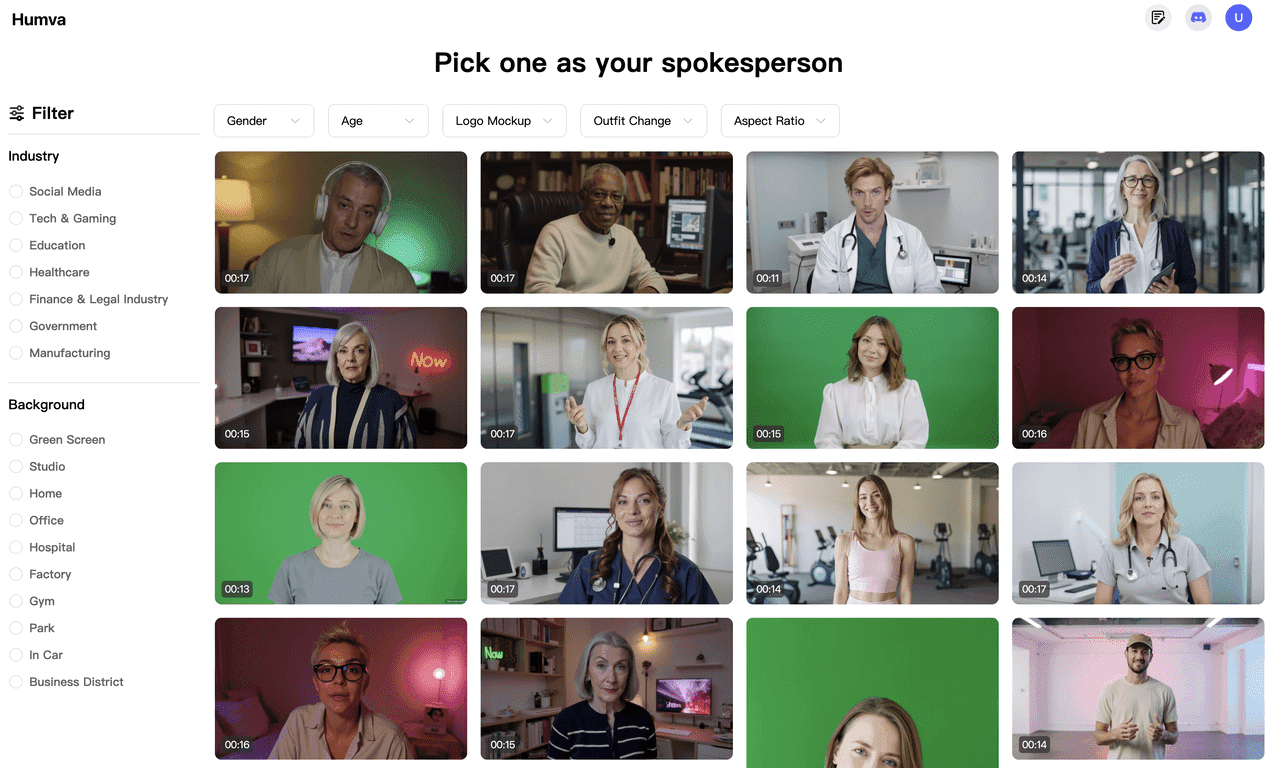
Here’s the simple pitch: Humva helps you create spokesperson videos for things like testimonials, product intros, announcements, and all those social posts you want to make more engaging than a plain graphic. Instead of recording yourself, you pick a presenter (there are lots to choose from) and generate a video from your script.
What I noticed right away is that the platform is built for speed. You’re not fighting with complex editing tools. The workflow feels more like: choose a presenter → write or paste your script → generate → review → export. That’s it.
Humva also leans heavily on generative AI and lip-syncing, which is a big deal. If the mouth movement doesn’t match the words, the whole thing feels off. In my experience, the results are convincing enough for typical marketing use—especially when you keep your scripts natural (short sentences, clear phrasing, not overly “robotic” wording).
Do you still need to think about what you’re saying? Absolutely. AI can’t fix a weak script. But it can save you from having to be on camera every time you want a new video.
Key Features That Matter (Not Just the Buzzwords)
- Free customized spokesperson videos
If you’re testing the tool, the free option is genuinely useful. It’s enough to see how the presenter selection and lip-syncing feel before you commit. - Thousands of video presenters
This is one of Humva’s strengths. I like having options because a “good enough” presenter won’t always match your brand vibe. - Made for real use cases
Testimonials, product introductions, social media content, short promos—these are the kinds of videos most people actually need. You’re not creating something random; you’re creating marketing assets. - Generative AI for video creation
You provide the script and the platform generates the video. It’s the core of how Humva avoids traditional production. - Advanced lip-syncing
This is where the realism lives or dies. Humva’s lip-syncing is designed to look authentic, which helps the video feel less like a gimmick.
Pros and Cons From a Real-World Perspective
Pros
- You can start free — Great for trying different presenter styles without immediately paying.
- Presenter library is a big deal — Having a lot of options makes it easier to match your audience and brand tone.
- Lip-sync looks realistic enough for marketing — When your script is clean and conversational, the final output tends to feel natural.
- Works for multiple content types — I can see it being used for testimonials, launches, FAQs, and quick social promos.
Cons
- Free plan limitations may apply — Like most AI tools, the free version can restrict features (or how many renders you can do). You’ll want to check what’s included before you plan a whole campaign around it.
- You’re dependent on the platform — If the site is slow or you lose internet, your workflow stops. That’s not unique to Humva, but it’s still a real factor.
Pricing Plans: What I Can Tell You (and What’s Missing)
Humva’s exact pricing details aren’t listed here, so I can’t confidently quote numbers. What I can say is that the free service provides enough value to test the experience—especially if you’re just trying a spokesperson video for a testimonial or a product intro.
If you’re deciding whether to upgrade, I’d look for three things: how many videos you can generate, what exports are available on the free tier, and whether higher-quality renders cost extra. Those are usually the “hidden” differences that matter.
Wrap up
Overall, I think Humva is a solid option if you want engaging spokesperson videos without turning your life into an editing project. The presenter variety helps, the lip-syncing makes the output feel more believable, and the free option makes it easy to try before you commit. If you’re a small business owner, a creator, or anyone who needs video content on a regular basis, it’s definitely worth testing.
Just don’t expect magic from a messy script. Write like you’d actually talk to a customer, keep it tight, and you’ll get way better results.
Promote Humva




