Table of Contents
Have you ever opened your email and thought, “Okay… but what do I even say?” Yeah, me too. It’s weird how something as simple as sending a message can feel like it needs a whole strategy.
The good news? You don’t need to be a copywriter or an email wizard. In my experience, effective emails come down to a few repeatable habits: clear structure, a subject line that earns attention, and a call to action that doesn’t leave people guessing.
So if you want your emails to sound professional (without sounding robotic), keep reading. I’ll walk you through 15 steps I actually use.
Key Takeaways
- Write clear, professional emails by organizing your thoughts and avoiding slang.
- Use a professional email address that reflects your name or brand.
- Craft a subject line that’s specific and easy to scan.
- Start with a friendly greeting using the recipient’s name when possible.
- Add background so the reader knows why you’re reaching out.
- State your purpose early so people don’t have to guess.
- Include a clear call to action (CTA) with a specific next step.
- End with courteous closing remarks that match the tone of your email.
- Use a signature with the right contact details (and optional links).
- Proofread carefully—typos and formatting issues are instant credibility killers.
- Use CC and BCC intentionally, not automatically.
- Format for readability: short paragraphs, consistent fonts, and scannable lists.
- Send at a reasonable time and follow up if you don’t hear back.
- Keep the tone positive and the wording clear, especially when asking for something.
- Practice and revise—your email writing gets better every time you do it.
1. Write Clear and Professional Emails
Clear emails get read. Confusing ones… usually don’t. I’ve noticed that the difference is almost always structure. If your reader can scan the message quickly, they’re way more likely to respond.
Before I type anything, I jot down the main point in one sentence. Then I build the email around that. It keeps me from rambling (and it keeps the recipient from getting lost).
When you’re writing, keep sentences short. Not choppy, just clean. Long sentences tend to hide the point and make people reread. And who wants to do that on a busy day?
If you have multiple pieces of information—dates, pricing, next steps—use bullet points or numbered lists. For example, instead of one wall of text, I’ll write something like:
- Deadline: Friday, April 26
- What I need from you: approval on the draft
- Timeline: feedback by Tuesday
Also, skip slang or “text-y” language. You can be friendly without being casual. Think “professional and human,” not “corporate robot.”
Finally, proofread. I know, it sounds obvious. But I still do a quick pass before hitting send—especially for names, dates, and attachment references. If you want extra help, I’ve found proofreading software useful for catching mistakes my eyes miss.
2. Use a Professional Email Address
Your email address is like your first handshake. If it looks sloppy, people assume the message will be too.
In my experience, the cleanest option is using your own domain: yourname@yourcompany.com. It signals “this is legit” instantly—especially when you’re reaching out to someone you’ve never met.
Try to avoid nicknames, random numbers, or anything that looks like it was made at age 16. Even if it’s harmless, it can feel unprofessional.
For example, jane.doe@example.com reads a lot better than cooljane123@example.com.
And if you’re sending emails tied to publishing or pitching—like when you’re trying to get a book published without an agent—first impressions matter even more. You want your pitch to stand on its own, not be judged by your email address.
3. Create a Compelling Subject Line
Your subject line is the gateway. It decides whether your email gets opened or ignored. I’ve tested different styles, and the ones that win are usually the ones that are specific.
Here’s a quick gut-check: if someone only saw your subject line in the inbox preview, would they understand why you’re writing?
Almost 64% of people decide to open or delete an email based on the subject line—so don’t treat it like an afterthought.
Keep it concise. Subject lines under 70 characters often perform best, especially on mobile where everything gets cut off fast.
Personalization can help too. Adding the recipient’s name (when you truly have it) can boost open rates by 26%. And referencing context—like a shared event or a referral—makes it feel less like a random outreach.
Numbers can also grab attention. Using numbers in the subject line can increase open rates by up to 36%. For example: “5 Tips for Writing Effective Emails.”
One thing I always avoid: all caps and excessive punctuation. It screams “spam” and it’s just not worth the risk.
Honestly, writing a great subject line is similar to writing a strong book blurb—you’re trying to hook someone fast without being misleading.
4. Start with a Positive Greeting
The greeting sets the vibe. If you start cold, the whole message feels cold—even if your content is great.
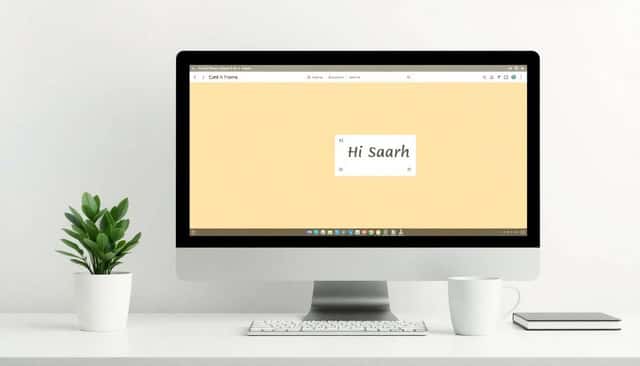
If you know the person’s name, use it. Something like “Hi Sarah,” or “Good morning Alex,” is simple and effective. It doesn’t have to be overly formal.
In most professional settings, “Hello” or “Hi” works perfectly. I usually reserve “Dear [Name]” for situations that feel more formal (legal, academic, certain partnerships). Otherwise, it can feel stiff.
If you don’t know their name, don’t overthink it. “Hello,” “Good afternoon,” or “Hi there,” are totally fine and still professional.
Starting positively makes the recipient more likely to keep reading. And honestly, isn’t that what we want?
5. Provide Background and Context
One of the fastest ways to lose a reader is to jump straight into your request without explaining why you’re asking them.
I try to add a short context section—usually 1–3 sentences. It answers questions like: “Why you?” and “Why now?”
Examples:
- “We met at the conference last week, and I promised I’d follow up.”
- “John Doe mentioned you might be the right person to contact about X.”
- “I’m reaching out because we both worked on similar projects at Y.”
If it’s your first time contacting them, briefly introduce yourself and explain why your email is relevant. No long biography. Just enough to make it easy to place you.
Personal details help, too. They show you didn’t copy-paste the message. Personalization can improve open rates by 29% and click-through rates by 41%—and those numbers match what I’ve seen when I tailor outreach.
Give them context, and your message feels less random. That’s the whole point.
6. State the Purpose of Your Email Clearly
Once you’ve set the stage, get to the point. I’m talking “early and obvious.”
Instead of burying the request halfway down, I’ll usually write a purpose sentence near the top—right after the intro/context.
Also, keep the ask focused. Emails with 75 to 100 words often get better response rates because they’re easier to handle.
Examples:
- “I’m reaching out to request a quick meeting to discuss our upcoming project.”
- “I wanted to share the latest report and ask for your feedback by next Tuesday.”
- “Could you review the attached proposal and let me know if we’re aligned on the next steps?”
Being direct doesn’t sound rude. It sounds respectful. It saves the recipient time—and that usually earns goodwill.
7. Include a Clear Call to Action (CTA)
If your email doesn’t say what you want, the recipient has to guess. And guessing is where delays happen.
I always include a CTA that’s specific and easy to act on. Not vague like “Let me know what you think,” but clear like “Please reply with your availability for a 15-minute call on Wednesday.”
Examples:
- “Please let me know by Wednesday if you’re available for a 15-minute call.”
- “Could you review the attached file and share feedback by Friday?”
- “If this works for you, reply ‘approved’ and I’ll move forward with the next step.”
Here’s the thing: the clearer your CTA, the easier it is for someone to respond quickly. And yes, automated emails with specific CTAs can generate 320% more revenue than non-automated ones—so specificity matters.
Even when you’re not doing automation, the principle is the same. Make the next step obvious.
8. Add Professional Closing Remarks
Your closing should feel like the end of a conversation—not the end of a form.
Common options include “Best regards,” “Sincerely,” or “Thank you for your time.” I like those because they’re polite and broadly safe.
If you want a slightly warmer touch (and it fits the relationship), you can add a line like:
- “Looking forward to your reply.”
- “Hope to collaborate soon.”
The goal is simple: reinforce respect and make the email feel complete. A strong closing can be the difference between “read and forgotten” and “read and answered.”
9. Use a Professional Signature
A good signature makes it easy for people to contact you again—without hunting for your info.
I recommend including:
- Your full name
- Your title
- Company name
- Primary contact info (phone number and/or email)
- Optional: LinkedIn or a relevant website
For example:
Best regards,
Jane Smith
Content Manager at Creative Solutions
(123) 456-7890 | LinkedIn
Also, don’t overload it with banners and 12 links. Keep it clean. In my experience, simple signatures look more trustworthy and get used more often.
10. Proofread for Errors
Typos and grammar mistakes are the fastest way to lose credibility. Even if your message is strong, a careless error can make you look unprepared.
Here’s a trick I use: I read the email aloud (yes, really). It helps me catch awkward phrasing, missing words, and places where my brain “fills in” what I didn’t actually write.
And then I run it through proofreading software—because your eyes get tired after a while.
One more thing: mobile readability matters. In fact, 42% of people will delete an email that isn’t properly optimized for mobile. That means short paragraphs, good spacing, and avoiding giant formatting blocks.
Small errors add up. Fixing them is one of the easiest upgrades you can make to your email writing.
11. Use CC and BCC Wisely
CC and BCC are powerful—so use them with intention.
I treat CC as “keep informed,” not “include just because.” If someone doesn’t need to see the message, don’t add them. It clutters inboxes and makes the thread harder to follow.
CC is for people who should be in the loop but don’t need to take action. BCC is for group emails where you don’t want everyone’s addresses visible—or when privacy is important.
But don’t overdo BCC. Too many people hidden behind BCC can confuse recipients and sometimes creates awkward follow-ups.
When you use CC/BCC thoughtfully, your email thread stays cleaner and more respectful of everyone’s time.
12. Format Your Email Consistently
Formatting isn’t just “aesthetic.” It affects how fast people can read your message.
I stick to standard fonts like Arial or Calibri, usually 10–12 point. And I avoid mixing too many colors or fancy styles. If you’re trying to look professional, simple wins.
Break long paragraphs into shorter ones. If you have a list of items, use bullets or numbering. If you have a key date or deadline, make it easy to spot by putting it in its own line or bullet.
And yes—mobile matters. Since 42% of people will delete an email that isn’t optimized for mobile, make sure it still looks good on a smaller screen. If it looks like a giant block of text, shorten it.
Consistent formatting helps your message stand out in a crowded inbox. People trust what they can read easily.
13. Schedule and Follow Up on Emails
Timing affects everything. If your email lands at the wrong moment, it might get buried before the recipient even sees it.
Emails sent on Tuesdays and Thursdays have 15% higher open rates than other days. Not a magic rule, but it’s a solid starting point.
For send times, I usually aim for 10–11 AM or 1–2 PM local time. That’s often when people are checking inboxes and actually processing messages—not just skimming.
And don’t be afraid to follow up. If you don’t get a response within a reasonable window (say 3–7 business days, depending on urgency), send a polite reminder. Keep it short. Something like:
- “Just following up in case this got buried—happy to resend the details if helpful.”
Using email scheduling tools can also help you send at the best time instead of “whenever I remember.” Small habit, big payoff.
14. Maintain a Positive Tone and Clarity
Your tone changes how your message lands. Even if you’re saying something neutral, a negative or demanding tone can make people defensive.
I try to keep things positive and calm, especially when I’m asking for something. If there’s a problem, I focus on solutions instead of blame. People respond better to “here’s what we can do” than “you didn’t do X.”
Avoid harsh language. Skip phrases that sound aggressive or passive-aggressive. Clarity helps here too—if your request is straightforward, you won’t need to sound forceful.
Remember: personalized and clear emails improve open rates by 29% and click-through rates by 41%. So if you want results, don’t just polish your grammar—make the message easy to understand.
A positive tone builds rapport. And rapport is what turns a one-time email into an ongoing relationship.
15. Practice Your Email Writing Skills
Email writing is a skill. Like anything else, it gets better with reps.
After you send an email, I recommend doing a quick “review in your head.” What worked? Did they respond? Was your CTA clear? Was it too long?
Ask for feedback from colleagues or mentors if you can. Even one comment—like “your request is buried” or “you need a clearer deadline”—can improve your next email instantly.
And if you want to level up your writing overall, practicing other types of writing helps. For instance, exploring prompts or learning how to write a one-act play can sharpen your ability to structure scenes and keep the reader engaged.
If you’re looking for creativity boosts, check out funny writing prompts for kids or learn about how to live as a writer in a fantasy world for some inspiration.
Keep practicing, and you’ll notice your emails getting shorter, clearer, and more effective over time. That’s the real win.
FAQs
Keep it short and specific. I usually aim to summarize the main point in plain language, using action verbs when it fits. If the subject line clearly reflects what’s inside the email (and doesn’t feel clickbait-y), people are much more likely to open it.
Include your full name, job title, and company. Add at least one direct way to contact you—like a phone number or email. If it’s relevant, include a link to your LinkedIn or a professional website. Keep it clean; too many links can look cluttered.
Use CC when someone needs to see the information but doesn’t necessarily need to respond. Use BCC when you’re sending to a group and want to protect privacy (so people don’t see each other’s addresses). In my opinion, BCC should be the exception, not the default.
Stick to clear, courteous language. Avoid slang and overly casual wording. Be respectful, especially when you’re requesting something or following up. And don’t skip proofreading—tone can be undermined fast by typos, wrong names, or messy formatting.