Table of Contents
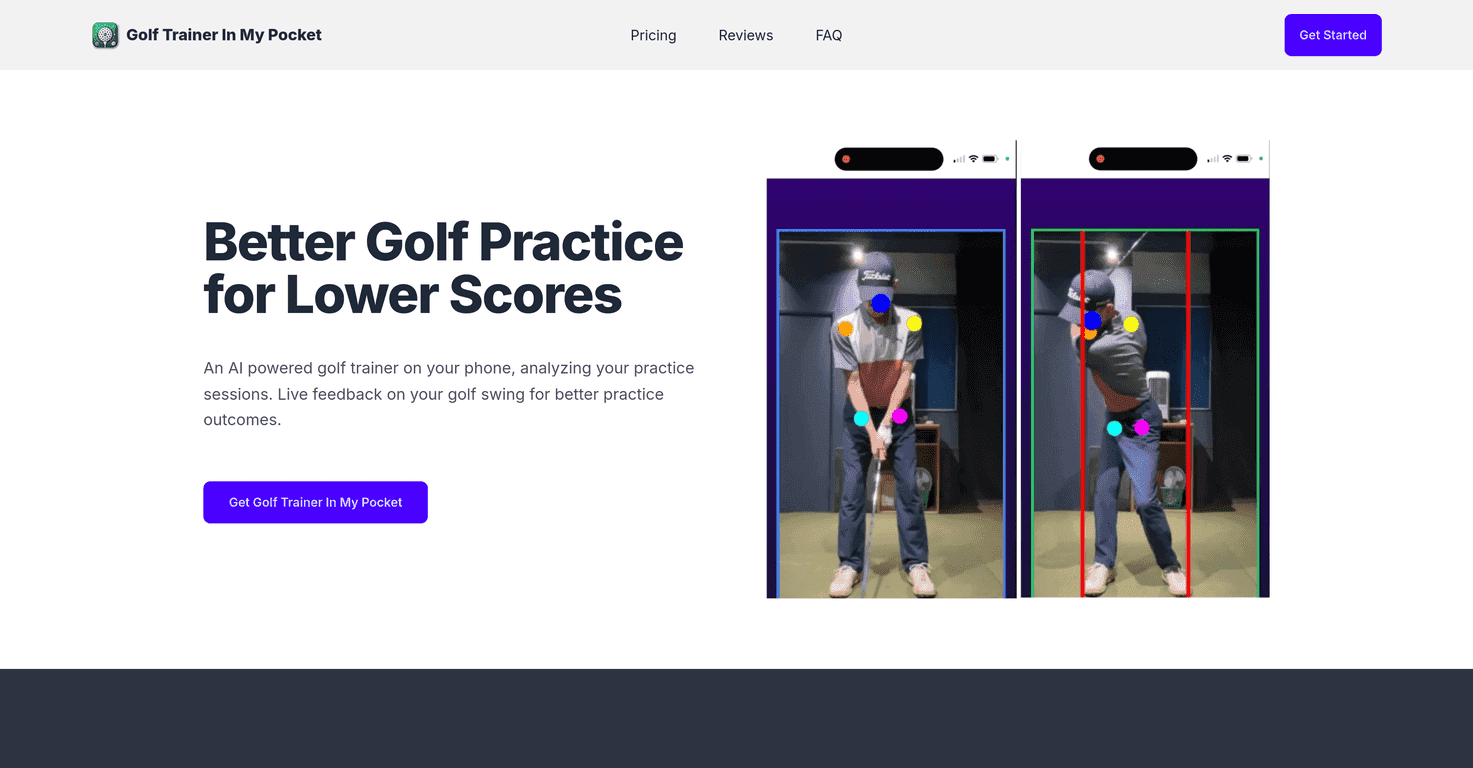
I’ve tried a bunch of golf training apps over the years, and most of them fall into two camps: either they’re too generic (you get “good job” vibes but not much help), or they’re so complicated that you spend more time fiddling than practicing. Golf Trainer In My Pocket is different in a way I actually like—it focuses on swing analysis using your phone’s camera, and it tries to give you feedback right away. Not after you’ve forgotten what you did on the range, but while it’s still fresh.
Golf Trainer In My Pocket Review: What I Liked (and What Didn’t)
If you want a quick way to spot swing issues without booking a lesson every time, this app is built for that. The main idea is simple: you record your swing, and the app analyzes it with AI so you can see what needs adjusting. In my experience, that “instant feedback” part is the difference between actually improving and just watching random highlights of yourself swing.
Here’s what stood out when I tested it:
- It pushes you to practice with purpose. Instead of hitting 30 balls and hoping one of them fixes the slice, you get feedback tied to your movement.
- The app leans hard on video. If you’ve ever tried to fix your swing based on memory, you already know how unreliable that is. Video makes the feedback feel more real.
- It’s aimed at both beginners and players who “know the basics.” I could see a new golfer using it to build awareness, while someone more experienced could use it to confirm what they’re feeling at address.
One thing I’ll say upfront: no app can replace a good coach. But if you’re looking for a practical way to tighten up your swing between lessons, it can absolutely earn a spot in your routine.
Key Features
- Live Video Capture for swing analysis — You record your swing using your phone, then the app analyzes it.
- Real-time feedback with visual and audio cues — The feedback isn’t buried in a report you’ll never open. It’s meant to guide you while you practice.
- Movement analysis with baseline checkpoints — You can work from a reference point, which helps when you’re trying to track improvement over time.
- Privacy-first approach — The app’s positioning is that your data stays local to the device, rather than being shared elsewhere.
Practical tip: when I recorded swings, I got better results when I kept my phone stable and filmed from a consistent angle. If your camera angle changes every attempt, it’s harder for the app to compare your movement.
Pros and Cons
Pros
- Instant feedback helps you correct faster. I noticed I was making adjustments on the next swing instead of waiting until I got home.
- Video-based analysis makes the feedback easier to understand. When the app points out what’s off, it’s usually tied to what you can actually see in your swing.
- Privacy-first messaging is a big plus. If you’re not comfortable uploading personal data, this approach will feel more reassuring.
Cons
- You’ll need a decent smartphone (and lighting). If the video quality is poor—dark range, shaky phone, bad angle—the feedback can feel less accurate.
- Beginners may need a minute to get used to it. There’s a learning curve. You may have to try a couple setups before you get consistent results.
- It’s still not a full coaching session. If you have a complicated swing flaw, you’ll probably still want human instruction at some point.
Pricing Plans
According to the listing, the Starter Plan is £29.99 as a one-time purchase. It’s positioned as including the core training tools—AI golf trainer features, live video capture, real-time feedback, and movement analysis.
My take on the price: £29.99 doesn’t feel outrageous for an app if you’ll actually use it weekly. But if you only record once in a while, you might not get enough value out of it.
Wrap up
Golf Trainer In My Pocket is one of those apps that feels built for real practice sessions, not just “view your swing and move on.” The video analysis and the quick feedback are what make it worth trying, especially if you want to improve faster between lessons.
Just go in with realistic expectations: it won’t magically fix your swing overnight. But if you’re willing to record a few swings, adjust one thing at a time, and repeat, it can genuinely help you dial things in.