Table of Contents
Ever wish you could get beauty advice that actually feels like it was made for you (and not just a random “best for all face shapes” guide)? I tried Glowup AI to see what it would do with my photos and whether the recommendations were useful—or just generic hype.
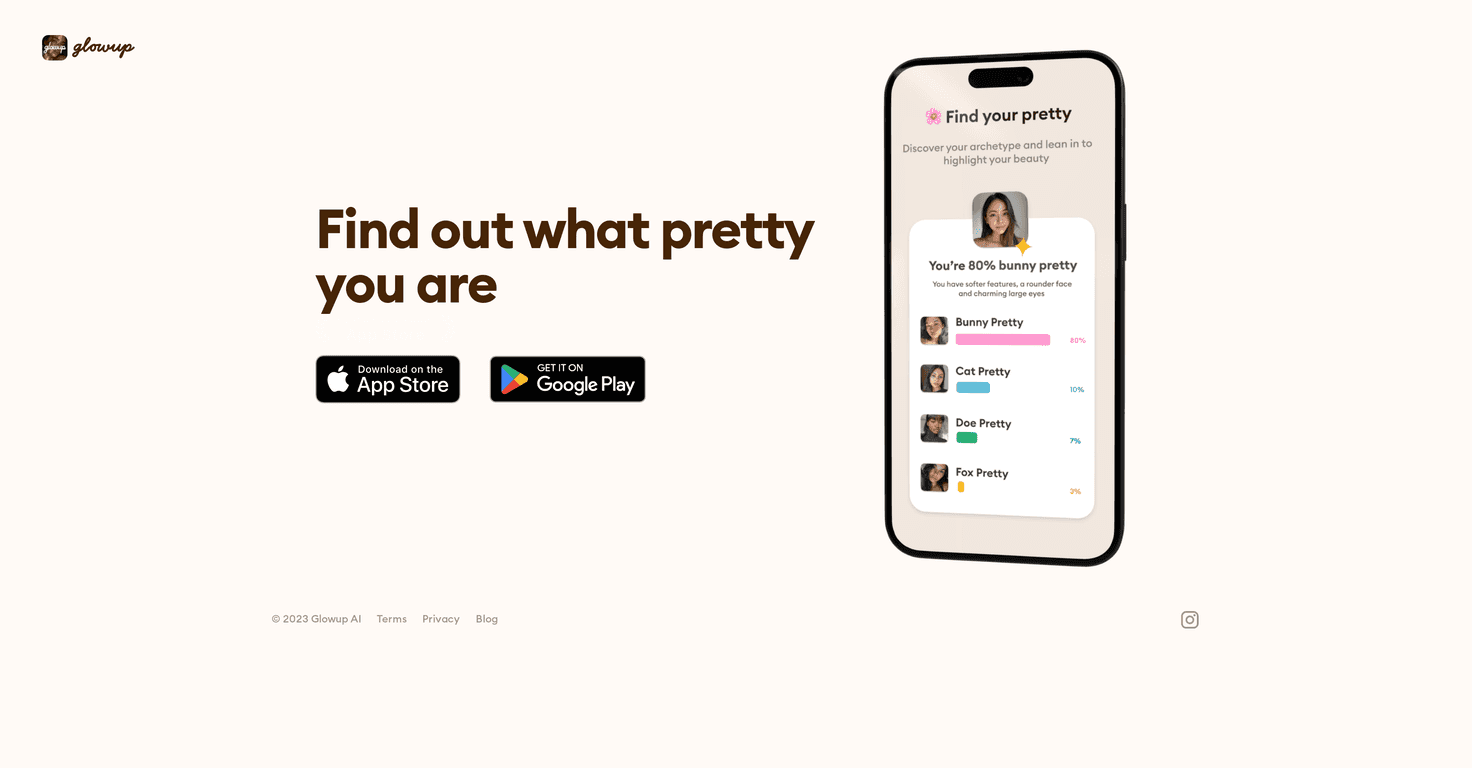
Glowup AI is an app that uses AI facial analysis to look at your features and then suggests things like makeup ideas and hairstyle directions. The goal is pretty simple: help you discover what might suit you best, based on what the app sees in your image. And yeah, the interface is straightforward enough that you don’t feel like you’re fighting the app just to get results.
Glowup AI Review (What I Actually Liked—and What to Watch)
Glowup AI is basically a “photo in, recommendations out” beauty assistant. Instead of giving you one-size-fits-all tips, it analyzes your facial features and then generates suggestions meant to match your traits. That could mean makeup guidance, hairstyle ideas, and general “beauty discovery” prompts.
One thing I noticed quickly: the app feels best when you give it a clear, front-facing photo. If the image is blurry, too dark, or you’re wearing heavy filters, the results tend to feel less specific. And that makes sense—AI can only work with what it can actually see.
Another honest point: the recommendations aren’t a replacement for a real makeup artist or dermatologist. Think of Glowup AI as inspiration. It’s great for sparking ideas (especially if you’re stuck in a rut), but you’ll still want to use your judgment—particularly for anything skin-related.
Key Features That Matter
- Facial recognition-based feature analysis (so the advice is tied to what you look like in your photo)
- Personalized beauty tips based on your unique traits (not just generic “try this look” suggestions)
- Easy-to-use interface (I didn’t have to hunt around to figure out where to start)
- Works on iOS and Android (so you’re not locked out depending on your phone)
- Focus on beauty discovery and self-confidence (it frames results in a “try and explore” way rather than harsh critiques)
My quick tips for better results
- Use natural lighting. Indoor overhead lighting can mess with shadows. Soft daylight usually gives cleaner results.
- Keep the camera angle consistent. A straight-on photo tends to produce more usable recommendations than a super angled selfie.
- Avoid heavy filters. If your face is altered, the app can’t “read” your actual features properly.
- Try 2–3 photos. I found it helps to test a neutral expression and a slightly different angle—just to see whether the advice changes.
Pros and Cons (No Sugarcoating)
Pros
- Personalization feels real enough to be useful. It’s not just repeating the same tips for everyone.
- AI-powered suggestions can be a great starting point. If you’re experimenting (or rebuilding your look), it gives you direction instead of blank-page confusion.
- Convenient availability. You can find it through major app stores and download it quickly.
- Encourages a positive mindset. The tone is more “discover your style” than “fix yourself.”
Cons
- Results depend heavily on image quality. Blurry, low-light, or heavily edited photos can lead to recommendations that feel off.
- Privacy is something you should think about. You’re uploading personal images to an app—so it’s worth checking what data is stored and how it’s used.
- Not guaranteed to fit every person perfectly. Like most AI tools, it may not account for every skin tone, hair texture, age group, or unique feature set equally well.
Who Glowup AI is best for
- If you love trying new makeup looks and just want ideas tailored to your features, it’s a solid time-saver.
- If you’re the type who gets overwhelmed by beauty content, this can help you narrow down options.
- If you’re looking for medical-grade skincare advice, you’ll want to use a professional instead.
Pricing Plans (Where to Check)
I couldn’t find clear pricing details listed directly in the page content I reviewed, so I recommend checking the live store listing because app pricing and in-app purchases can change.
You can download Glowup AI here:
[App Store](https://apps.apple.com/us/app/glowup-ai-find-your-pretty/id6476830440) and [Play Store](https://play.google.com/store/apps/details?id=com.glowup.fm).
When you open the listing, look for things like subscription options, credits, or any “pro” features. If the app offers a trial, I’d personally start there—especially since the value will depend on how accurate the results are for your photos.
Wrap up
Glowup AI is one of those apps that’s less about “perfecting” you and more about giving you direction. In my experience, it works best when you upload clear, natural-looking photos and treat the output as inspiration—not a strict rulebook. If you’re curious, it’s easy to try, and it can definitely help you discover new makeup or hairstyle ideas you might not have picked on your own.
Just don’t forget the privacy side of things, and don’t expect it to replace a real professional. If you’re ready to experiment with your look, go ahead and download Glowup AI and see what it suggests.
Promote Glowup AI