LIFETIME DEAL — LIMITED TIME
Get Lifetime AccessLimited-time — price increases soon ⏳
AI Tools

ForEffect Review – Effortlessly Transform Your Video Backgrounds

Updated: April 20, 2026
4 min read
#Ai tool#video

Table of Contents

If you’ve ever tried to make a video look “clean” but ended up fighting your editor for hours, I get it. Backgrounds can ruin the whole vibe—busy rooms, messy desks, random lighting… it all adds up. That’s why I was curious about ForEffect (Background Remover). The pitch is simple: upload your video, let AI separate the subject from the background, then swap the background without getting into green-screen territory.

In my experience, the biggest difference with tools like this isn’t just “can it remove a background?” It’s whether it does it fast enough and clean enough that you’ll actually use it again. So I tested the workflow, paid attention to the small stuff (hair edges, motion blur, and how forgiving it is), and here’s what I noticed.

Foreffect

ForEffect Review

So, does it actually make background editing feel effortless? Pretty much—especially if you already have a video with a clear subject and decent lighting.

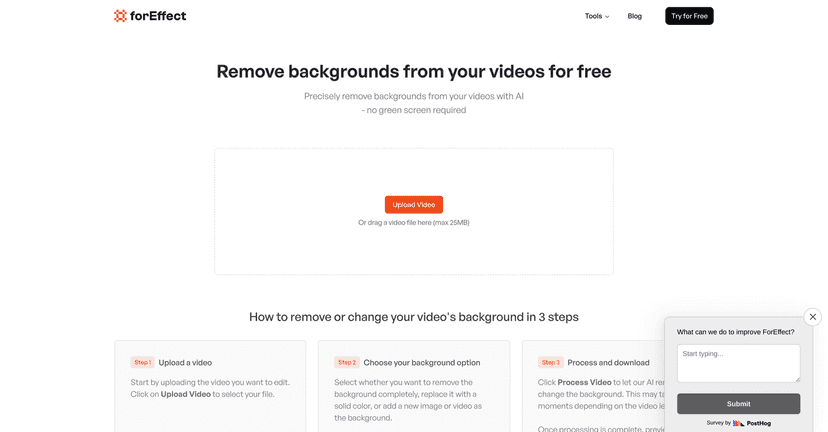
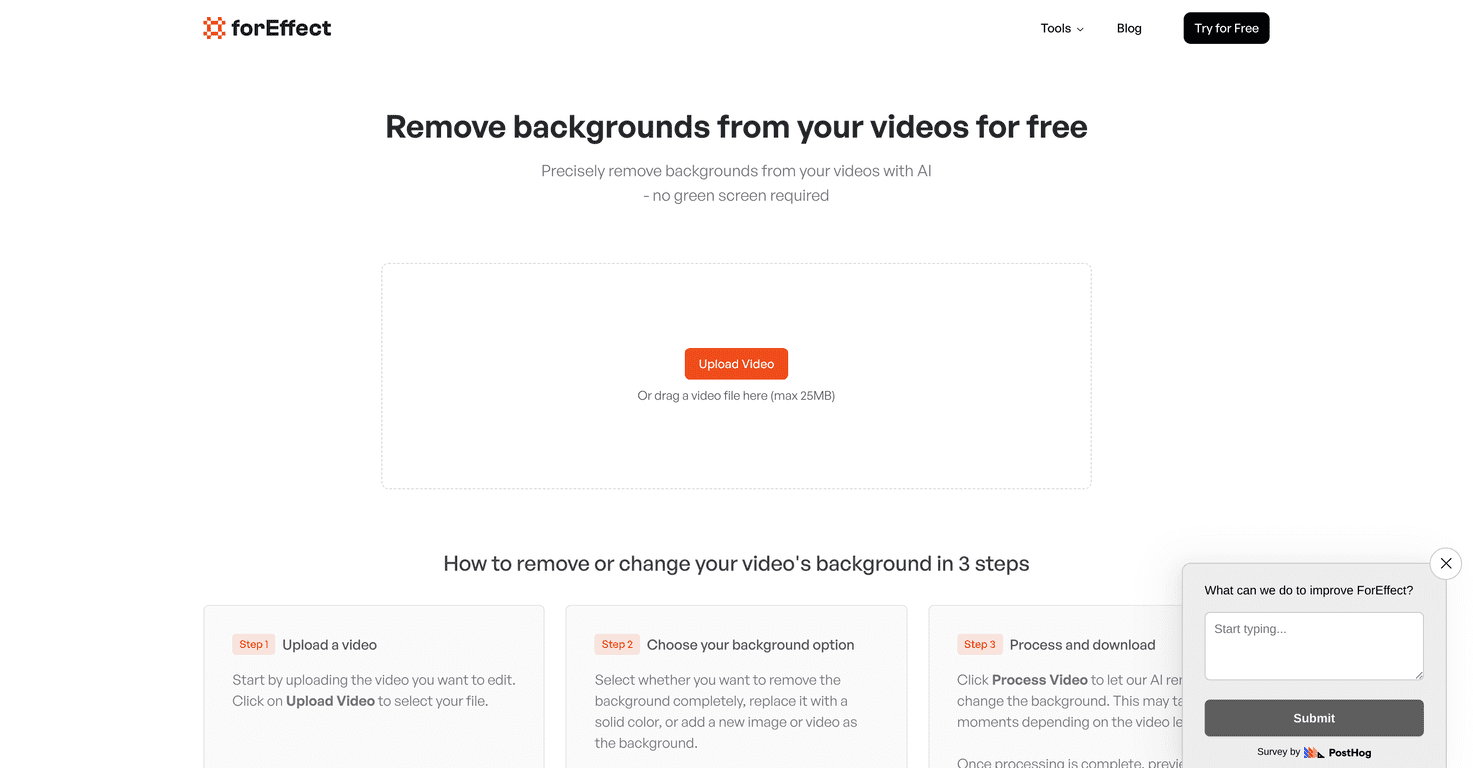
Here’s the vibe: I uploaded a short clip, selected a background option, and let it process. No complicated settings panel. No “advanced mask” rabbit hole. That’s the good part.

What I noticed most was how it handles edges. When the subject is well-lit and the background contrast is decent, the cutout looks clean enough that you don’t feel like you need to manually fix every frame. But if your subject moves fast or your background is busy (patterns, lots of similar colors), you may see a little haloing or edge softness. It’s not a deal-breaker, but it’s not magic either.

Also, the tool feels made for quick turnaround. If you’re doing social clips, quick intros, or even repurposing footage for a presentation, this is the kind of workflow that saves real time.

Key Features

  1. AI-driven background removal technology — The main point is separating the subject from the background automatically, without you drawing masks.
  2. Background options — You can remove the background, replace it with a solid color, or add a new image depending on what you’re trying to create.
  3. Video upload limit (up to 25MB) — This matters. If your file is bigger than that, you’ll need to compress or export a smaller version first.
  4. Simple three-step process — Upload video, pick your background option, process, then download. I like that it doesn’t try to overwhelm you with choices.
  5. Drag-and-drop interface — It’s quick. I didn’t have to hunt for an upload button or fiddle with settings before starting.

Pros and Cons

Pros

  • No signup required for usage — I tested it without jumping through account steps, and that’s a big win if you just want to try a tool once.
  • Fast processing for typical clips — For shorter videos, the turnaround feels practical (not “wait all day” energy).
  • Easy to navigate — The interface is straightforward enough that you can hand this to a non-editor and still get results.
  • Multiple background styles — Solid colors are great for clean branding, and image replacements can make the same footage feel totally different.

Cons

  • 25MB file size limit — If you’re working with longer exports or high-bitrate footage, you’ll likely need to trim or compress first.
  • Longer videos can take longer — I noticed processing time creeping up as the clip length increased, which is normal for AI work, but still something to plan for.

Pricing Plans

ForEffect’s Background Remover is free to use, which is honestly refreshing. No subscription wall before you can see if it works for your footage. If you’re experimenting—like testing different background images for a creator reel—that free access makes it much easier to iterate.

That said, since it’s free, I’d treat it like a “speed and convenience” tool rather than a full replacement for a professional compositor. If you need pixel-perfect masking for tricky shots, you may still end up doing some cleanup elsewhere.

Wrap up

Overall, I found ForEffect’s Background Remover to be a solid option when you want cleaner video backgrounds without going through the hassle of green screen setups or complicated editing. The workflow is simple, the interface is easy, and the results are good enough for a lot of real-world projects—especially when your subject is clear and your background isn’t overly chaotic.

If you’ve been putting off background edits because it feels like too much work, this is the kind of tool that can actually get you to “done” faster.

Promote ForEffect

Stefan

Stefan

Stefan is the founder of Automateed. A content creator at heart, swimming through SAAS waters, and trying to make new AI apps available to fellow entrepreneurs.

Related Posts

AI Video Cut Review – Transform Your Videos Effortlessly

In today’s fast-paced digital world, captivating content is essential for grabbing attention. If you’ve ever struggled with turning long videos into bite-sized gems, you’re not alone. AI Video Cut promises to make this process simple and fun, helping you connect with your audience more effectively. AI Video Cut Review AI Video Cut is a game-changer … Read more

Stefan
WUI.AI Review – Transform Your Videos Effortlessly

WUI.AI Review – Transform Your Videos Effortlessly

efficient ways to repurpose their material

Stefan

SnapDiagram Review – Effortlessly Transform Your Sketches

Change hand-drawn drawings into neat digital images with AI and save them in various file types

Stefan

Create Your AI Book in 10 Minutes