Table of Contents
Let me guess—you’ve got some solid food photos… but they just don’t pop the way you want. Maybe the background is distracting, the lighting is a little flat, or the angle makes the dish look bigger (or smaller) than it really is. I’ve been there. And if you’re running a restaurant, catering business, or even a small meal-prep brand, you don’t have time to reshoot everything just to make a menu or Instagram post look good.
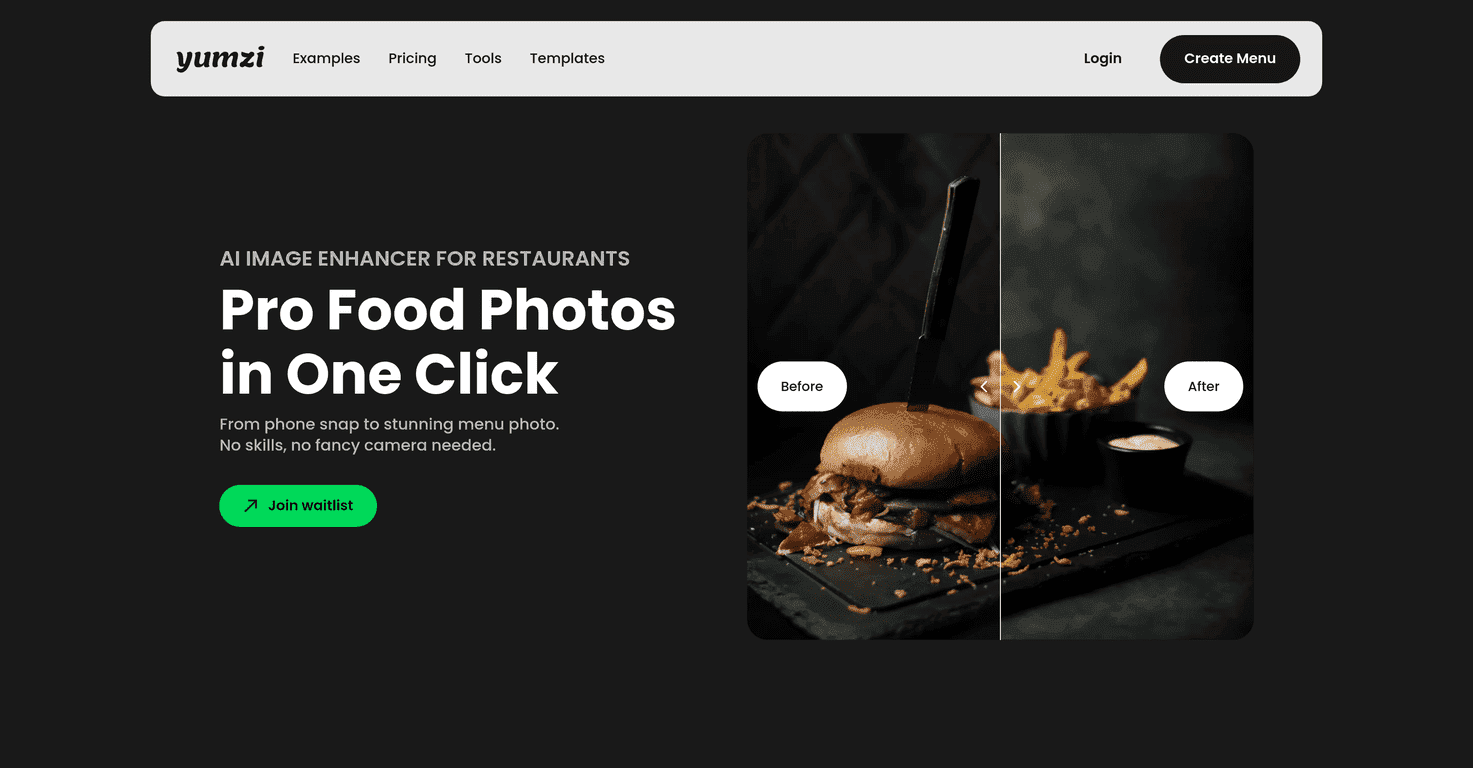
That’s where the Food Image Enhancer comes in. It’s designed to improve everyday smartphone food shots with a few automated edits, so your images look more polished without needing Photoshop skills or a full-time photographer.
In my experience, the biggest win isn’t “making food look fake.” It’s fixing the stuff that makes people scroll past—messy backgrounds, dull lighting, and awkward composition. In this review, I’ll walk through the key features, what I think works best, where it can fall short, and what you should expect from the editing process.
Food Image Enhancer Review
So what is the Food Image Enhancer actually doing? From what it’s built for, it takes your uploaded food photos and applies a set of improvements that usually matter most for menus and marketing: cleaner backgrounds, better perspective, brighter lighting, and stronger color/texture.
In practical terms, I like tools that don’t require a learning curve. This one is meant to be quick—upload your images and get enhanced results in under 30 seconds per photo (at least that’s the turnaround you should expect). That speed matters when you’re posting daily specials or updating a menu every week.
Another thing I look for is consistency. If you’re building a menu, you don’t want every image to look like it came from a different camera, a different day, and a different editing style. The “consistent look” angle here is meant to help you keep things cohesive across your gallery.
One honest note though: if your original photo is way off—super blurry, heavily overexposed, or the food is tiny in the frame—AI can only do so much. You’ll still get a better image, but it won’t magically fix everything.
Key Features
- Background Replacement to clean up busy tables, cluttered counters, and random distractions.
- Perspective Correction to make the dish look more natural and balanced (especially helpful for overhead shots).
- Relighting for darker images—think restaurant dining photos that look a bit gloomy.
- Color & Detail Enhancement so food looks fresher and textures show up more clearly.
- Bulk Editing so you can process multiple images without clicking through everything one-by-one.
- High-Quality Exports for social media, menus, and other marketing uses.
If you’re wondering what this looks like in real life, here are a few scenarios I’ve seen businesses benefit from:
- Menu refresh day: you upload 20 photos of mains, hit bulk edit, and get a consistent set that looks “brand-ready.”
- Instagram backlog: old photos that were shot under warm indoor lighting get brighter and more appetizing.
- Takeout shots: background clutter (bags, receipts, utensils) gets reduced so the food stays the focus.
Pros and Cons
Pros
- Easy to use: you don’t need special editing knowledge to get decent results.
- Fast turnaround: the process is quick—under 30 seconds per photo is what you should plan around.
- More consistent output: helpful when you’re building menus or a repeating social style.
- Multiple styles: you can switch looks depending on whether you’re promoting a cozy café vibe or a more modern menu.
- Budget-friendly: compared to paying for custom edits every time you post, it’s a practical option.
Cons
- Not everyone’s taste: enhanced images can lean “processed,” so if you prefer a natural look, you might need to experiment with style choices.
- Depends on the original: very blurry or poorly lit photos won’t fully recover.
- Food-focused: it’s mainly meant for food photography—if you try to use it for other types of images, you may not get the same payoff.
In my opinion, the best approach is to use it like a fast assistant, not a replacement for great photography. If you can nail the shot (good angle, food centered, minimal clutter), the enhancer will take it from “okay” to “actually clickable.”
Pricing Plans
Pricing details aren’t clearly listed right now. Instead, the current guidance is to join the waitlist to get updates on availability and cost. That usually means the pricing may depend on what you need (single-image edits vs. bulk processing, export quality, and the style options you want).
If you’re running a business and planning ahead, I’d join the waitlist sooner rather than later—menu schedules don’t wait, and you’ll want to know what you’re budgeting for.
Wrap up
Wrap Up
Here’s my take: the Food Image Enhancer is a solid option if you want better-looking food photos without learning a complex editing workflow. When your originals are reasonably sharp and properly framed, you’ll likely notice improvements fast—cleaner backgrounds, brighter lighting, and more appealing color/texture. And if you’re constantly updating menus or posting specials, bulk editing alone can save you a lot of time.
If you’re tired of photos that look dull next to your competitors, it’s worth checking out. I’d recommend joining the waitlist and testing it with a few of your most common photo types (like overhead bowls, plated mains, and desserts) so you can see how it handles your specific style of food photography.
Promote Food Image Enhancer