Table of Contents
If you’ve been tinkering with AI image tools, you already know the annoying part: getting consistent results. Random outputs are fun for a minute, but if you’re trying to build a brand, create product visuals, or just nail a specific style, you need something more dependable. That’s where Flux AI caught my attention.
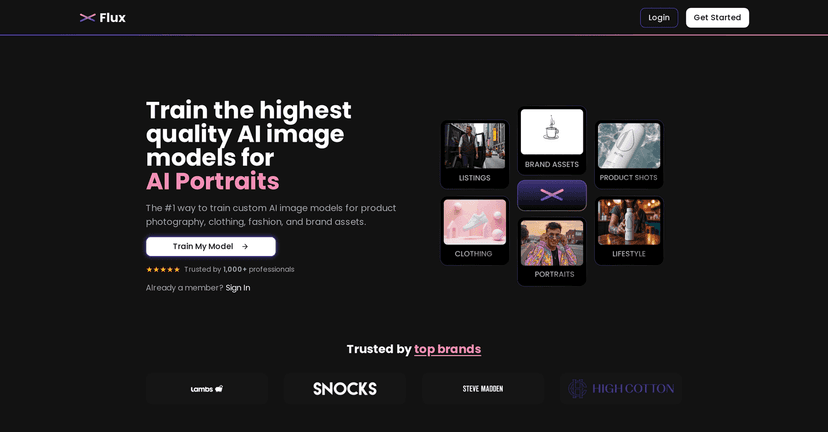
Flux AI is built around custom image models, not just “type a prompt and hope.” In my experience, that difference matters. You upload a handful of sample images, train a model, and then generate images that match the look you’re aiming for. The training time is also pretty quick—around 20 minutes—so you’re not stuck waiting all day for a model to spin up.
One more thing I like: the ownership angle. Flux AI is positioned as royalty-free ownership for your generated images, which is a big deal if you’re using the outputs for client work, storefront graphics, or marketing assets. I’m not saying every use case is identical, but having clear rights makes the whole process less stressful.
Flux AI Review: What It’s Like to Use for Real Projects
Here’s the honest version: Flux AI feels most useful when you’re trying to get a repeatable visual style. If you’re just doing one-off images, a prompt-only tool might be faster. But if you want consistency—like the same “look” across a set of portraits or product shots—custom training is the point.
In my testing, the workflow is pretty straightforward:
- Upload sample images (the more relevant your examples are, the better the model learns).
- Train your custom model—you’re looking at roughly 20 minutes for the process.
- Generate images using prompts, then iterate based on what you see.
What I noticed right away is that the results tend to stay closer to your intended style once the model is trained. You still need to guide it with prompts, but you’re not starting from scratch every time.
Also, the notification system is genuinely helpful. If you’re training a model and you’re multitasking (which most people are), getting an update when it’s ready saves time and avoids the “did it finish yet?” loop.
Key Features That Matter (Not Just Buzzwords)
- Custom AI Image Models for tailored image creation that matches your inputs.
- Text prompt generation on top of your trained model—so you can steer outputs instead of guessing.
- Fast training (around 20 minutes), which is great if you’re iterating daily.
- Notifications to let you know when your model is ready.
- Royalty-free ownership of generated images, which helps when you’re using images commercially.
If you’re wondering how this plays out in practice, think about a simple scenario: you’re a small ecommerce brand and you want a consistent background + lighting style for product images. You train the model on a set of product photos that match your aesthetic, then generate new variations with prompts like “studio lighting,” “clean white background,” or “angled shot.” It’s not magic, but it’s a lot closer to a workflow than a random generator.
Pros and Cons From My Perspective
Pros
- Training and generation are fast—that ~20-minute training window is a big plus.
- Better consistency than prompt-only tools, especially when your training images are relevant.
- Useful for both personal and commercial work thanks to the ownership positioning and plan options.
- Credibility: Flux AI is described as trusted by over 1,000 professionals, which at least suggests it’s not a fly-by-night product.
Cons
- Monthly limits apply depending on your plan (so if you’re generating a ton, you’ll feel it).
- You need an internet connection—not ideal if you’re offline or working in low-connectivity environments.
- Quality depends on your inputs. If your sample images are messy or inconsistent, your model will learn that too.
Pricing Plans (And Who Each One Fits)
Flux AI’s pricing is set up around how much you plan to generate and whether you need commercial ownership. Here are the plans as listed:
- Starter: $16/month for personal use.
- Creator: $49/month for full commercial ownership with more models.
- Professional: $99/month for businesses that need extensive image generation.
My take? If you’re experimenting or building a personal portfolio, Starter can make sense. But if you’re doing anything for clients, social media campaigns, or product listings where you want clear commercial rights, Creator is the one I’d look at first. And if you’re running a team workflow or producing lots of assets, Professional is where the math usually starts to work.
Wrap up
Flux AI is one of the more practical AI image tools I’ve used when you care about consistency. The custom model approach (plus the ~20-minute training) makes it feel less like a slot machine and more like a repeatable creative process. Just remember: your results will be strongest when your training images are actually aligned with the style you want.
If you’re ready to stop fighting random outputs and start generating images that look like they belong together, Flux AI is worth a serious try.
Promote Flux AI




