Table of Contents
Have you ever listened to a voice sample and thought, “I wish I could get that sound on demand”? I’ve been there. That’s basically why I wanted to test FineVoice in the first place.
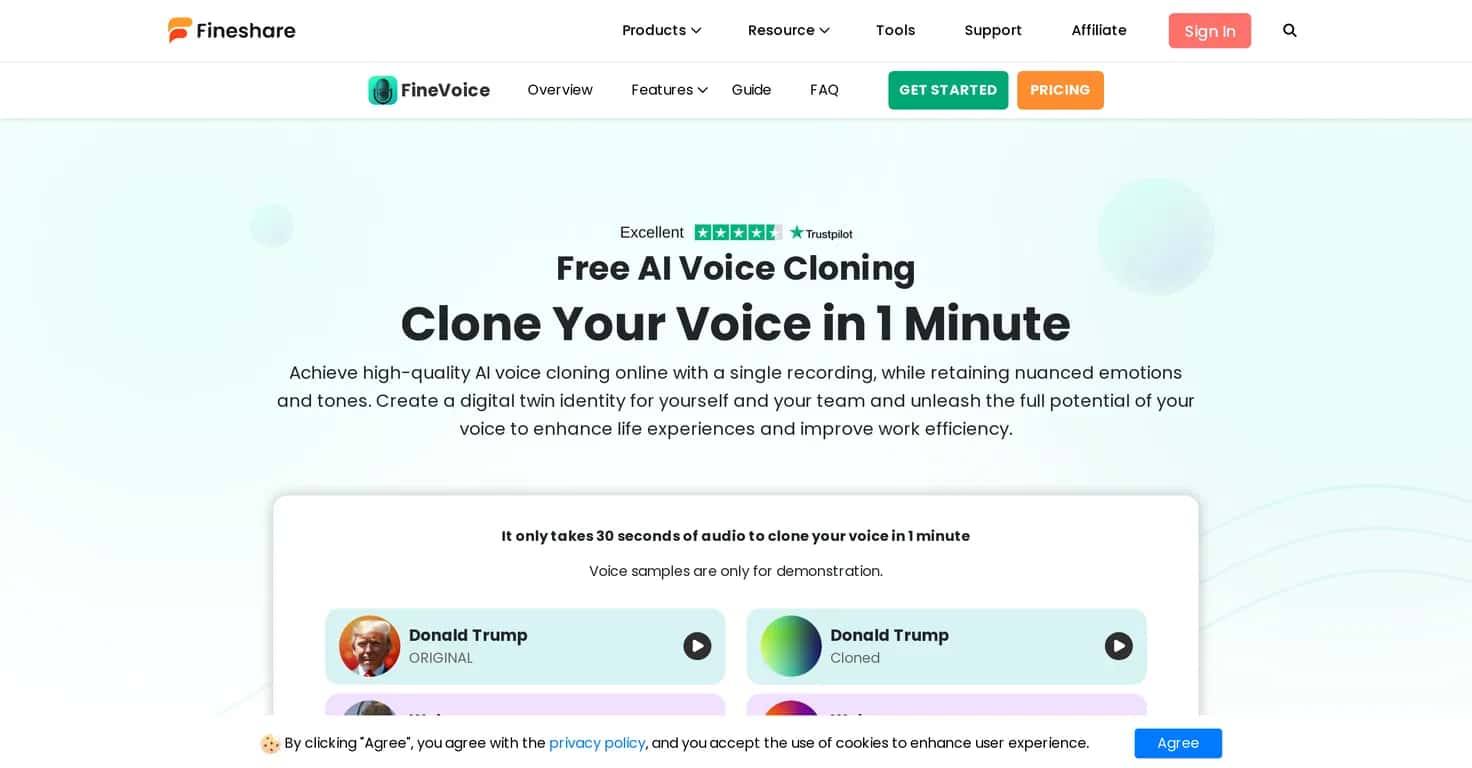
FineVoice is an AI voice cloning tool that lets you create a digital clone of your own voice using a short recording. The pitch, rhythm, and little “human” quirks are what I cared about most—because if the clone sounds robotic, it’s pretty much useless for real projects.
FineVoice Review
FineVoice aims to make voice cloning feel simple. In my experience, the biggest win here is how fast it gets you from “uploading audio” to “okay, that sounds like me.” They position it around a quick workflow—grab a short sample (about 30 seconds), then you can generate a clone that’s meant to sound authentic without spending hours in a recording booth.
What I noticed right away is that the output quality depends heavily on the input. If your sample is noisy, too quiet, or clipped, the clone tends to inherit those issues. It’s not a dealbreaker, but it does mean you’ll want to record clean audio if you care about realism.
FineVoice is also the kind of tool you’d use for practical stuff: podcast intros, audiobook-style narration, voiceovers for videos, and marketing content where you want consistent delivery. If you’re building content on a schedule, saving time on voice recording is a real advantage.
Key Features
- Quick Voice Cloning — You can clone your voice in about 1 minute using a 30-second audio sample. I like this because it lets you test variations quickly instead of committing to a huge recording session.
- High-Quality Output — FineVoice is designed to keep the small details: emotions, pitch, and rhythm. That’s the difference between “sounds similar” and “actually believable,” especially for longer narration.
- Multi-Language Support — Currently available in English and Chinese. If you make content in other languages, this is one of the first constraints you’ll run into.
- User-Friendly Interface — Uploading and setting things up feels straightforward. Even if you’re not super technical, you should be able to get going without hunting through settings.
- Versatile Applications — It’s meant for podcasts, audiobooks, videos, and marketing. I can see it working well for repeatable voice tasks like ads and explainer segments.
- Secure Data Handling — They mention safe storage and privacy via AWS. I always check for at least some security language before using anything with voice data.
- Ongoing Support — There’s customer support plus a community. When you’re testing voice tools, that matters because questions come up fast (formatting, best sample length, etc.).
Pros and Cons
Pros
- Fast setup — It’s genuinely quick to start, and the process doesn’t feel complicated.
- Accurate voice replication — The clone can come out surprisingly close when your sample is clean and well-recorded.
- Useful for multiple content types — Podcasts, video voiceovers, audiobooks, marketing—this isn’t limited to one niche.
- Natural-sounding nuances — In the better outputs, you can hear emotion and pacing instead of just “word sounds.”
- Privacy/security emphasis — The AWS mention and security framing are reassuring.
Cons
- Limited languages — English and Chinese only right now. If you need, say, Spanish or French, you’ll have to look elsewhere.
- Input quality matters — If your recording has background noise, distortion, or inconsistent volume, the clone won’t magically fix it.
- Ethical concerns — Cloning someone else’s voice without consent is a big no. Even for legitimate uses, you’ll want clear permission and responsible handling.
Pricing Plans
FineVoice takes a “try it first” approach, which I appreciate. You can test voice cloning features without needing a credit card up front. The exact pricing can change, so I’d recommend checking their website for the latest plan details and any current limits on usage.
If you’re comparing options, I’d also look at things like how many generations you get on a trial, whether there are any caps per day, and what happens after you’ve used your sample—those details can make or break whether a tool feels worth it.
Wrap up
FineVoice is a solid AI voice cloning option if you want something quick and practical. The workflow is fast, the output can sound genuinely natural when you start with good audio, and it’s well-suited for content creators who don’t want to spend hours recording every revision.
Just remember: you’ll get the best results with clean samples, and the current language support (English/Chinese) may limit you depending on your audience. And of course, make sure your use is ethical—voice cloning should always be done with consent.
Overall, FineVoice feels like one of those tools that can save time immediately, not just something that looks good on paper.
Promote FineVoice