LIFETIME DEAL — LIMITED TIME
Get Lifetime AccessLimited-time — price increases soon ⏳
AI Tools

Email Agent Review – Your AI Assistant for Inbox Management

Updated: April 20, 2026
4 min read
#Ai tool#Email

Table of Contents

If your inbox is starting to feel like a second job, I get it. I’ve had those days where I open my email, see 40+ unread messages, and instantly want to close the app. That’s why I was interested in Email Agent—an AI email assistant built around voice, summaries, and quick replies.

In my experience, the best email tools don’t just “add AI.” They remove friction. Email Agent’s whole angle is reducing the effort it takes to read, understand, and respond—especially if you’re using an iPad and prefer speaking over typing.

Email Agent

Table of Contents

Email Agent Review

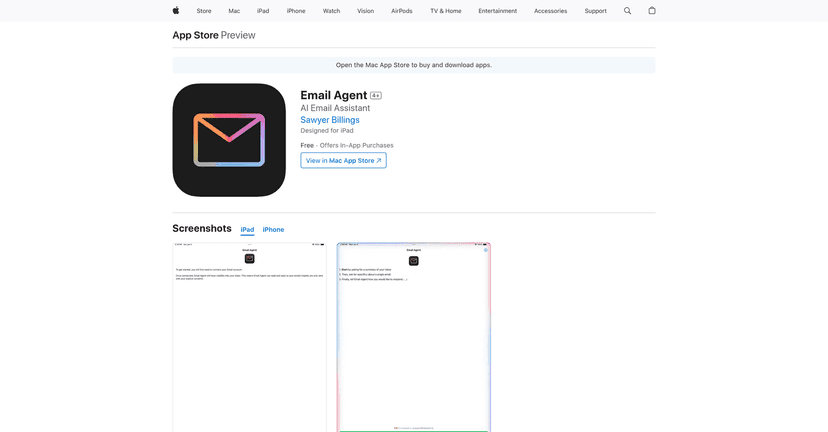
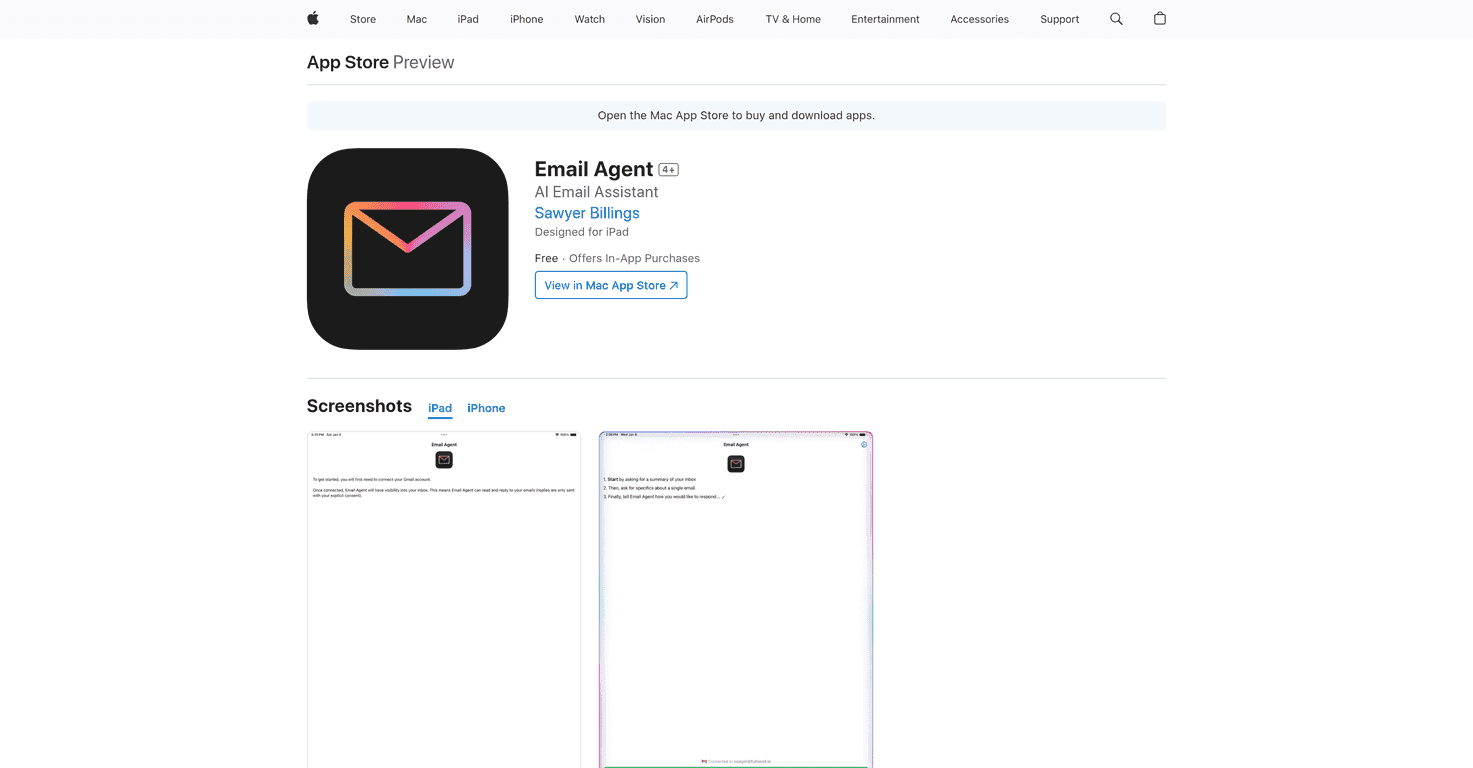
Email Agent is an AI-powered app from Sawyer Billings that focuses on inbox management—especially for iPad users. The big selling point is voice: you can have it read and help you compose replies without typing every single word.

What I liked right away is how the app is built around reducing “inbox overwhelm.” Instead of making you open 10 different emails and scan them manually, it leans on summaries for unread messages. That means you can decide faster: reply now, skim later, or ignore it (politely, of course).

It’s also positioned as beginner-friendly. You don’t need to be techy to figure out the flow. Tap, speak, review, send. Simple.

Key Features

  1. Voice Command Functionality for reading and composing emails
  2. Inbox Summary so you can quickly manage unread emails
  3. Built for iPad with an interface that feels designed for tablets
  4. Simple, intuitive controls so you’re not stuck learning a workflow

What it’s like to use (the stuff you actually notice)

Here’s what stood out to me when thinking about real-world use:

  • Voice-first navigation is the point. If you’re the type who hates typing on a tablet, this app feels made for you. If you prefer keyboard control, it may feel a bit slower at first—since you’ll still want to review what the AI generates.
  • Summaries are most helpful for “decision emails.” Think: scheduling, requests, short updates, and anything where you just need the gist before replying.
  • Review still matters. Even when the summary or draft sounds good, I’d still skim it before sending. You don’t want an automated reply that misses a date or a specific ask.

Quick tips I’d use to get better results

  • Ask for a specific tone. For example: “Reply politely and keep it short” or “Make it sound more confident.”
  • Include the key detail verbally. If the email mentions a deadline or attachment, say it back in your reply request so the draft has the right context.
  • Don’t rely on summaries for complex threads. If it’s a long back-and-forth, I’d still open the full email and read it yourself at least once.

Pros and Cons

Pros

  • Efficient email management with voice commands. It’s genuinely faster when you don’t want to type.
  • Helps you read and compose replies. The app is focused on taking action, not just “summarizing for fun.”
  • User-friendly interface. I appreciate apps that don’t bury the main actions under menus.
  • Free to download and use. You can test it before committing.

Cons

  • You need an internet connection for AI features. If you’re offline, the “AI magic” won’t work.
  • Some extended functionality may require in-app purchases. That’s fine for casual use, but if you plan to use it heavily every day, you’ll want to watch your spend.

Pricing Plans

Email Agent starts with a free base download. If you want more AI time/functionality, there are in-app purchase options listed as:

  • $2.99 for ten minutes of additional functionality
  • $4.99 for twenty minutes of additional functionality

In my opinion, this kind of “minutes” pricing makes sense for testing and light use. If you’re trying to clear your inbox like it’s a full-time job, I’d treat it like a tool you dip into—rather than something you run nonstop.

Wrap up

Email Agent is a solid choice if you want an AI assistant that’s actually built around how people manage email day-to-day—especially on iPad. The voice commands and unread inbox summaries are the heart of it, and when those features line up with your routine, it can save real time.

Just remember: you’ll still want to review drafts, and you’ll need internet for the AI side of things. If that doesn’t bother you, it’s a pretty practical way to tame inbox chaos without living inside your keyboard.

Stefan

Stefan

Stefan is the founder of Automateed. A content creator at heart, swimming through SAAS waters, and trying to make new AI apps available to fellow entrepreneurs.

Related Posts

Figure 1

Strategic PPC Management in the Age of Automation: Integrating AI-Driven Optimisation with Human Expertise to Maximise Return on Ad Spend

Title: Human Intelligence and AI Working in Tandem for Smarter PPCDescription: A digital illustration of a human head in side profile,

Stefan

ACX is killing the old royalty math—plan now

Audible’s ACX is moving from a legacy royalty model to a pooling, consumption-based approach. Indie audiobook earnings may swing with listener behavior.

Jordan Reese
AWS adds OpenAI agents—indies should care now

AWS adds OpenAI agents—indies should care now

AWS is rolling out OpenAI model and agent services on AWS. Indie authors using AI workflows for writing, marketing, and production need to reassess tooling.

Jordan Reese

Create Your AI Book in 10 Minutes