Table of Contents
Diagramming has a way of making simple ideas feel way more complicated than they should. I’ve noticed that the moment I open a “professional” design tool, I start second-guessing everything—shapes, spacing, fonts… and suddenly I’m not even thinking about the message anymore.
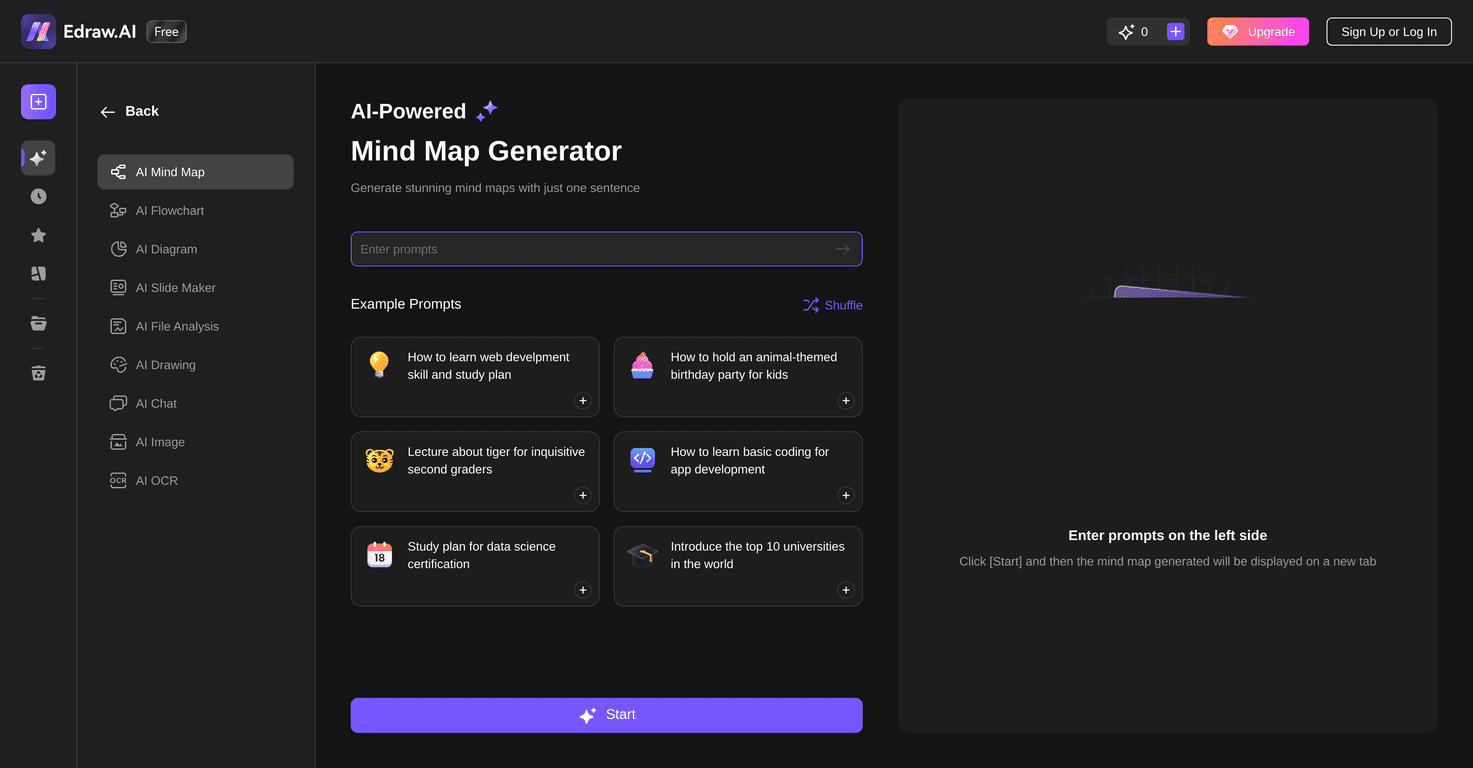
That’s why I’ve been testing Edraw.AI. It’s a web-based diagram creator focused on mind maps, flowcharts, and other visual formats, with AI assistance meant to reduce the “blank canvas” problem. In my experience, it’s the kind of tool that helps you get to a first draft fast—then you can clean things up if you want.
Edraw.AI Review: What It’s Like to Use for Mind Maps & Flowcharts
Edraw.AI is an AI-assisted diagram tool built for people who want visuals without spending an entire afternoon fiddling with formatting. The platform is aimed at beginners and experienced diagrammers alike, but I think it shines most when you want a starting point quickly.
Here’s what I liked right away: the interface feels focused on getting you to a diagram instead of getting you to settings. Whether I was building a basic mind map or a simple flowchart, I didn’t feel stuck hunting for the right menu. And because it’s web-based, I could switch between tasks quickly (no installing a heavy desktop app every time).
It also supports collaboration, which matters if you’re working with a teammate. Instead of recreating the same diagram from scratch, you can share and build together. If you’ve ever tried to coordinate diagram updates over email, you already know why that’s a big deal.
Key Features (and What You’ll Actually Use)
- AI-powered diagram creation
This is the core of Edraw.AI. In practice, the AI help is most useful when you’re starting from an idea and you want it turned into a structured diagram. I found it especially helpful for mind maps where the “branches” need to make sense. - Multiple diagram types
You’re not limited to one format. You can work with mind maps, flowcharts, and other diagram styles depending on what you need for the task. - Pre-loaded templates
Templates are a time-saver. Instead of starting blank, you can pick a layout that matches what you’re trying to communicate, then customize from there. - User-friendly editing
The controls are straightforward enough that I didn’t feel like I needed a tutorial just to move boxes or update text. That “first draft in minutes” feeling is real. - Collaboration tools
If your diagram is going to be reviewed or edited by others, collaboration support helps keep everyone on the same version.
Pros and Cons (My Honest Take)
Pros
- Faster drafts than typical diagram tools
The AI assistance helps you move from “idea” to “diagram” quickly. If you work under deadlines, that alone is worth something. - Templates reduce the setup headache
I didn’t waste time recreating common structures. I could focus on content instead of layout. - Better for brainstorming sessions
Mind maps and branching ideas are where I noticed the most value. It’s easier to explore options without getting bogged down. - Collaboration-ready
If you’re building diagrams with others, the shared workflow is a big improvement over sending files back and forth.
Cons
- Online-only access can be a problem
If your connection is spotty, you’ll feel it. I wouldn’t plan important work sessions in places with unreliable Wi‑Fi. - Advanced customization may feel limited
AI helps with structure, but if you’re building highly detailed diagrams that need very specific styling, you may hit friction. You might spend extra time trying to get everything to look exactly the way you want. - Diagramming still takes judgment
AI can suggest structure, but you still need to decide what belongs where. Garbage in, garbage out—so you’ll want to be clear with your inputs.
Pricing Plans
I didn’t include pricing details in this review because the original content didn’t provide them, and I don’t want to guess. What I recommend instead: check the official Edraw.AI site for the current plan options. If you’re comparing tiers, pay attention to things like collaboration limits, export options, and whether AI features are included in every plan.
Wrap up
Overall, Edraw.AI is a solid choice if you want to create mind maps and flowcharts without turning it into a design project. In my experience, it’s best when you need a quick first draft, a clean structure, and a tool that doesn’t intimidate you.
Just keep your expectations realistic: it’s not magic, and advanced customization may require extra effort. But if you’re trying to reduce the time between “I have an idea” and “here’s a diagram I can share,” Edraw.AI absolutely earns a spot on your shortlist.
Promote Edraw.AI



