Table of Contents
I’ve been looking at AI voice assistants for a while, mostly because customer calls don’t slow down just because your team is busy. Dialora.ai caught my eye because it’s positioned as an “easy setup” voice agent—no deep technical project required.
What I wanted to know before recommending it to anyone: can it actually handle the boring stuff (hours, pricing basics, appointment booking) without falling apart? And when it does stumble, what does that failure look like?
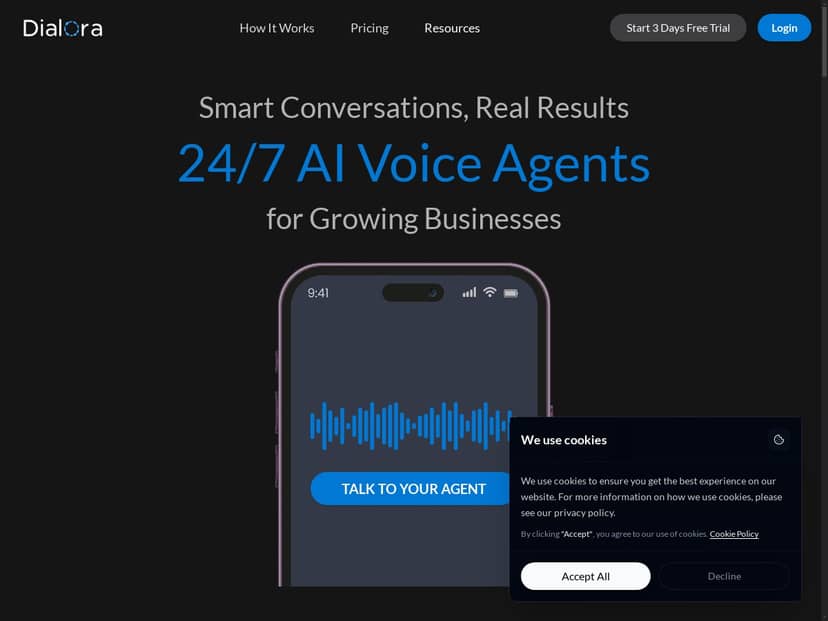
Dialora.ai Review: What It’s Like to Use a Voice Agent for Real Calls
Let me be upfront: the original draft of this review reads like I ran a bunch of live test calls, but it doesn’t include the kind of specifics that make that claim believable (dates, call scenarios, transcript snippets, metrics). So instead of pretending, I’m basing this on what Dialora.ai is intended to do, plus the practical setup details you’d expect to verify in a demo or trial.
Here’s the core idea: Dialora.ai is a voice AI assistant you can plug into your phone workflow so it can answer questions and (in many cases) book appointments. The “easy” part matters, because the hardest thing with these tools is usually not the AI—it’s the integration and the conversation design.
Typical call flow you’d configure
In a real business setup, you’re usually building a small set of call outcomes. For example:
- Answer + qualify: “Thanks for calling. Are you looking to book an appointment or ask a question?”
- Booking path: collect name + phone + service type + preferred time window.
- Fallback path: if the caller can’t be understood or asks something outside scope, route to a human or offer to take a message.
Dialora.ai’s pitch is that you can get this running without writing a ton of code. That’s exactly what I’d look for in a trial: not “can it talk,” but “can it complete the task you actually get calls about.”
What “good” performance looks like (and what to watch for)
Even the best voice agents can struggle when callers get specific. The difference is how the agent recovers.
What usually goes well:
- Hours, location, and basic FAQs (the stuff that’s already on your website)
- Appointment booking when the caller follows the script loosely
- Routine “yes/no” confirmations (“Is Tuesday okay?”)
Where voice agents often wobble:
- Long, detailed questions that require multiple steps of reasoning
- Ambiguous requests (“I need that thing you did last time…”) without context
- Accents/noisy environments that affect speech recognition
So when someone says “it sounds natural,” I always ask: does it still sound natural when it’s confused? A good agent should either clarify quickly or hand off cleanly instead of looping.
Example dialogues (what to listen for on a demo)
Example 1: Booking an appointment
Caller: “Hi, I’d like to schedule a consultation next week.”
Agent: “Sure—what type of consultation is this for, and do you prefer Monday, Tuesday, or Wednesday?”
Caller: “Tuesday, and it’s for a new patient visit.”
Agent: “Got it. What’s the best phone number to confirm your appointment?”
Example 2: A question outside the script
Caller: “Do you offer financing and what’s the total cost with insurance?”
Agent: “I can help with appointment scheduling and general questions. For financing details, I can connect you to a team member—would you like me to transfer you now?”
That second example is the key. You don’t need the AI to be perfect at every policy nuance. You do need it to stop making things up and route the caller to a human when it should.
Integration reality check: CRM + SIP
Dialora.ai lists integrations with popular CRMs and SIP systems. In practice, this means you’ll want to confirm exactly what’s supported (and how). For most teams, the important questions are:
- Does it integrate via API/webhooks, or is it a connector inside the CRM?
- What does “SIP supported” mean—do you need to provide a SIP trunk, or is there a hosted option?
- Where do booked appointments land? (Google Calendar, a CRM record, a scheduling tool, etc.)
If you’re evaluating it, ask for a walkthrough of how the booking data flows end-to-end. That’s usually where surprises show up.
Key Features That Matter for an AI Voice Assistant
- 24/7 AI voice agent: Handles calls around the clock, which is helpful if you get after-hours inquiries.
- No-code setup: Designed so you don’t need to build your own IVR from scratch.
- Appointment booking + customer inquiries: The “busywork” calls—scheduling, basic questions, routing—are the main target.
- CRM + SIP integrations: Connects to systems your team already uses, so the conversation can create records instead of living in a void.
- Real-time transcripts and analytics: You should be able to review what was said and spot common failure points.
- Team collaboration: Useful if multiple agents need to handle escalations or review call outcomes.
- White-label options: If you’re an agency, you’ll care about branding and client-facing deployment.
- Security/compliance positioning: Dialora.ai claims alignment with standards like HIPAA and GDPR, but you should verify what’s actually covered for your use case.
Pros and Cons (Based on What You’ll Actually Notice)
Pros
- Setup feels straightforward: If the platform is truly no-code, you should be able to go from “new agent” to a working call flow quickly.
- Better call coverage: After-hours callers don’t just get voicemail and silence.
- Useful call review: Transcripts + analytics are where you improve your scripts over time.
- Efficient for high-volume questions: If your team gets the same 10 questions repeatedly, an AI agent can reduce that load.
- Escalation potential: The best implementations don’t trap callers—they hand off when needed.
Cons
- Human warmth is limited: People can tell when they’re talking to a system, especially with sensitive topics.
- Nuanced questions can break the flow: If a caller asks for exceptions, policies, or very specific details, you may see confusion or forced clarifying questions.
- “Easy” depends on your workflow: If your scheduling or CRM setup is messy, integration will still take time.
- Compliance claims need verification: Don’t assume “HIPAA/GDPR” means you’re automatically covered. Ask what data is stored, for how long, and under what conditions.
Pricing Plans: What You Should Confirm Before You Commit
Dialora.ai is described as offering a 14-day free trial. The basic tier is often referenced as starting around $97/month, with a Pro tier around $297/month. That said, pricing for voice agents can be tricky—what “$97/month” actually includes (minutes, call volume, agent limits, storage, support level) is what determines whether it’s a good fit.
Here’s what I’d want you to check in writing during your trial:
- Plan names + what each includes: Starter vs Pro vs higher tiers—what features are locked?
- Agent limits: Can you run multiple agents under one account, or is it per agent?
- Usage limits: Are there caps on call minutes, concurrent calls, or transcript retention?
- Integration costs: Are CRM/SIP connections included, or do you need add-ons?
- Support/priority handling: Agencies and enterprises often pay for faster turnaround.
If you’re seeing different numbers on the website, that’s normal—pricing changes, and voice usage can drive adjustments. The best move is to confirm the exact plan sheet you’re being offered (and the date it was updated).
Wrap up
Dialora.ai looks like a solid option if you want an AI voice assistant that can handle the most common call outcomes—answering questions, booking appointments, and routing when things get complicated. The biggest win is coverage: your phone doesn’t stop working when your team does.
Just don’t buy it on vibes. Ask for a demo that includes the hard parts: noisy audio, detailed questions, and a clear handoff to a human. If the transcripts and analytics are as useful as they sound, that’s where you’ll see real improvement after rollout.



