Table of Contents
If you’re polishing cover letters right before you hit “apply,” you already know the problem: they can sound great to you… and totally generic to everyone else. CoverSentry positions itself as a way to check your cover letter for authenticity and overall quality. I tested it with a couple of different letters and workflows, so I could see what kind of feedback it actually gives (and what it doesn’t).
CoverSentry Review: What I Actually Got From It
Here’s what I did. I ran the same general job-application scenario through CoverSentry twice—once with a “safe but a bit bland” draft, and once with a more specific version where I added concrete achievements.
Test workflow I used
- File upload: I tried a PDF first (because most people end up exporting to PDF anyway), then I repeated the test with a Word-style document.
- Direct text: I also pasted the letter into the input box to see if the results changed when I didn’t upload a file.
- Iteration: After the first results, I made a few changes based on the suggestions and re-ran the analysis to check whether the feedback categories improved.
What the feedback looked like (the parts that mattered)
CoverSentry doesn’t just say “AI detected” or “you’re good.” In my results, it focused on categories like:
- Authenticity / AI-likeness signals: It flagged wording that sounded “template-y” or overly polished in a way that doesn’t read like a real person wrote it.
- Clarity and structure: It pointed out places where sentences were long, repetitive, or didn’t flow logically from one paragraph to the next.
- Specificity: It pushed me to add details—role-relevant accomplishments, metrics, and a bit more context about why I’m a fit.
- Tone: It nudged the letter toward a more natural, confident tone instead of sounding like a generic corporate statement.
Before/after examples from my edits
Example #1: Opening line
Before: “I am writing to express my interest in the position at your company.”
What CoverSentry flagged: The opening read like a common template and didn’t give a reason to care right away.
After revision: “I’m excited about the [Role Title] role because my last project improved [X] by [Y%], and I’d love to bring that same problem-solving approach to your team.”
What I noticed on the second run: The feedback shifted away from “generic opener” style issues and toward refinement of the rest of the paragraph.
Example #2: Achievement paragraph
Before: “I have experience working with cross-functional teams and delivering high-quality results.”
What CoverSentry flagged: Strong-sounding but vague. It didn’t include enough “proof” (what you did, how, and what happened).
After revision: “In my previous role, I partnered with Product and Engineering to ship [feature/campaign]. We reduced turnaround time from [A] to [B] and improved adoption by [C%].”
What I noticed on the second run: The letter felt more grounded, and the suggestions became less about “add details” and more about tightening wording.
One honest limitation
Let’s be real: AI-detection tools can be hit-or-miss. CoverSentry’s analysis is useful for editing, but I wouldn’t treat it like a lie detector. I also didn’t see it “understand” my story the way a human reviewer would. It helped me clean up patterns, but it can’t replace your lived experience and judgment.
Key Features: What CoverSentry Does Well
- Real-time analysis: In my testing, I got results quickly enough that I could edit and re-check without losing momentum.
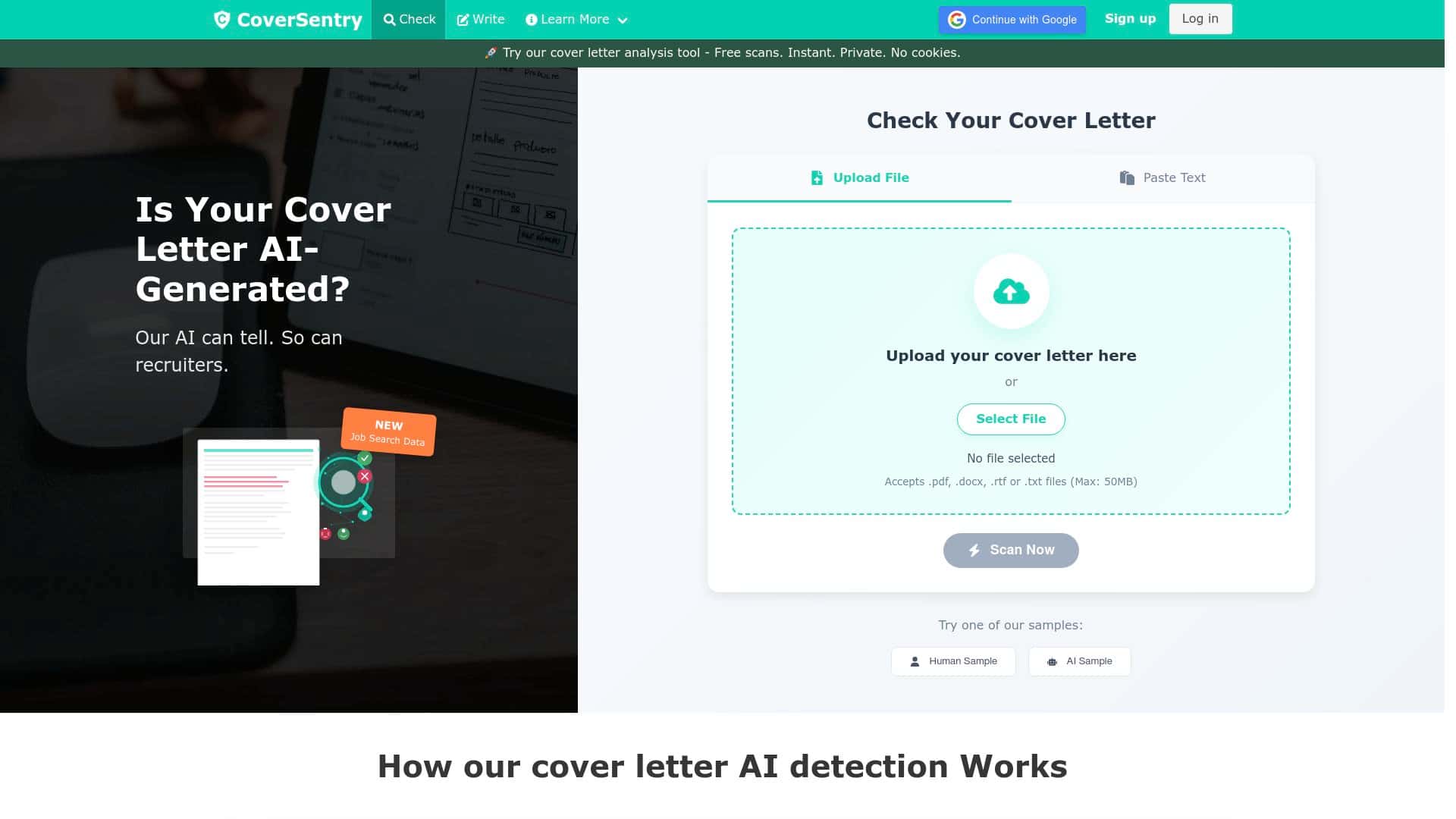
- Multiple input options: It supports uploading documents (I used PDF and Word-style files) and also accepting direct text input, which is handy when you’re tweaking on the fly.
- Actionable improvement suggestions: The feedback wasn’t just “score and move on.” It pointed to specific areas like vague claims, repetitive phrasing, and structure.
- Privacy-first messaging: It claims not to store user data after analysis. I can’t independently verify internal storage policies, but the privacy approach is what they emphasize, and it’s a comforting detail if you’re sharing drafts you haven’t finalized yet.
- Cover letter generation: There’s also a generation option if you’re starting from scratch (or want a baseline). Just be careful—generated text can slip into that “sounds impressive but generic” zone unless you customize it heavily.
Does it actually measure “AI-generated”?
CoverSentry talks about authenticity and AI-likeness, but I didn’t find a fully transparent scoring methodology in what I could access during testing. What I can tell you is that it consistently highlighted the kinds of sentences that tend to look templated: generic openings, overused phrases, and achievements that lack concrete details.
If you want to use it effectively, treat the output like an editing checklist—not a final verdict.
Pros and Cons (Based on My Results)
Pros
- Fast feedback loop: I could upload/paste, review suggestions, adjust my draft, and re-run quickly.
- More helpful than “generic grammar checks”: It focused on authenticity and cover-letter-specific issues like template phrasing and lack of specificity.
- Easy to use: The interface felt straightforward—no weird steps, no fighting with formatting.
- Good for iteration: I liked that it encouraged small, targeted edits instead of forcing a total rewrite.
- Privacy messaging: If you’re cautious about where your drafts go, it’s at least reassuring that privacy is part of the pitch.
Cons
- Not perfect at detecting AI text: No tool like this is. Some wording can be interpreted as “AI-ish” even when it’s just well-written, and some AI patterns can slip through.
- English-only analysis (from what’s presented): If you’re writing in another language, you’ll need a different workflow.
- Scoring transparency: I didn’t see enough detail about how “accuracy” is measured (benchmarks, false positives/negatives, etc.) to fully trust numeric claims.
- Edge cases: Very short cover letters or unusual formatting can lead to less meaningful feedback—because there’s simply less text for the tool to evaluate.
Pricing Plans: What I Could Confirm
During my testing, I didn’t capture a full pricing screenshot inside the editor itself, and prices can change. What I can say is that CoverSentry includes a free basic analysis and then offers premium features through credits (typically earned or purchased after registration).
Quick pricing comparison (based on what’s publicly described during use)
| Plan | What you get | Best for |
|---|---|---|
| Free | Basic cover letter analysis | Trying it out and doing 1–2 quick edits |
| Premium (credits-based) | Expanded/premium features accessed via credits | Frequent applications or multiple re-checks per job |
If you want the exact current numbers (credit amounts, per-analysis cost, and any monthly tiers), check the pricing page directly on CoverSentry before you commit—especially if you’re planning to run multiple letters.
My practical tip before you pay
Do one thing first: run your current best cover letter through the free analysis, then make 3–5 edits and re-run. If the tool helps you tighten specificity and tone consistently, credits will feel worth it. If the feedback is too generic for your style, you’ll know quickly.
Wrap up
So, is CoverSentry worth using? In my experience, it’s most useful as a cover-letter editor—especially if you tend to write in a “safe” way that ends up sounding like everyone else. The suggestions helped me replace vague lines with more concrete, role-relevant details, and it made my letter feel more human in tone.
Just don’t treat it like a magic pass/fail detector for “AI vs human.” Use it to catch template patterns, tighten structure, and push yourself toward specific achievements. If you do that, you’ll get real value out of it—without over-optimizing your writing into something that still doesn’t sound like you.



