Table of Contents
I’ve used a bunch of course-building tools over the years, and I’ll be honest—most of them either help you write content… or they help you organize it. CourseGenie is trying to do both, and after spending time in the interface, it feels like it’s built for educators who want to get from “idea” to “usable lesson materials” quickly.
The big promise here is less admin work and more teaching time. And in practice, that’s what I noticed: instead of starting from a blank page, I could generate a draft outline, turn it into summaries, and then pull together quizzes without spending hours formatting everything manually. It’s not magic—if you want truly top-tier content, you’ll still need to review and tweak—but it definitely cuts down the busywork.
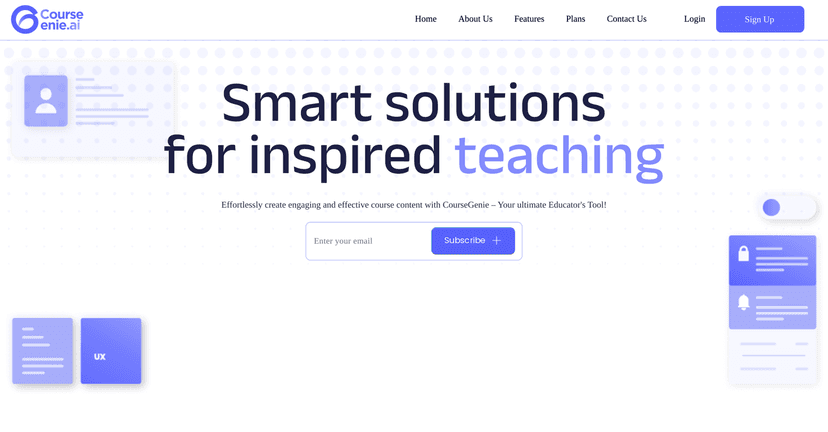
CourseGenie Review
So what’s it like to actually use? When I generated content, the workflow felt pretty straightforward: you pick a topic or learning goal, generate supporting materials (like outlines and summaries), and then keep iterating until it matches your course style. What I liked most is that it doesn’t stop at “here’s some text.” It helps you turn that text into course-ready components—especially quizzes and structured lesson content.
Another thing I noticed is how it supports educators who have to create the same course more than once (or update it each term). Instead of starting over from scratch, you can revise existing resources and keep everything organized. And if you’re working with other instructors, the collaboration features are a big deal—because course development is rarely a solo job.
Is it perfect? No. The AI drafts can sometimes need rephrasing to sound like you (and that’s true for any AI writing tool). Also, if you’re not used to managing digital content in a structured way, you might feel a little lost at first. But once you get the hang of it, it’s a lot easier to keep momentum.
Key Features
- Content Generation — outlines, summaries, quizzes, and more. In my testing, this is the part that saves the most time because you’re not formatting everything from scratch.
- Version Control — makes edits and updates less stressful. If you change a lesson objective or want to refine a quiz, you don’t have to lose the earlier version.
- Collaboration Tools — helpful if you’re building with other educators. You can share materials and improve them together instead of emailing files back and forth.
- Integrated Translation — useful for reaching global audiences. This is especially handy if you teach learners who prefer content in different languages.
- Resource Management — organizing educational materials so you can find what you need later. I found this matters more than people think, especially when you’re building multiple courses.
Pros and Cons
Pros
- Real time-saver for drafts. Generating outlines, summaries, and quiz questions quickly means you spend less time on the blank-page stage.
- Editing feels manageable. Version control makes it easier to refine content without starting over every time.
- Collaboration is built in. If you work with a team, it’s smoother than juggling multiple documents.
- Translation helps broaden your reach. If you’re teaching diverse groups or offering multilingual content, this is a practical feature.
Cons
- There’s a learning curve. Not everyone will immediately understand the workflow and where to make certain edits, especially if you’re new to tools like this.
- Not every feature will fit every educator. Depending on your teaching style and how you structure courses, some tools may feel more useful than others.
- You’ll still want to review the AI output. The drafts are a great starting point, but you’ll likely adjust tone, accuracy, and examples to match your curriculum.
Pricing Plans
CourseGenie’s pricing is pretty straightforward, and it’s tied to how many resources you can generate/handle per month. Here’s what you’ll typically see:
- Free plan: 5 resources monthly
- Gold: $9.99/month for 50 resources
- Platinum: $19.99/month for 150 resources
- Enterprise: custom pricing for unlimited resources
In my opinion, the Gold plan makes sense if you’re actively building (or updating) one course and generating a decent number of lesson components. If you’re running multiple courses, or you need lots of quiz and summary variations, Platinum starts to look more cost-effective fast.
Wrap up
If you’re trying to create course content faster without losing structure, CourseGenie is worth a look. It’s especially strong for educators who want draft-to-course materials in less time—outlines, summaries, quizzes, and the organization around it. The collaboration and translation features are also genuinely useful, not just “nice to have.”
Just go into it expecting that you’ll still do some editing. For me, the biggest win wasn’t that it wrote everything for me—it was that it helped me move from idea to organized lesson assets much quicker than I could on my own.